
fhmgemglejnmihnkilbcmfajmjfnfiag
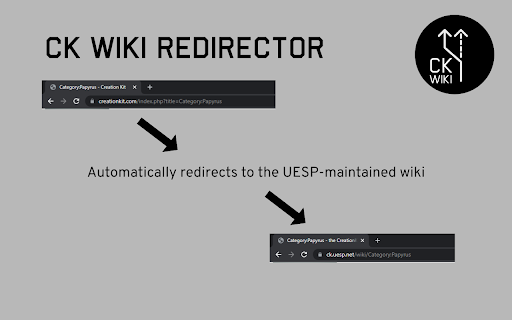
Redirects navigation to the old Skyrim CreationKit Wiki to the clone hosted and maintained by the UESP. A simple extension that attempts to automatically redirect navigation to the original Creation Kit Wiki (hosted on creationkit.com) to the clone of the wiki created and maintained by the UESP Project (see https://ck.uesp.net/wiki/CreationKit:Copy_Notice). This should redirect URLs like https://www.creationkit.com/index.php?title=Category:Papyrus to the equivalent page on the UESP site (https://ck.uesp.net/wiki/Category:Papyrus). This extension is open-source and the extension code is available at https://github.com/agc93/chrome-ckwr .

UESP Wiki Redirector
If the same page exists on the Wikia/Fandom wiki it will try to redirect to that same page on UESP (e.g. Draugr (Skyrim) will go to Skyrim:Draugr on UESP). Otherwise, it'll simply show the search results for that page on UESP. Note: This extension was not created by nor is in any way related to the Unofficial Elder Scroll Pages wiki, Wikia or Fandom. Thanks to proEndreeper for the original code. Their code can be found at: https://github.com/proEndreeper/RSWikiRedirector

Nexus Mods Sensible Archive
Download mods directly from the Nexus Mods Archive This plugin changes the Nexus Mods archive files page on mods. By default, the page doesn't allow for downloads of mods. Normally, accessing the mod download requires using Inspect Element to find the file ID and then manually pasting it in a link for the download, which I found ridiculous. This plugin modifies the archive page to include both a mod manager and a manual download option. Unlike a standard download, clicking it will take you to the download file nexus page, but clicking the "Start Download" button will initiate the download. This plugin doesn't currently unhide the archive pages of certain mods. However, if the archive page isn't accessible for a given mod, simply put "&category=archived" at the end of the files tab link, and you will be taken to the archive page. This plugin was made for the skyrim modding guide, Lexy's Legacy of the Dragonborn, which you follow here https://lexyslotd.com/

Security Tweaks
Improve your online security with few tweaks via toolbar popup! Security Tweaks is an extension that helps you improve your security while browsing by using eight different techniques. Simply open toolbar popup UI and mark a desired tweak. Please note that, only few tweaks are selected by default. There are few settings (related to JavaScript, inline-script and cookie) available in toolbar popup to adjust. Currently there are 8 tweaks available for this add-on: 1. Block most common ads. 2. Block third-party JavaScript. 3. Enable safe-browsing. 4. Block cookies. 5. Block inline-script. 6. Block Flash contents. 7. Disable window.eval(). 8. Block most common malware URLs. Note 1: I have made this extension with Yubi's collaboration. This add-on is inspired by Speed Tweaks made by Yubi: https://chrome.google.com/webstore/detail/speed-tweaks/afebilemcaepdkmhmibgmnpfppnjimjf Note 2: to report bugs, please fill the bug report form in the addon's homepage (https://mybrowseraddon.com/security-tweaks.html).

GitHub File Diff
View diffs of files and directories on GitHub. To use this extension, go to a file or directory in GitHub and click the **History** button. Then, click on any commit. The extension will override the click to show the diffs of only the relevant files instead of GitHub's default behavior of showing the entire commit's diff. This is especially helpful when a commit is very large and GitHub only shows a partial diff or none at all. To get the regular view, simply refresh the page.
