
fhbjpkjhalgkhlfbhcbnejkgbnjnmjmn
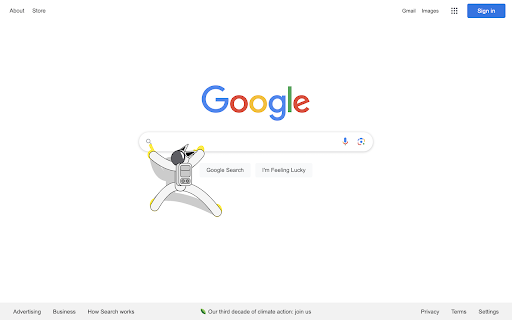

Strange Astronaut is an extension for your Chrome browser that allows you to take this merciless astronaut around various websites. This strange astronaut is exploring the "Chrome" galaxy in the vast "Space Wide Web" universe. There is no identification of the astronaut, from his name to his planet of origin, but one thing is clear: he is crazy about mouse pointers! This extension creates an astronaut character that follows the user's mouse pointer. Explore the "Chrome" galaxy together. Follow the tutorial to install it. https://strange-astronaut.rarebeef.co.kr/tutorial

Custom Cursor for Chrome™
Fun custom cursors for Chrome™. Use a large collection of free cursors or upload your own. Customize your Chrome browser experience with our free collection of mouse cursors at Custom Cursor. At Custom Cursor we have created a giant collection of hand-drawn cute cursors. We have over 10,000 different packs available on our website for you to enjoy. With your help, our collection has grown so big that we divided it into categories that should fit every taste, like: - Minecraft; - Cute Cursors; - Anime mouse packs; - Memes; - Spy x Family pointer packs with Anya Forger; - Among Us; - Two types of Minimal pointers for work and studies; - Games; - Roblox; - And many, many other funny elements for you to play with. Some of our mouse pointer packs are bundled with the Custom Cursor browser extension, but most of them await you on our website. Keep an eye out for new and trending additions. To simplify navigation, we've organised our collection into Editor's Picks collections, each with a unique theme. Examples include: - Green arrows for autumn; - Christmas themed arrows; - Holidays editor's picks; - Halloween; - Custom Cursor collaboration with Daieny Schuttz; - Pink pointers editor picks; - Summer mouse decorations; - Rainbow colors; and much, much more on our website. If you can't find what you're looking for, use the "UPLOAD CURSOR" button to add your own. Manage your personal arrow collection on the Upload page and adjust cursor size in the "Manage" section. Newly added collections will be uploaded to the Custom Cursor for Chrome extension and can be found at the bottom of the collection list. Your added packs will appear in “My Collection”. Create your own collection of mouse cursors from any images with Custom Cursor Creator tool on our website. It will allow you to create new packs from almost any arrow or pointer shaped image on the internet. ------------------- ! After installing the extension, refresh previously opened tabs to use it on those pages. Note that the extension may not work on Chrome Web Store pages or the home page. Open another website (e.g., google.com) to test the extension. If you like the extension you can also check our Custom Cursor for Windows app. Preview arrow appearance by clicking on it in the extension window and moving the mouse to the empty space within the window.

Random User Agent
Generate random user agent with chrome extension. Switch browser agents to any device or browser. Perfect for testing and privacy This powerful tool allows you to get random useragent strings with just a single click. It helps to protect websites tracking your browsing habits. Additionally, tool allows you to test any website across different browsers without actually installing them. 🤔 What is a UserAgent? A useragent is a string of text that your browser sends to websites you visit, revealing information about: 1. Your browser type and version - Chrome, Firefox, Safari, Edge etc. 2. Operating system - Windows, MacOS, Linux, iOS, Android etc. 3. Device specifications, rendering engine 💯 Why you need to use random user agent switcher Websites collect your device information to track your online activities. Our tool helps you maintain anonymity by regularly changing your device's identity. Privacy concerns have never been more relevant than today. – Enhanced privacy protection – Bypass geo-restrictions – Test websites across multiple platforms – Avoid browser fingerprinting – Access to region-specific content ⚙️ How Random User Agent works Extension works like a useragent converter that edits native identity to random user agent string seamlessly in the background. Once installed, you can set it to automatically switch user string at intervals or manually select from a comprehensive list of strings. Our privacy tool maintains a database of thousands of different browser agent strings, ensuring you always have fresh options to choose from. Whether you need to switch useragent in Chrome for development or privacy purposes, this extension handles it efficiently. 🔥 Features that set random user-agent extension apart Generate random useragent strings with unparalleled flexibility! Our tool comes packed with features designed to satisfy both casual users and professionals. 🔺 One-click random agent generator (generate browser strings for your purpose) 🔺 Scheduled rotation (for example, change it every 10 minutes) 🔺 Custom profiles (spoof desktop or mobile) 🔺 Useragent switcher with predefined categories (specific OS, devices, browsers) 🔺 Detailed UA information display (answers the question "what is my user agent?") 📊 Use cases for extension The user agetn randomizer for chrome serves numerous practical purposes. Developers particularly appreciate this agent switcher and manager when testing cross-browser compatibility. Privacy-conscious persons rely on this browser spoofer chrome extension to minimize tracking. 1️⃣ Web developers testing responsive designs 2️⃣ Privacy-focused individuals avoiding tracking 3️⃣ Marketers checking geo-targeted content 4️⃣ Bypassing simple site restrictions 5️⃣ Accessing region-specific offers or content 📱 Compatible with all your devices Whether you're using Chrome on Windows, macOS, Linux, the random user agents extension works flawlessly across platforms. The user identity string can be changed with a single click, making it the perfect browser switcher for all your devices. 🔒 Privacy first approach This extension prioritizes your privacy. It doesn't collect your data or track your browsing habits. This tool generates fake user agents follows strict privacy guidelines, ensuring your browsing remains truly private. ⚡ Advanced options of extension For those who need more control, the random useragent generator offers advanced configuration options. Set chrome useragent strings based on specific websites, create rotation patterns, or define custom browser identities with the useer-agent random generator functionality. 🔹 Rotation patterns and schedules 🔹 Custom user agent creation (with random option) 💻 Perfect for developers and testers Web developes love the switcher user agent chrome capabilities for testing responsive designs across multiple virtual devices. Instead of maintaining several physical devices, use this extension to simulate different environment or spoof browser. The user agent check feature allows you to verify your current identity string, while the agent randomizer ensures you're always testing with fresh configurations. This makes random user-agent extension an indispensable tool in any developer's toolkit. 🚀 How to get started 1. Install our extension from the Chrome Web Store 2. Click the extension icon to access the switcher 3. Turn on random generation mode 4. Customize settings based on your preferences 5. Enjoy enhanced privacy and testing capabilities

Cursor Cat
Funny custom cats chase the cursor in your Chrome browser. Your personal pet. 😻 Cursor Cat - a fun kitten chasing the mouse cursor Cursor Cat adds an animated cat companion to regular websites. After installation, click the extension icon, choose a cat, and the cat will appear on webpages and follow your mouse cursor. You can switch cats or turn the effect off from the extension popup. Cursor Cat does not work on Chrome Web Store pages, chrome:// pages, or other restricted browser pages. ✨ Key Features 🐾 Animated cat cursor companion that follows your mouse 😺 Adds fun, expressive custom cursor effects in Chrome 🐱 Multiple cute kitten characters with playful animations 🎉 Works across most websites (except Chrome Store) 🎯 Why Users Love It => Makes browsing feel more lively and personal => Great for cat lovers and desktop personalization fans => Fast, simple, and easy to enjoy — no settings needed 🚀 How It Works => Install Cursor Cat => Move your cursor — watch your kitten chase it! => Enjoy the fun wherever you browse 🔒 Safe & Lightweight => Cursor Cat runs smoothly in the background and is designed for fun! Cursor Cat is a free animated mouse cursor extension for Chrome that replaces your default pointer with a playful, interactive kitten. If you're searching for a cat cursor, custom mouse cursor, or a fun way to personalize Chrome, this lightweight extension delivers a cute and entertaining browsing experience without complicated settings. How to use: 1. Install this extension from the Chrome Web Store. 2. After installation, its icon will appear in the upper right corner of the browser. 3. Open any other site (except the Chrome Web Store or Homepage). 4. Click on the extension icon in the browser. 5. Choose any kitten by clicking on it. 6. Move the cursor over the site area, and the chosen kitten will start chasing the cursor. 7. Enjoy and have fun with your new virtual friend! Attention! ⚠️ According to Google rules, our beloved cursor cat cannot work on Chrome Web Store pages and internal browser pages such as the Homepage, Settings, and Downloads. But don't worry! On all other pages, he will happily help you catch the cursor, play mini-games, and simply lift your spirits. Imagine your cat exploring the internet, jumping around your favorite sites, but unfortunately, even he has his feline limitations. These fun pets are available for you: 1. Greeny cat 🐱: Meet Greeny cursor cat, the endlessly curious tabby who loves to pounce on anything that moves—whether it's a forgotten toy or an unattended shoelace. Greeny is always ready to conquer your cursor with acrobatic jumps! 2. Pika cat 🎀: Meet Pika cursor cat, the feline fashionista who loves to show off her style, sometimes mistaking household items for the latest trends. She definitely knows your life needs more feline fashion! 3. Punky cat 🎸: Meet Punky cursor cat, the mischievous black cat who has a knack for finding trouble—and blaming it on the shadows that follow him. Punky is a true rock star among cats! 4. Maneki cat 🐾: Meet Maneki cursor cat, the lucky cat who brings fortune wherever she goes, often leaving behind trails of unexpected treasures. Maneki will always find something interesting for you! 5. Nyan cat 🌌: Meet Nyan cursor cat, the dreamer who often gets lost in thought, contemplating the mysteries of the universe while staring into space. Nyan knows you sometimes dream of feline cosmic adventures too! 6. Grinch cat 🎄: Meet Grinch cursor cat, the holiday enthusiast who can’t resist decorations, often getting tangled in tinsel and lights. Grinch loves the holidays—even if it gets a little messy! 7. Rudolph cat ✨: Meet Rudolph cursor cat, the cat with a glowing personality who loves to light up the room with bursts of energy and whisker-twitching antics. Rudolph is your personal holiday light! 8. Santa cat 🎅: Meet Santa cursor cat, the holiday hero who takes delivering joy very seriously—even if it means knocking over a few milk saucers. Santa is always ready to spread holiday cheer! 9. Spider cat 🕷️: Meet Spider cursor cat, the arachnophobic cat who’s always on the lookout for imaginary spiders, ready to pounce and save the day from eight-legged intruders. Spider cat is your feline superhero! 10. Bat cat 🦇: Meet Bat cursor cat, the nocturnal hero who prowls the shadows at night, seeking treats and foil balls with the stealth of a winged crusader. Bat cat is the night guardian of your cursor! 11. Hulk cat 💪: Meet Hulk cursor cat, the gentle giant who often gets stuck in doorways meant for smaller cats, pondering the physics of his own strength. Hulk cat is your mighty cursor protector! And many more cool 🐈🐈🐈 characters. Cursor Cat is proud to support the Best Friends Animal Society organization, a nonprofit whose mission is to ensure a safe home for all pets. We invite you to help this mission when you are shopping at partner stores, at no cost to you. Support is always optional, and can be permanently disabled at any time. Cursor Cat may get paid commissions directly from companies and/or via affiliate programs on sites visited and/or products purchased while using this browser extension. 100% of these commissions/affiliate-payments become the donations that go to your selected charity. Move the cursor around the website area, and animated cats will catch up with your cursor. Their funny faces will change depending on your movements. Once they catch up with the cursor, the pets will comfortably settle around it, adding joy and fun to your day.

Cursor Space - Custom Cursor for Chrome
Fun mouse cursors for your browser. Enjoy a large collection of custom and animated cursors Transform Your Browser with Custom Cursor Space! Welcome to Custom Cursor Space - the ultimate way to personalize your browsing experience! Say goodbye to the default mouse cursor and hello to a custom cursor for Google Chrome that reflects your style, mood, and creativity. With Cursor Space, your cursor is no longer just a pointer - it’s a statement. Whether you love animated cursors, sleek designs, or fun and quirky styles, we have the perfect options to make your browsing more exciting. Why Choose Cursor Space? - Huge Cursor Collection - Explore a vast selection of custom cursors, from cute cursors to bold and stylish designs. - Animated Cursors - Add motion to your browser with dynamic, eye-catching cursors. - Personalized Experience - Design your own custom cursor and make your browsing truly unique. - Easy Installation - Install in seconds and transform your Google Chrome cursor instantly. - Regular Updates - New cursor designs added frequently to keep your style fresh. Express Yourself with a Unique Cursor Your cursor should match your personality! Whether you're into anime cursors, meme-inspired designs, or professional and minimalist styles, we’ve got you covered. Choose from static or animated cursors to make every click fun and stylish. Create Your Own Custom Cursor Why settle for a default cursor when you can design your own? With Cursor Space, you can create a truly unique custom cursor that stands out. Choose the shape, color, and animation effects to match your mood and preferences. Install Cursor Space for Free! Enhance your Chrome browsing experience today – and the best part? It’s completely FREE! Simply install Cursor Space and start exploring a world of creativity. ✨ Make your cursor shine! Visit cursor-space.com now and transform the way you browse the web. Other options: - Promotional materials for other products are also featured on the options page.
