
fglfichcambfnfmcjmppcnojneccedne
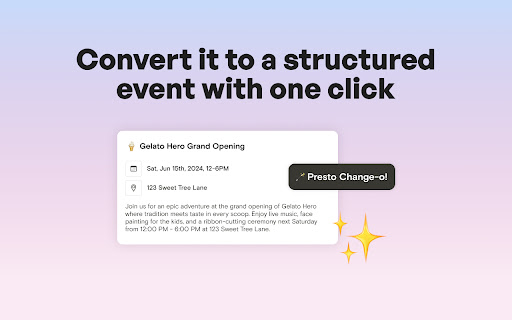


Agenda Hero for Chrome eliminates the tedious, click-heavy, and disruptive task of manually creating calendar entries. Convert full paragraphs of text into a calendar-ready event in one click. Review the result, modify it if desired, then send it to your calendar. Agenda Hero makes it possible to stay on top of the flurry of schedule information you receive in newsletters, email, social media, and on the web. HOW IT WORKS 🌎 Select event-related text you want to convert 📆 Click the Add to Calendar button that appears 🪄 The text will transform into a structured calendar entry ✅ Check the result and make modifications if desired ✉️ Add it directly to Google Calendar, or email yourself the invite Agenda Hero works seamlessly in your browser. No copying, no pasting, and especially no extra clicks, required. Use Agenda Hero in webmail, social media, and across the Internet. Agenda Hero for Chrome works across: • Google • LinkedIn • Facebook • X, formerly known as Twitter • And more! ABOUT AGENDA HERO Agenda Hero helps people spend less time working on schedules and more time enjoying them. Designed for simplicity and joy, Agenda Hero is a collaborative platform for schedules, turning unstructured into beautiful, actionable, structured, and sharable plans. We are on a mission to save people time and clicks.

Text to Google Calendar
😡 Fed up with the hassle of manually creating a google calendar event? 'Text to Google Calendar' 🌟 is here to turn highlighted text into Google Calendar events in a single click - whether it's from an email or a webpage. No more copying and pasting. What else can 'Text to Google Calendar' do? 🧹 Create multiple calendar events at once and recurring calendar events! 🔑 Auto-populate important information like timezones, locations, and event details 🔗 Save time, headache, and avoid manual entry errors 👀 Ready to Revolutionize Your Calendar Management? Add 'Text to Calendar' to Chrome now and experience the future of scheduling! 🌟📆

PDF Barber
Seamless PDF tools from pdfbarber.com brought to your browser, completely offline Edit, organize, and transform PDFs directly in Chrome — no uploads, no servers, complete privacy. Works completely offline in your browser. FEATURES • Split & merge PDFs • Rearrange, rotate, and delete pages • Extract specific pages & in bulk • Edit PDF metadata & in bulk • N-up: arrange multiple PDF pages in a page • Create custom QR codes WHY PDF BARBER? • Fully offline processing — your files never leave your device • First 7 operations are free • One-time license unlocks unlimited use • Simple drag-and-drop interface Perfect for: students, professionals, and anyone managing PDFs daily. - Full page extension - Preview of pages on hover for split, organise and rotate features - Pin and zoom the page content - Better user experience - Better experience on zoom page preview - Performance optimisation - N-up — arrange multiple PDF pages onto each output sheet (2, 4, 6, 8, 9, or 16 per page) - Bulk Extract — extract page ranges from up to 20 PDFs at once, with optional merge into a single output - Bulk Metadata — update or clear title/author/subject/keywords across up to 20 PDFs in one go - Performance — faster previews, lower memory use, and smoother handling of large PDFs - Refreshed sidebar with tool icons, clearer active state, and a pinned License/Feedback footer - Cleaner, more compact page headers across all tools - Sidebar now scrolls on short screens instead of clipping

AI Event Scheduler
AI Event Scheduler: quickly create Google calendar events by selecting details and clicking a button. Use an LLM model to quickly create Google Calendar events by simply selecting text with event details and clicking a button.

Google Calendar Right Click
create Google Calendar event with Title or Description from Right Click Menu you can create Google Calendar Event with 3 step
