
feepmdlmhplaojabeoecaobfmibooaid
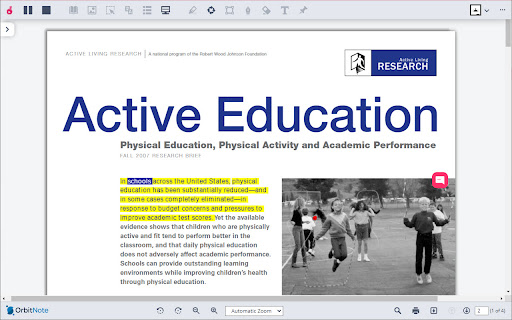


Create, convert, connect: take your digital documents to the next level with OrbitNote. Create, convert, connect: take your digital documents to the next level with OrbitNote. Searching for a way to make digital documents accessible, dynamic and more collaborative? Download OrbitNote to transform and interact with digital documents in a completely different way! With OrbitNote you can make digital documents accessible and actionable, while demonstrating and giving feedback in multiple formats. It’s a great tool to boost productivity, connections and collaboration! Open digital documents in Google Drive, OneDrive, on the web app, in your LMS (Google Classroom and Schoology), or on your local device, then use OrbitNote to: • Collaborate in real-time within digital documents • Read text, including math & science equations, aloud with easy-to-follow dual color highlighting • Type text on top of your PDFs with the Text feature • Highlight and extract information with colored highlighters • Add text and voice comments or use pushpins for helpful hints or instructions • Use freehand or shape drawing to scribble and draw on your digital documents • And more! Try OrbitNote today to check out all of the above features for a limited time. We have much more planned for this tool later in the year. As OrbitNote grows and new features are added, a premium version requiring a subscription will be introduced. Get more information on OrbitNote’s features and future plans at https://www.texthelp.com/products/orbitnote/ For any technical questions, contact us at: support@texthelp.com

Mote for Google Chrome™
Your AI-powered learning companion - Mote helps everyone to read, write & be heard across Google Workspace and the web. AI-powered tools for reading, writing, and communication—anywhere students learn online. Trusted by millions of educators and students worldwide, Mote empowers students to read, write, and communicate with confidence across any webpage, with seamless Google Workspace integration. What's new? The Mote Sidebar now features three powerful modes that adapt to every learner's needs AND has a Focus Mode to remove visual clutter from web articles, helping readers to stay focused. READING MODE Read Aloud with natural human voices Picture Dictionary & Vocabulary Builder – Click any word for instant definition, illustration, audio pronunciation, and one-click "Add to My Words" for personalized vocabulary growth. Smart Highlighting & Auto-Organization – Five color-coded highlighters (with accessible labels) automatically funnel key terms into your personal vocabulary bank and highlight collections, or export directly to Google Docs. Focus Mode – Adjustable screen mask that reduces visual clutter for better reading focus and comprehension. Instant Translation & Read-Aloud – Highlight to translate and hear natural AI voices in 50+ languages - even when text appears in images. WRITING MODE AI Voice Typing – Fast, punctuation-smart dictation that works in any text box, with context-aware predictive text that grows smarter as you write. Auto-pastes into most websites. Intelligent Text Prediction – Purpose-built for K-12 learners, Mote's AI text prediction supports phonetic spelling and adapts to writing context. CREATING MODE Voice Recording & Transcription – Record your voice, auto-transcribe with AI, and share via link or let Mote read it back in expressive voices or translate to another language. AUDIO UPLOAD Upload pre-recorded audio files and embed them directly into assignments, presentations, and educational content. Core features students and teachers love 🎤 AI Voice Tools – Natural-sounding text-to-speech in 60+ languages, voice typing, and voice recording for human-centered feedback in Google Docs, Slides, Canvas SpeedGrader, or anywhere. 🌍 Multilingual Support – Instant translation and read-aloud in 50+ languages builds confidence and independence for all learners. 🧠 Personalized Learning – Picture dictionary, vocabulary mastery tools, and adaptive text prediction that help students read, write, and comprehend at their own pace. 🔒 Admin & Teacher Controls – Toggle features, view usage analytics, and manage rosters via Classlink, Google Classroom, or CSV upload. ♿ Universal Design – Built-in support for diverse learners including dyslexic, ADHD, multilingual, and students who benefit from assistive technology - no special setup required. How to get started 1. Install the extension 2. Sign up with Google or email 3. Refresh your tab and click the Mote icon 4. Press Play on any text — or try a 5-second voice note in a Google Docs comment Perfect for: - Google Workspace for Education users - Multilingual classrooms and ELL support - Personalized and self-paced learning - Universal Design for Learning (UDL) implementation - Students who benefit from assistive technology

SkrivaText
Discover the spelling and grammar checker of the future, created by experts in language, speech therapy and pedagogy. SkrivaText is a Chrome extension that corrects spelling errors and grammatical errors in Swedish and English. The product is developed for people with reading and writing difficulties, but can be used by everyone who needs help with writing. SkrivaText helps you increase the quality of your text with features such as: CORRECT Detects spelling and grammar errors and gives correction suggestions. LOOK UP Look up Swedish and English words and get word explanations, synonyms and example sentences of how the word can be used. IMPROVE Highlight the essential elements of your text, helping you to understand and enhance your writing. SkrivaText can be used in Google Docs and Word Online. BECOME AN INDEPENDENT WRITER SkrivaText helps you find and understand errors. INCREASE THE QUALITY OF YOUR TEXT By highlighting different elements in your document, SkrivaText helps you enhance your writing. UNDERSTAND DIFFICULT WORDS Look up words in both Swedish and English

Genio Notes
The Chrome extension for Genio Notes We’re making it easier to use Genio Notes for online learning and video content, eliminating the need for multiple tabs and windows. Maximize your focus and retention with our handy integrated side panel to take notes directly alongside your online lectures and videos. 'It was great having everything in one spot and not using split screen to be able to watch and take notes at the same time!' You must be a Genio Notes user (excluding our Genio Notes Teams plan) to access this extension. Not used Genio Notes before? Try it free for 30 days at https://app.genio.co/try

LexiFlow
LexiFlow is a browser extension that offers a simple and user-friendly literacy toolbar. LexiFlow supports you in reading and writing text and enables you to communicate confidently and independently. LexiFlow helps you: Read • Listen to text read aloud from websites or text editors. • Use the snipping tool to read text that i not selectable e.g on images or recordings Write • Provides assistance in writing with word predictions as you type. • Use Speech-to-Text to dictate words or longer paragraphs. Look up • Look up Swedish and English words and get word explanations, synonyms and example sentences of how the word can be used. LexiFlow can be used on multiple platforms and the toolbar is embedded in Google Docs and Word Online. ✦ COMMUNICATE WITH CONFIDENCE LexiFlow helps you write by providing word predictions and audio feedback as you type. ✦ BECOME AN INDEPENDENT READER By selecting text or placing your cursor in text documents, you can have text read aloud in multiple languages with visual support, as the text is highlighted during reading. ✦ UNDERSTAND DIFFICULT WORDS Look up words in both Swedish and English.
