
febgaeoegckcdcdhammknmiobpjkpgbe
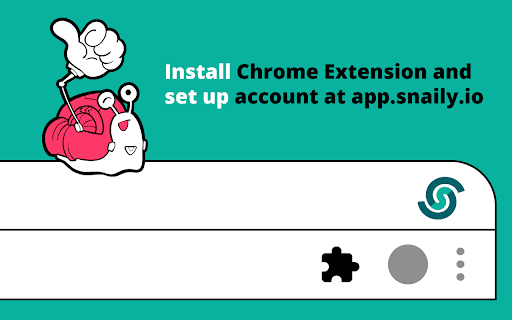


LinkedIn Automation Tool for lead generation. It is good for sales to auto connect, send bulk messages THIS IS A WHITE LABEL EXTENSION MADE BY snaily.io SNAILY.io is a solution (Web Application + Chrome Extension) which automates your daily routine on LinkedIn. It will help you auto-connect people and send follow-up messages without needing to manually check the responses. All actions shall be performed automatically. Snaily’s toolset covers all you need to get the most of social networking. You can: - Invite 2nd and 3rd-level connections to join your network - Send follow-up messages in auto-mode - Create and run multiple automation campaigns in parallel - Track the performance of all the actions taken - Create your team and manage several profiles of your teammates - Export and Import contacts from and to CSV files to sync with your CRM system WHY EXTENSION The Chrome Extension is a part of the solution needed for: - Running automation campaigns on LinkedIn - Tracking all the activities - Reaching the web application in one click Snaily.io is an easy-to-start solution. All you need is to create a Gmail or GSuite profile, and install our Chrome Extension, create an account on our web application and do a basic set-up for your campaigns. The whole process of registration will take no more than 5 minutes! After, you have a 14-day trial period to check all the features and choose the subscription which is best for you. We provide three plans. If you run multiple profiles and you work actively with Sales Navigator - choose the Team plan subscription. Snaily.io is an easy-to-use, smart and intelligent automation tool which has several advantages. Its interface was developed by a team of experienced product designers. It is not overwhelmed with functions, colors, and other interface elements that grab your attention and require additional time for getting used to the interface. Your journey will be simple and pleasant from day one. Our team is ready to hear your voice and implement the features you need. Please, send us your request at support@snaily.io The features to come are: Integrations with CRM systems and other solution providers Email sending engine In-build lead scoring And other features aimed at making your prospecting on LinkedIn simple and pleasant! You are welcome to watch our news here: https://snaily.io/

PromptLab - LinkedIn prospecting powered by AI
Stop copy-pasting LinkedIn into your CRM. PromptLab syncs contacts, companies, and messages automatically. PromptLab's Chrome extension brings your CRM directly into LinkedIn's side panel. Visit a profile, open a message thread, or browse a company page — and your CRM is right there, ready to act. ⚡ ONE-CLICK CONTACT & ACCOUNT CREATION Visit any LinkedIn profile and instantly see if they're already in your CRM. Add new contacts in one click — PromptLab automatically creates the company account, links the contact, and fills in title, employer, and company details. No duplicates. No manual entry. 💬 AUTOMATIC MESSAGE SYNC Open any LinkedIn conversation and PromptLab syncs it to the contact's CRM record in real time. Every message logged automatically. Nothing falls through the cracks. 🏢 COMPANY PAGE RECOGNITION Browse a LinkedIn company page and add or match the account in your CRM instantly. Industry, size, headquarters, and website — extracted automatically. 🎯 BUILT FOR SALES TEAMS Your reps spend hours a day on LinkedIn. PromptLab turns every profile visit and every conversation into a CRM action — without friction, without switching tools. WHO IS IT FOR? Sales teams using PromptLab CRM who prospect and communicate on LinkedIn daily. REQUIREMENTS A PromptLab account is required. supplier.trypromptlab.com PRIVACY This extension only activates on linkedin.com. It does not collect, sell, or share your personal data. Led with the user benefit, not the feature list Added bold section headers with emojis (Chrome store renders these well and Waalaxy uses this exact pattern) Compressed the wall of bullet text into scannable sections Added a "who is it for" section — this converts browsers into installers Removed the technical permissions section from the main copy (it reads like a legal disclaimer mid-pitch) Tightened the value prop: "every profile visit becomes a CRM action" is concrete

ConnectGenie - Linkedin AI Assistant
Linkedin AI assistant, assists in writing captivating posts, personalised comments and connect notes It's Your personal branding AI assistant for LinkedIn, BUT quite different. Different how you may ask? Well, what’s the biggest issue you face when using AI tools to create content? But with ConnectGenie, AI meets persona and your content gets written in YOUR unique writing style! - Intriguing hooks that compel your audience to click on the “See more” button. - Post preview ( To see how your post looks in different device settings before posting). - Thought provoking comments written in your unique conversation style. - Craft persona driven personalised connection request notes which can be either created: - By referring your prospect’s most recent posts or - By analysing your prospect’s unique profile details. - Discover relevant leads right within your LinkedIn feeds by highlighting posts with your niche specific keywords. This not only helps your find leads but also helps you focus your engagement efforts where they belong and enhances your content consumption on the platform. - Write customised job cover letters that highlight your skills and abilities exactly according to Job requirements. - Persona can include both company and individual types: so you can also create content from your company’s Linkedin profile. - Supports multiple leading AI models (including OpenAI GPTS and Claude Sonnet) to generate high-quality LinkedIn posts, comments, and connection request messages. - You can create content in 38 different languages. - A Referral Program lets you earn free connects, more over you can join our affiliate partner program to earn money with us. Note: Connect Genie offers free and premium plans, ensuring a flexible and tailored experience that suits you. Upgrade to unleash the full power of our AI-driven features. See, great opportunities await those who connect strategically. Let ConnectGenie support you in the world of networking and Personal Branding. Install ConnectGenie, today and let the magic begin!

Linkwell — Write LinkedIn Outreach Emails in Seconds
AI LinkedIn outreach email generator for recruiters and job seekers. Personalised Gmail drafts in seconds. Linkwell — LinkedIn Outreach Email Generator for Recruiters & Job Seekers Linkwell reads any LinkedIn profile and writes a personalised outreach email in seconds — straight into Gmail as a ready-to-send draft. Stop spending 15 minutes writing the same LinkedIn cold email. Linkwell captures the profile in front of you and generates a message using their actual experience, job title, company, and skills. Not a template. A real personalised email. HOW IT WORKS Open any LinkedIn profile Click the Linkwell icon in your Chrome toolbar Choose your reason for reaching out Hit Generate — Gmail opens with To, Subject, and Body pre-filled PERFECT FOR Recruiters sending LinkedIn outreach emails to candidates at scale Job seekers writing cold emails to hiring managers and recruiters Sales professionals doing LinkedIn cold outreach Networkers looking to make a strong first impression LinkedIn profile scraper — captures name, role, company, experience, and skills automatically AI email generator — writes personalised LinkedIn outreach emails in seconds CV upload — paste your resume once and every email references your specific background Job posting field — paste a job description and Linkwell tailors the email to the role 5 outreach reasons — recruiting, job seeking, networking, partnership, follow-up 3 tone styles — Professional, Casual, Friendly Gmail integration — drafts open directly in Gmail, ready to send Privacy first — all profile data cached locally in your browser, never stored on external servers

CommenTron — AI Booster for LinkedIn
CommenTron - Your LinkedIn Engagement Assistant 🚀 Do you want to stand out on LinkedIn but find it hard to craft comments that reflect your personality and keep conversations going? CommenTron extension is here to help! Powered by AI, CommenTron helps you write LinkedIn comments instantly, letting you engage faster and more effectively. With just a few clicks, you can customize the tone, length, and even end your comments with a question to drive more engagement. Perfect for anyone looking to save time and boost their LinkedIn visibility! 👉 Key Features 1. Custom Comment Length: Choose from 4 comment lengths (Super short, Brief, In-length, Multi-paragraph) based on the post's needs. 2. Custom Tone: Select from 16 unique tones, like Supportive, Witty, or Respectfully Opposed to make your comments truly reflect your personality. 3. Add Emojis: Decide whether to sprinkle your comments with emojis for a fun touch! 4. End with a Question: Want to keep the conversation going? Automatically end comments with a question to get more replies. 5. Mention the Author: Personalize your comments by mentioning the post author’s name. 6. Open-Ended Comments: Generate open-ended comments that encourage responses and more profile activity. 7. Offer Your Services: Choose from 30+ industries and subtly offer your services through the comments, driving leads and opportunities. 8. Reply to Comments: Not only can you comment on posts, but you can also reply to comments, showing you're an active and engaged participant. 9. Top Contributor Badge: Get help writing contributions for LinkedIn collaborative articles in just 1 click, increasing your chances of earning the coveted Top Contributor badge! 2. Personalized Interactions: Make your comments unique and reflective of your personality with our tone and emoji features. 3. Boost Your Visibility: Stay active and visible on LinkedIn, increasing your chances of being seen and remembered. 4. Establish Yourself as a Thought Leader: Consistent, high-quality comments help position you as an expert in your field. 👉 Installation & Setup Setting up CommenTron is quick and easy! 1. Click on ‘Add to Chrome’ to install the extension. 2. Pin CommenTron to your browser for easy access. 3. Log in to LinkedIn and refresh your profile. 4. Choose any post you want to comment on, click on the extension to choose the filters, and click on “comment” on the post. 5. There you go! You're ready to start creating engaging comments. 👉 Frequently Asked Questions (FAQs) 1. Is my LinkedIn data secure while using CommenTron? Yes, we take data security seriously. Your data is encrypted and will never be shared without your consent. 2. Can I use CommenTron for lead generation? Definitely! With the “Offer Services” feature, you can craft comments that subtly promote your services, making it a great tool for networking and lead generation. 3. How does CommenTron improve my LinkedIn engagement? CommenTron helps by generating thoughtful, AI-powered comments based on the post's content. You can add a personal touch with tones and questions, making your interactions more engaging. 4. Are the comments unique and customizable? Yes! CommenTron offers different lengths, tones, and even lets you choose whether to add emojis. You can customize every comment to match your style. 5. Can I use CommenTron to reply to comments as well? Absolutely! CommenTron helps you reply to comments on your own posts and on others, keeping the conversations alive and active. 👉 Ready to Boost Your LinkedIn Presence? Install CommenTron today and start engaging with your network like never before. It’s quick, easy, and perfect for anyone looking to save time while staying active on LinkedIn!
