
fdmnjhfmccpkkgkbnekkjgjolggbpajg
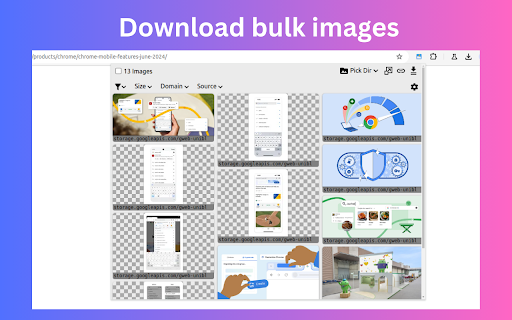


Extract and download all images from webpages in selected image format & resolutions. Auto convert image format. Built-in gallery. 📢 Extract and Download bulk images from webpages in selected image format. ✪ No Signup or permission required. ✪ Bulk download all images at once ✪ Auto-convert .webp,.avif,.heic image to png/jpeg format. ✪ Download images in multiple resolutions. ✪ Filter by width,image properties, source, domain. ✪ Specify download location before each download. ✪ Built-in gallery. View Images in date-wise and domain-wise ✪ Option to view in popup window or side panel ✪ Don't open "Ask where to save each file before downloading" dialog ✪ Never show many files warning ✪ Lightweight 40KB ✪ No tracking & no Ads. ImageSaver is a browser extension that lets you easily download any image from any web page, except system pages, the Chrome Store, and the start page. ✅ Built-in gallery View Images in date-wise and domain-wise You can mail us: mediarailhelp@gmail.com

Image downloader - Imageye
Find and download all images on a web page with Image downloader. With this Image Downloader, you can find, browse, convert and download all the images present on a web page. Additionally, you can: - Filter based on pixel width and height - Filter based on URL - Bulk download all images at once - Select which images you want to download - Check the size of each image - Copy the URL of the original image - Choose between various layout options - Support all major websites (Instagram, Facebook, Twitter, ...) - Perform a reverse image search - Convert .webp to .jpg - Convert any image type to webp, jpg or png (If you are a web dev and you need to convert all the images of a webpage you can now do it in one click) - Side Panel - Sort by Position in page - Capture selection (beta) Imageye - Image Downloader is a tool that helps you find the images published on a web page. The images may be protected by copyright and you should always assume that they are. Before reusing an image, make sure you check its license and the specific terms of reuse. Do not use any image, illustration or photograph without researching its copyright status first.

Image Downloader Pro - Bulk Download Images from Websites
Bulk download and save images from websites in seconds. Use filters, preview results, and customize filenames. Image Downloader Pro is a powerful image downloader that lets you bulk download and save images from any website in seconds. Scan single pages or scan multiple open tabs or links at once, preview results, filter images, and download exactly what you need - fast, clean, and organized. Download images from Pinterest boards, Instagram, Facebook, online stores, blogs, and gallery websites - fast and easy. 🚀 Key Features ✔ Bulk image download - download all images from a website with one click ✔ Download As... - choose how files are saved before downloading (Original / JPG / PNG) ✔ Magic Wand - hover over visible images on the page to download them instantly ✔ Multi-tab scanning (Mass Scan) - scan multiple open tabs or paste website links to scan pages directly, then save results as one unified scan ✔ Advanced image filters - filter by size, dimensions, file type (JPG, PNG, GIF, SVG, BMP and more) ✔ Download rules - automatically route image downloads into organized folders by extension, source domain, size, or orientation ✔ Smart preview mode - review images before downloading ✔ Full Mode (new tab) - browse, manage and save full scans in a dedicated browser tab ✔ Screenshot capture - take regular screenshots directly from any page ✔ Full page screenshots - capture entire pages with automatic scrolling ✔ Screenshot dashboard - access and manage all screenshots in one place ✔ Custom filename templates - automatically rename files using smart patterns ✔ Hide duplicate images - keep only the best quality version ✔ Find visually similar images - group and compare similar visuals ✔ Favorites - save selected images and reuse them across websites ✔ Bulk export & copy - copy image URLs or export data to CSV ✔ ZIP downloads - download multiple images as a single archive ✔ Popup & Side Panel support - work the way you prefer ✔ Light & Dark Mode - seamless experience in any theme 🎯 Ideal for everyday browsing, creative projects, research, and professional use - whenever you need to collect images quickly and efficiently. The extension uses safe, client-side image scraping to detect and extract images directly from the websites you visit. Everything happens locally in your browser.

Image Downloader - picture and photos saver
Find and download images from any web pages. Filter or select all at once to bulk download. Image Downloader let's make your life easier just in one click. This extension allows you to download all the images from the web pages in simple manner. This Chrome extension does not weigh a lot and simply does its job - download images. Help us to improve our product and leave a comment or request. Image Downloader is simple, fast, reliable and easy to work with. If you want instantly download image then you definitely should install our new and amazing Chrome extension. Don't forget to share this extension with friends. With this Picture Downloader you can find, browse and download all the images present in a web page. In addition you can: ➖ filter based on pixel width and height ➖ multiple formats available including PNG, JPEG, SVG, WEBP ➖ filter based on url ➖ bulk download all images in once ➖ select what images you want to download ➖ check the size of each image ➖ copy the url of the original image ➖ choose between various layout options ➖ supporting all principal websites (Instagram, Facebook, Twitter, ...) Now you can download all the images you might ever need. Every image format can be downloaded by this Photo Downloader extension. Our new application doesn't weigh a lot but simply does the job. Don't wait and install brand new extension and you'll get something special. Bulk Image Downloader (BID) makes it easy to download full sized images from almost any thumbnailed web gallery. Supports most popular image hosts such as imagevenue, imagefap, flickr and too many others to list here. You can right-click on the images you want to download and choose the save option or pull them from your browser cache, which will automatically appear when you view them in your browser. Unlike other Image Downloader extensions in the Chrome Store that charge you for different image download options. We are complete free and You can download with one click. Thank you for use it, if you like it, please give it 5 stars the extension!

Bulk Image Downloader
Bulk download images from multiple tabs in one click. Supports AVIF, WebP & AI-generated images. Filter by resolution and file type. The fastest way to bulk download images from any website. Save photos from one page or multiple tabs at once — with powerful filters for resolution, file type, and more. Perfect for designers, photographers, researchers, and AI artists who need to save images quickly and efficiently. 🔥 **NEW: AI-Friendly Image Support** — Seamlessly download AI-generated images (data:image/jpeg, data:image/png, data:image/webp) from tools like Midjourney, DALL·E, Stable Diffusion, and more. 🔥 **Modern Format Support** — Full support for next-gen image formats including AVIF, WebP, SVG, and all traditional formats (JPEG, PNG, GIF, BMP). Key Features: ✔ Bulk download images from multiple tabs — choose from: all tabs, current tab, left of current tab, or right of current tab ✔ Preview all images found on the page, including linked images ✔ Filter images by width, height, and file type ✔ Sort images by resolution or tab index ✔ Download selected images to your local folder with one click ✔ Right-click context menu to save any image directly to Downloads, just like Safari ✔ Clean, modern UI for a smooth browsing and downloading experience Simply press the "Download" button, and all selected images are saved to your default Chrome download directory. No extra configuration needed. Versions: 1.1.0 1. Added support for modern image formats: AVIF, WebP, and more 2. Added support for data URI images (data:image/jpeg, data:image/png, etc.) — great for saving AI-generated images 3. Improved UI with a cleaner, more intuitive design 4. Fixed a bug in the "Save Image to Downloads" context menu feature 1.0.3 1. The picture is selected by default 2. Image filtering rules are automatically saved
