
agionbommeaifngbhincahgmoflcikhm


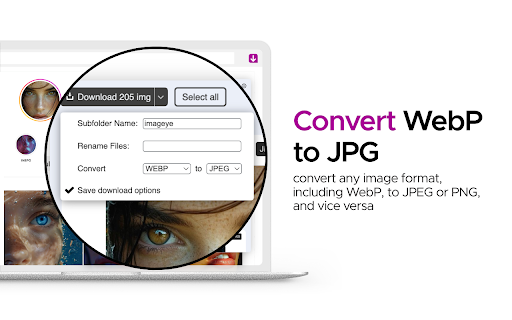


Find and download all images on a web page with Image downloader. With this Image Downloader, you can find, browse, convert and download all the images present on a web page. Additionally, you can: - Filter based on pixel width and height - Filter based on URL - Bulk download all images at once - Select which images you want to download - Check the size of each image - Copy the URL of the original image - Choose between various layout options - Support all major websites (Instagram, Facebook, Twitter, ...) - Perform a reverse image search - Convert .webp to .jpg - Convert any image type to webp, jpg or png (If you are a web dev and you need to convert all the images of a webpage you can now do it in one click) - Side Panel - Sort by Position in page - Capture selection (beta) Imageye - Image Downloader is a tool that helps you find the images published on a web page. The images may be protected by copyright and you should always assume that they are. Before reusing an image, make sure you check its license and the specific terms of reuse. Do not use any image, illustration or photograph without researching its copyright status first.

Image Downloader - Save pictures
Find, choose and download images you need from any web pages or select all to bulk image download at once. Image Downloader - Save pictures for Chrome is a tool that helps you find the images published on a web page. The images may be protected by copyright and you should always assume that they are. It's a free tool that works without registrations and sign ups. Just make a few clicks and here you go! Images will be saved to your PC in seconds. A powerful Extension that gives you fast and convenient access to all images on any web page. Just click and download image on popular web sites such us Instagram, Facebook, Pinterest and also on others sites, simple as that! Image Downloader easy to use with responsive and intuitive design, so you don't need a special skills to use it properly. Just a single click to download all the images and colors available of any webpage. You can now with this Image downloader click on a single image to download or click on the - Select All - button to select and download all images at once. Alternatively, you can select a single image to download. With a bulk image saver, it becomes possible to download all website images simultaneously with simple clicks. What do you get by installing this Chrome Extension: ✔️ Filter based on pixel width and height ✔️ Download location (create folder directly to your images) ✔️ Display images in two columns ✔️ Filter based on url ✔️ Bulk download all images in once ✔️ Select what images you want to download ✔️ Check the size of each image ✔️Copy the url of the original image ✔️ Supporting all principal websites Now you can download all the images you might ever need. Every image format can be downloaded by this Picture Downloader extension. Our new application doesn't weigh a lot but simply does the job. Don't wait and install brand new extension and you'll get something special. Simple bulk image download extension, filter by resolution and file type, download photos from multiple tabs in one click. After installing this powerful Photo Downloader extension you will see a great improvement. You won't find a better tool to simplify the process than application. Privacy Policy You can read our privacy policy here: https://imagenloader.com/privacy-policy.html Website For more information about the extension, visit: https://imagenloader.com Before reusing an image, make sure you check its license and the specific terms of reuse. Do not use any image, illustration or photograph without researching its copyright status first.

Quick Image Downloader
Browse and download all images from the page in one click Quick Image downloader is a powerful tool that enables you to download all images from any Website, Google Images, Instagram, Pinterest and Facebook in one click. ⭐Select what images you want to download ⭐Bulk download all images in once ⭐Filter the images by width and height ⭐Save to a subfolder ⭐Rename downloaded files ⭐Supports all formats (PNG, JPEG, SVG, WEBP) ⭐Use dedicated buttons to download or open individual images in new tabs

Image Downloader | Suricata
Find and download all images on a web page in bulk or individually. You can filter the images based on image characteristics. You can select which image to download or download all images that pass filtering. You can choose a custom folder for the images and a custom file name sequence. Main features: • Very quick and clean group display of all images. • Download a single, multiple or all images in the web page. • Filter images by: width, height, type, orientation and aspect ratio or URL. • Custom or auto generated folders and files names. • Auto convert files to JPEG, PNG or WebP. • Side panel is supported.

图片批量下载助手
批量下载网页图像,支持图片格式转换,尺寸修改,图片重命名,图片筛选过滤等功能,一键下载全部网页图片。 图片批量下载助手是由在线图像工具箱(phototool.cn)开发提供的网页图像批量下载浏览器扩展。它能够帮助您快速批量下载和保存网页中的图像。 在批量下载图像之前,本插件支持图像的筛选过滤、格式转换、重命名和尺寸修改等预处理功能。您可以高效地过滤无用图像,并将其处理成您期望的格式后进行批量下载。 如果在使用过程中遇到任何问题或发现bug,欢迎通过QQ反馈给我们(QQ:2011689829),我们将尽快修复和更新插件。 插件功能亮点: 动态图像检测:支持监听页面上动态出现的图像。对于滚动加载的页面,工具会自动检测并提示新出现的图像,点击提示即可将新图像添加到下载列表中。 三种下载模式:包括单图下载、依次下载和打包批量下载。依次下载和打包下载模式下,请先选择图像后再进行操作。 主要功能标签: [总览]:查看图像的总数量及下载状态,设置显示模式及图片数量等。 [过滤]:根据URL包含文本、图片类型、宽度、高度、文件体积等多维度进行筛选过滤,高效提取所需图像,支持组合筛选,留空则取消该项筛选。 [格式]:将图片转换为jpg、png、bmp、gif、Webp等格式。请避免重复转换,以免影响图像质量。 [尺寸]:修改图片尺寸,支持自动计算对应高度或宽度。 [文件名]:调整图片保存名称,支持大小写转换及预设名称模板选择。 [URL下载]:根据图片链接下载图像。粘贴图片URL列表(每行一个),点击开始下载即可批量下载所有图片。 [说明]:查看插件的使用说明及反馈建议信息。 [设置]:插件常用设置,自动保存,设置后刷新页面即可生效,支持设置插件显示宽度及点击空白处是否关闭。 插件还提供了图像URL复制功能,支持一键复制选中图像的链接URL。 欢迎提交您的反馈建议,帮助我们不断完善图像批量下载助手。
