
ehpgophpmjmlcmjhpmhjognkehlpnfld
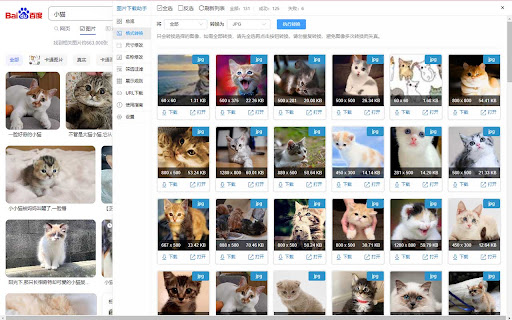
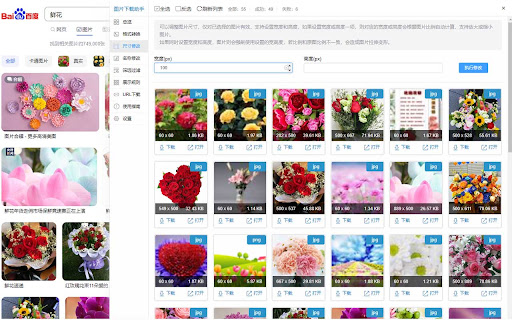
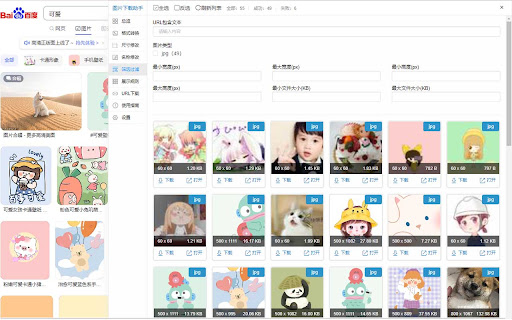

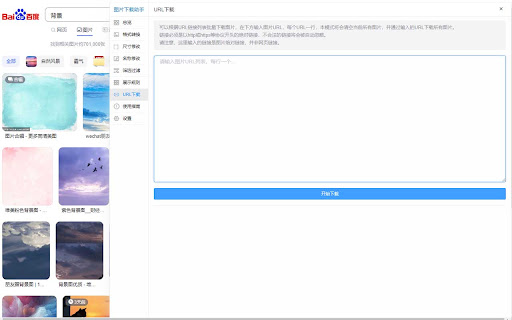
批量下载网页图像,支持图片格式转换,尺寸修改,图片重命名,图片筛选过滤等功能,一键下载全部网页图片。 图片批量下载助手是由在线图像工具箱(phototool.cn)开发提供的网页图像批量下载浏览器扩展。它能够帮助您快速批量下载和保存网页中的图像。 在批量下载图像之前,本插件支持图像的筛选过滤、格式转换、重命名和尺寸修改等预处理功能。您可以高效地过滤无用图像,并将其处理成您期望的格式后进行批量下载。 如果在使用过程中遇到任何问题或发现bug,欢迎通过QQ反馈给我们(QQ:2011689829),我们将尽快修复和更新插件。 插件功能亮点: 动态图像检测:支持监听页面上动态出现的图像。对于滚动加载的页面,工具会自动检测并提示新出现的图像,点击提示即可将新图像添加到下载列表中。 三种下载模式:包括单图下载、依次下载和打包批量下载。依次下载和打包下载模式下,请先选择图像后再进行操作。 主要功能标签: [总览]:查看图像的总数量及下载状态,设置显示模式及图片数量等。 [过滤]:根据URL包含文本、图片类型、宽度、高度、文件体积等多维度进行筛选过滤,高效提取所需图像,支持组合筛选,留空则取消该项筛选。 [格式]:将图片转换为jpg、png、bmp、gif、Webp等格式。请避免重复转换,以免影响图像质量。 [尺寸]:修改图片尺寸,支持自动计算对应高度或宽度。 [文件名]:调整图片保存名称,支持大小写转换及预设名称模板选择。 [URL下载]:根据图片链接下载图像。粘贴图片URL列表(每行一个),点击开始下载即可批量下载所有图片。 [说明]:查看插件的使用说明及反馈建议信息。 [设置]:插件常用设置,自动保存,设置后刷新页面即可生效,支持设置插件显示宽度及点击空白处是否关闭。 插件还提供了图像URL复制功能,支持一键复制选中图像的链接URL。 欢迎提交您的反馈建议,帮助我们不断完善图像批量下载助手。

Image Downloader - Save pictures
Find, choose and download images you need from any web pages or select all to bulk image download at once. Image Downloader - Save pictures for Chrome is a tool that helps you find the images published on a web page. The images may be protected by copyright and you should always assume that they are. It's a free tool that works without registrations and sign ups. Just make a few clicks and here you go! Images will be saved to your PC in seconds. A powerful Extension that gives you fast and convenient access to all images on any web page. Just click and download image on popular web sites such us Instagram, Facebook, Pinterest and also on others sites, simple as that! Image Downloader easy to use with responsive and intuitive design, so you don't need a special skills to use it properly. Just a single click to download all the images and colors available of any webpage. You can now with this Image downloader click on a single image to download or click on the - Select All - button to select and download all images at once. Alternatively, you can select a single image to download. With a bulk image saver, it becomes possible to download all website images simultaneously with simple clicks. What do you get by installing this Chrome Extension: ✔️ Filter based on pixel width and height ✔️ Download location (create folder directly to your images) ✔️ Display images in two columns ✔️ Filter based on url ✔️ Bulk download all images in once ✔️ Select what images you want to download ✔️ Check the size of each image ✔️Copy the url of the original image ✔️ Supporting all principal websites Now you can download all the images you might ever need. Every image format can be downloaded by this Picture Downloader extension. Our new application doesn't weigh a lot but simply does the job. Don't wait and install brand new extension and you'll get something special. Simple bulk image download extension, filter by resolution and file type, download photos from multiple tabs in one click. After installing this powerful Photo Downloader extension you will see a great improvement. You won't find a better tool to simplify the process than application. Privacy Policy You can read our privacy policy here: https://imagenloader.com/privacy-policy.html Website For more information about the extension, visit: https://imagenloader.com Before reusing an image, make sure you check its license and the specific terms of reuse. Do not use any image, illustration or photograph without researching its copyright status first.

Image Downloader - Image Search
Image downloader free, multiple image formats. Image search, filter by size and bulk image downloader. Image Downloader free Chrome extension for browse and download images on the web! ⭐️⭐️⭐️⭐️⭐️ Main Feature: 🔍 Image search: it will automatically scan all the images available on the present page and show their list inside Image Downloader interface. 📏 Filter by size: filter images by size to make selection easier. 📥 Bulk image downloader: download several images simultaneously with Image Downloader. 🖼️ Multiple image formats: supports png, svg, jpeg, gif, webp, bmp, ico and tiff. 📁 Specify download location: select folder to save the downloaded images. 🔗 Image URL: get the direct link for any image. 👀 In Image Downloader, look through each image in picture preview to make sure its precisely what you would like before downloading. 🌎 Support for popular image sites: Works with sites like Unsplash, Google Images, Pinterest and more. ⭐️⭐️⭐️⭐️⭐️

Image Downloader Pro - Bulk Download Images from Websites
Bulk download and save images from websites in seconds. Use filters, preview results, and customize filenames. Image Downloader Pro is a powerful image downloader that lets you bulk download and save images from any website in seconds. Scan single pages or scan multiple open tabs or links at once, preview results, filter images, and download exactly what you need - fast, clean, and organized. Download images from Pinterest boards, Instagram, Facebook, online stores, blogs, and gallery websites - fast and easy. 🚀 Key Features ✔ Bulk image download - download all images from a website with one click ✔ Download As... - choose how files are saved before downloading (Original / JPG / PNG) ✔ Magic Wand - hover over visible images on the page to download them instantly ✔ Multi-tab scanning (Mass Scan) - scan multiple open tabs or paste website links to scan pages directly, then save results as one unified scan ✔ Advanced image filters - filter by size, dimensions, file type (JPG, PNG, GIF, SVG, BMP and more) ✔ Smart preview mode - review images before downloading ✔ Full Mode (new tab) - browse, manage and save full scans in a dedicated browser tab ✔ Screenshot capture - take regular screenshots directly from any page ✔ Full page screenshots - capture entire pages with automatic scrolling ✔ Screenshot dashboard - access and manage all screenshots in one place ✔ Custom filename templates - automatically rename files using smart patterns ✔ Hide duplicate images - keep only the best quality version ✔ Find visually similar images - group and compare similar visuals ✔ Favorites - save selected images and reuse them across websites ✔ Bulk export & copy - copy image URLs or export data to CSV ✔ ZIP downloads - download multiple images as a single archive ✔ Popup & Side Panel support - work the way you prefer ✔ Light & Dark Mode - seamless experience in any theme 🎯 Ideal for everyday browsing, creative projects, research, and professional use - whenever you need to collect images quickly and efficiently. The extension uses safe, client-side image scraping to detect and extract images directly from the websites you visit. Everything happens locally in your browser.

Image Extractor
Scan webpages and bulk download images. Optimized for scan speed, finding image variants, save as zip and many other features... ‼️ FIRST START: use it with the contextual menu. Right-click on a webpage or image and click EXTRACT IMAGE(S) 🖼️ and let the magic begin. 📜(SEE BELOW FOR FULL CHANGELOG)📜 🔹 This extension scans webpages using an efficient system that processes multiple images simultaneously, making the scanning process faster. 🔹 A simple side panel shows all found images and their variants in an easy-to-navigate format. 🔹 You can SEARCH with GOOGLE 🔍 a single image for every scanned image with JUST ONE CLICK. 🔹 You can BULK DOWNLOAD 📥 selected images, save them as a ZIP file or as individual files, and automatically rename them using a custom name and incremental numbers. 🔹 Aspect Ratio Filters to show only what images you're looking for. 🔹 You can STOP/PAUSE ⏸️ downloads. 📌 PRE-OPTIMIZED SITES Many sites are fully optimized and tested with Image Extractor: ✔️ Instagram, IMDB – Automatically scroll galleries and find the original image versions. ✔️ CSFD / FilmBooster – Image Extractor provides variants and original versions of images. ✔️ You can request specific sites to be optimized, and I will check if it's possible. 🌍 OTHER FEATURES 🔹 MULTILANGUAGE support: English, Italian, Spanish, French, German. 🔹 Right-click on an image to scan only that image with all available variants. 🔹 You can enable or disable cache ⚡ for a full-speed scan or more precise scan. 🔹 The EXPERIMENTAL 'Automatic Gallery Scroll' 🔄 in settings lets you automatically scroll through image galleries on sites like Instagram and IMDB. The function stops automatically once all images are found. 🔹 Image Extractor automatically filters out unwanted images 🚫 like favicons, images smaller than 100x100 pixels, and other irrelevant items. 💬 Feel free to report bugs, suggestions, and feature requests. 📜 CHANGELOG 📅 (v.1.8.3.7) 26/05/2026 ✔️Disney+ finetuned: normal scan now extracts gallery images from series pages more precisely, includes page background artwork, and detects useful image variants based on the real no-width version. 📅 (v.1.8.3.6) 29/04/2026 ✔️IMDb actor-name extraction revisited: actor names are now prepared before the download starts, making filename association more reliable. A clearer progress bar now shows the extraction process. 📅 (v.1.8.3.5) 09/04/2026 ✔️ Added a new popup option to quickly dock it to the left or right side. ✔️ Fixed an issue where the changelog was not shown in Popup view. ✔️ Fixed IMDb actor-name extraction when downloading a lower-resolution variant. ✔️ Fixed a scan loading spinner that could remain visible after scan completion. ✔️ Apple TV Press finetuned: actor names can now be extracted and added to downloaded filenames. ✔️ Improved filename safety: actor names are now trimmed automatically if the final filename would be too long. ✔️ Download-complete overlay now auto-closes after 15 seconds and also closes when clicking outside. 📅 (v.1.8.3.1) 05/04/2026 ✔️ Added a quick "Open folder" button at the end of each download. 📅 (v.1.8.3) 04/04/2026 ✔️ Popup Mode improvements: better overall popup workflow with remembered size/position, internal multi-tab session handling for multiple scanned pages, and more consistent synchronization/focus with the related source tab. ✔️ New save-name overlay: replaced browser prompt dialogs with an integrated filename overlay for ZIP and individual downloads. 📅 (v.1.8.2) 01/04/2026 ✔️ NEW Popup Mode: you can now choose between classic Sidebar and Popup view in settings. Popup mode shows source-page info, includes a quick "Go back to tab" button, and closes automatically if the source tab is closed or navigates to a new page. ✔️ Added compatibility for browsers without Side Panel support: when Side Panel is unavailable, Image Extractor now opens automatically in Popup mode. ✔️ Improved multi-tab popup workflow: when switching tabs, the extension now automatically brings the popup linked to that tab to the front. ✔️ IMDb actor-name extraction fix: removed an unsafe DOM fallback that could reuse the same name across different images. 📅 (v.1.8.1) 30/03/2026 ✔️New Scan Method control: replaced the old Deep Scan toggle with a dedicated Scan Method selector (NORMAL / DEEP / UNFILTERED) for clearer scan behavior selection. ✔️Image visibility fix: fixed a case where valid images could be excluded from results when resolution probing failed, preventing false negatives in scan output. 📅 (v.1.8.0) 27/03/2026 ✔️ Major stability update: internal communication has been refactored to improve reliability across scans, downloads and sidepanel interactions. ✔️ Improved tab isolation: better handling of parallel scans/downloads on different tabs. ✔️ Download progress fixes: smoother and more accurate progress behavior. ✔️ Keep Scanned improvements: better ordering and consistency across consecutive scans. ✔️ Extract Names fixes: improved reliability after extension reload and multi-scan workflows. ✔️ IMDb Extract Names improved: better support outside gallery pages. ✔️ Various bug fixes and under-the-hood resilience improvements. 📅 (v.1.7.3) 26/03/2026 ✔️ Fixed download of large files (>30MB): files that previously caused the download to freeze are now handled via chunked transfer, ensuring reliable ZIP and individual downloads even for very large images. 📅 (v.1.7.2) 25/03/2026 ✔️ Fixed CSFD/FilmBooster gallery scanning: adapted to the site's updated page structure. ✔️ Improved scan resilience: if a site changes its layout, the extension now automatically falls back to a full page scan instead of finding no images. ✔️ A notification banner will inform you when this fallback is active. 📅 (v.1.7.1) 12/03/2026 ✔️Actor Names Extraction now available on CSFD, FilmBooster and regional variants. You can now extract actor names (when available) by enabling the option. Names will be automatically added to the corresponding downloaded filenames, just like on IMDb. 📅 (v.1.6.6) 13/01/2026 ✔️New options in Settings: Hover Zoom and Grid Layout. ✔️Hover Zoom: when enabled, see a larger preview for thumbnails on mouse hover. Can be disabled in Settings. (enabled by default) ✔️Grid Layout: choose how many images per row (1, 2, or 3) in the sidepanel. (default 3) 📅 (v.1.6.4) 06/01/2026 ✔️Improved automatic gallery scrolling. ✔️Resolution filter improved: restricting the resolution range is now more precise, using only the resolutions detected during the scan with the help of a smart slider. ✔️Real-time filters update: image sorting is now updated instantly during filtering. ✔️Bugfixes: fixed issues with file size synchronization and resolution range resets when switching filters. ✔️Small aesthetic improvements and other minor fixes. 📅 (v.1.6.3) 26/12/2025 ✔️Download progress bar improvements: transfer speed and data are now displayed in real-time, with more accurate progress percentage. ✔️ Instant Pause & Stop: pause and stop buttons now work immediately without waiting for current downloads to complete. ✔️ Download Report: when a download is stopped before the end, a report with remaining URLs not downloaded is generated. ZIP files always include a full detailed report. 📅 (v.1.6.2) 24/12/2025 ||| INTERNAL RELEASE ||| ✔️ Major scan speed improvements: scanning is now much faster, in many cases almost instant compared to previous versions. ✔️Sidepanel enhancements: images appear instantly at the end of the scan, now showing individual image sizes and total size for selected images. ✔️ media.netflix (Netflix press site) finetuned. 📅 (v.1.6.1) 23/12/2025 ✔️ New feature for IMDb: ACTOR NAME EXTRACTION. When scanning on IMDb, users can now extract actor names from photos (when available) and automatically add them to downloaded filenames ✔️ New Scan Shortcut Quickly start a scan with Ctrl+Shift+X (default) or configure a custom shortcut in settings. 📅 (v.1.6.0) 20/12/2025 ✔️Major changes under the hood. Please report any issues you encounter. ✔️New end-of-scan animation: in the settings menu you can now choose between: No animation, Crossfade, Slow crossfade, Smooth. ✔️Fixed critical bugs in 'Retry Download' menu: resolved UI crashes and empty file downloads. ✔️New Fast Download toggle under settings: experimental. Suggested for huge bulk downloads (more than 500 images). ✔️Fixed a bug where dimension sliders showed 0 on first scan. 📅 (v.1.5.1) 16/12/2025 ✔️ New feature UNDO: added the ability to restore the previous selection after pressing "Select / Deselect All" button or de-flag selected images. ✔️ Optimized the compact theme with an even leaner design. ✔️ Fixed an issue where compact theme options affected the classic theme. ✔️ The selection button is now correctly hidden during scan. ✔️ Added smooth end-of-scan animation; restored labels for the Resolution filter; minor bug fixes. 📅 (v.1.5.0) 14/12/2025 ✔️ Complete UI redesign with improved usability and modern interface. ✔️ New sorting options: sort images by Original Order (scan order) or Resolution. ✔️ New aspect ratio filters: filter images by Vertical, Horizontal, Square or All. ✔️ Improvement: better image preview quality on sidepanel resize. ✔️ New Compact Theme: optimized for small monitors. ✔️ Compact theme includes Scan & View Options menu to personalize the interface and maximize workspace efficiency. 📅 (v.1.4.1) 08/12/2025 ✔️ Fixed ORIGINAL checkbox on CSFD sites: now works correctly and allows downloading original files for selected images. Thanks to JERRY YANG for reporting this issue. ✔️Added FilmBooster (international version of CSFD) with all its regional variants to finetuned sites. 📅 (v.1.3.8) 05/07/2025 ✔️ Added an option to preserve the original filename when downloading single images. ✔️Comicartfans site has been optimized to find original versions of images. 📅 (v.1.3.7) 26/03/2025 ✔️ Fixed progress bar display issue: download progress now correctly shows only in the active tab. ✔️ Improved tab management for better multi-tab download experience. ✔️ Various performance optimizations for simultaneous downloads. 📅 (v.1.3.6) 23/03/2025 ✔️ Search with Google now automatically finds exact matches. 📅 (v.1.3.5) 23/03/2025 ✔️ Fixed STOP and PAUSE functions for downloads. ✔️ When downloading single images, the original filename is now preserved without adding a suffix. ✔️ Images without extensions are now automatically saved as .jpg format. ✔️ Fixed an issue where original file extensions were not respected (now JPG files remain JPG instead of converting to WebP). 📅 (v.1.3.3) 10/03/2025 ✔️ Bug fix: In rare cases, variants were not being associated with the individual thumbnail. Fixed. 📅 (v.1.3.0) 09/03/2025 ✔️ New DEEP SCAN option near SCAN PAGE: find more images when selected, but might group fewer similar images together. ✔️ New variant filter: Image Extractor searches in a smarter way for the original version of images. ✔️ Fixed a bug that always showed 0 as the minimum value of the first scan (in range sliders). 📅 (v.1.2.0) 25/02/2025 ✔️ New SCAN-PER-TAB system: every tab can now individually scan and download images while keeping other scans active in separate tabs. ✔️ Optimized parallelized deep scan to prevent sites from blocking too many simultaneous requests. ✔️ Fine-tuned CSFD site scan (cz and sk versions). ✔️ Small fixes in the "Keep Scanned Images" option. ✔️ Layout enhancements and other minor fixes. 📅 (v.1.1.0) 22/02/2025 ✔️ New option KEEP SCANNED IMAGES next to the SCAN button: temporarily retain images found during multiple scans on the same page. ✔️ When extracting a specific image with right-click, selecting KEEP SCANNED IMAGES allows users to add and download multiple images together. ✔️ New header menu graphics – Settings menu is now in the header logo. 📅 (v.1.0.8) 21/02/2025 ✔️ Fine-tuned JustWatch: now finds variants for posters inside the JustWatch site. ✔️ Minor bug fixes. 📅 (v.1.0.7) 07/02/2025 ✔️ Fine-tuned animeclick. ✔️ Bug fix: In rare cases, scans of more than 2000 images would not populate the side panel or complete properly. 📅 (v.1.0.6) 02/02/2025 ✔️ Various fixes and improvements under the hood. 📅 (v.1.0.5) 01/02/2025 ✔️ Fine-tuned IMDB: always finds the original version and lists it as default in the menu, if available. ✔️ Thumbnail now always shows the smaller image.
