
fdjkflbkemlljmohglgfbcocemjeidmh

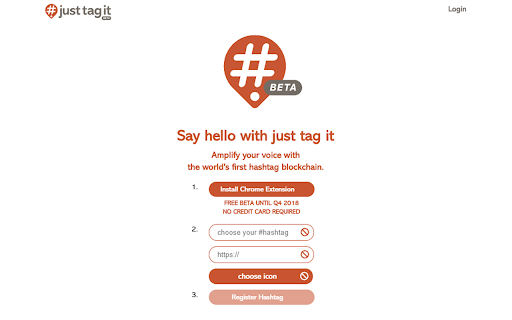

The JustTagIt Chrome Extension lets you see the meaning behind hashtags on all websites. Welcome to the JustTagIt Chrome extension for influencers, content creators, brands, agencies, social media community builders and anyone who uses hashtags! The JustTagIt Chrome extension gives hashtags a new purpose and lets you view and highlight hashtags on all social media post and any website that use #’s. Discover a variety of features connected to hashtags like #eshop #webchat #google and tons more. Register your hashtag as a hashtag domain - Upload your own favicon - Redirect to your website or social media page. Scrolling over a hashtag activates it and provides other great features! A favicon appears when you hover over the hashtag and you can see the owner of that hashtag. By clicking on the favicon, you open a new window without leaving the website. Unregistered hashtags default to the JustTagIt logo and are redirected to the hashtag ranking. This lets you know that the hashtag is available and can be registered. Justtagit.com and the web app enables anyone to register a hashtag, add a favicon and redirect link and increase your social reach. Use the hashtag search engine to discover the latest trending hashtags, events, how they rank and where they come from. By opting in, you can earn JustTagIt Metric Tokens for scrolling for specific hashtags as part of JustTagIt’s crowd-sourced data mining program. Earned Metric Tokens can be exchanged for JustTagIt services & upgrades! Your data and personal information is stored on your device and has security like a bitcoin wallet. Check out the videos on JustTagIt.com on how to earn Metric Tokens by tracking hashtags. Please let us know what you

YouTube Tags
The extension to view the tags of any YouTube video Browse the tags of any YouTube video with the YouTube Tags. Use your browser as before, because the extension for viewing tags from YouTube video does not affect its performance. Note: don't forget to reload the YouTube page after installing the extension.

XML Sitemap
A Chrome extension to view the sitemap of any website. This Chrome extension XML Sitemap allows you to easily view the sitemap of any website you visit. Simply click the extension icon, and it will attempt to fetch and display the sitemap from the current website's domain. This tool is particularly useful for web developers, SEO specialists, and anyone interested in exploring the structure of a website. Key Features: Automatic Sitemap Detection: The extension checks for the presence of a sitemap at the standard location (/sitemap.xml) for the current website. User-Friendly Interface: The sitemap is displayed in a clean and readable format, making it easy to navigate and find specific URLs. Cross-Domain Compatibility: Works with most websites, regardless of their domain or protocol. How to Use: Install the Extension: Add the Sitemap Viewer to your Chrome browser. Visit a Website: Go to any website you want to explore. Click the Extension Icon: Click the Sitemap Viewer icon in your toolbar to view the sitemap. This extension simplifies the process of accessing and viewing sitemaps, making it a valuable tool for anyone working with websites.

Xoom Redirector
Note: Prior to March 2022 this extension was called "Zoom Redirector". Zoom issued a trademark violation against this extension and had Google take it down, so it is now called "Xoom Redirector".

Extensions Manager for Google Chrome™
FREE! Easily manage all installed extensions in the browser directly from the chrome window. Manage extensions, Quickly enable/disable your extensions. - Enable/Disable extensions by checking/unchecking the ticked box - Find out whether the extension is running on this current website - Sort through your extensions via the scroll bar - Go to the options page of each extension - Go to the details page of each extension Use this manager software to enable/disable your extensions quickly. Disclaimer: Please note this extension is NOT made by Google and is made by an independent development team. All copyrights belong to their respective owners. Google doesn’t endorse or sponsor this extension. This extension is not owned by, it is not licensed by and is not a subsidiary of Google Inc.
