
fdhfbcegmpgcbcfpifbihkhonohaiiod
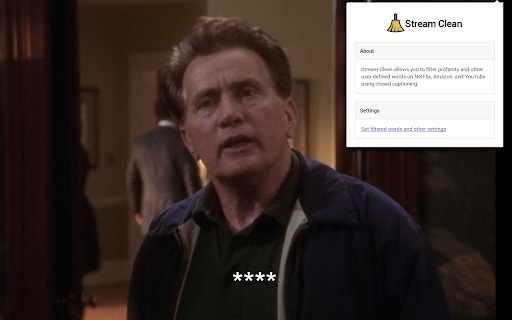
Filters profanity and other user-defined words on Netflix, Amazon, Hulu, Disney+, and more using closed captions. Stream Clean filters profanity and other user-defined words on Netflix, Amazon, Hulu, Disney+, and more using closed captions. This extension was developed to mute and hide profanity and other offensive language while watching common video services.

ContentAngel – Profanity Filter & Caption Muter for YouTube™
Profanity filter for YouTube™ that automatically mutes and censors swear words using captions for cleaner, family-friendly viewing. ContentAngel – Profanity Filter & Caption Muter for YouTube™ Enjoy cleaner, family-friendly YouTube viewing with ContentAngel — the smart profanity filter that automatically mutes swear words and censors offensive language in real-time. Using caption-based detection, ContentAngel precisely times audio mutes so you never hear what you'd rather avoid, while keeping your viewing experience seamless. Whether you're watching with kids, in shared spaces, or simply prefer cleaner content, ContentAngel transforms any video into a safer experience — without affecting how others see or hear the original stream. How It Works ContentAngel analyzes YouTube captions to detect profanity and offensive phrases, then: - Mutes the audio at precisely the right moment — before the word is spoken - Censors captions in real-time with your choice of style (asterisks, brackets, blur, or hide) - Restores playback automatically once the phrase has passed No more scrambling for the mute button. No more awkward moments. Just clean, uninterrupted viewing. Key Features - Intelligent Auto-Mute: Caption-synchronized muting ensures precise timing — words are silenced before you hear them - Visual Caption Censoring: Multiple censor styles to match your preference (asterisks, brackets, blur, or completely hidden) - Per-Channel Control: Create "Always Censor" and "Never Censor" lists to customize filtering for specific channels - Fully Customizable Word List: Add, remove, or modify filtered words and phrases to match your standards - Regex Support: Power users can create advanced patterns for comprehensive filtering - Adjustable Timing: Fine-tune mute buffer and duration for perfect synchronization - Dark & Light Themes: Clean, modern interface that matches your browser preference Privacy First - 100% local processing — your data never leaves your browser - No external servers, no tracking, no analytics - Only your local playback is affected — the original video remains unchanged for everyone else - Open and transparent operation Faith-Friendly Defaults ContentAngel ships with thoughtful defaults that reflect family-friendly and faith-conscious values. By default, phrases like "Jesus Christ" and "oh my God" are filtered to reduce casual or irreverent usage — reflecting my own Christian convictions. Of course, you have complete control: customize the word list to keep, remove, or add any phrases to match your own beliefs and preferences. ContentAngel adapts to you. Perfect For - Families watching YouTube together - Parents seeking safer content for children - Classrooms and educational environments - Workplaces and shared screens - Anyone who prefers cleaner audio content - Faith communities wanting reverent media consumption What Makes ContentAngel Different Unlike basic keyword blockers, ContentAngel uses YouTube's own caption data to achieve frame-accurate muting. This means: - Mutes happen before offensive words are spoken, not after - Multi-word phrases spanning caption boundaries are caught - Auto-generated and manual captions are both supported - No false positives from unrelated on-screen text Disclaimer: YouTube is a trademark of Google LLC. ContentAngel is not endorsed by or affiliated with YouTube or Google LLC. Made with ❤️ by GidianB

CleanFlix - Sensitive Scenes Filter & Netflix Content Control
Filter sensitive scenes and control your streaming experience on Netflix, Prime Video, Disney+, and Paramount+ with CleanFlix. CleanFlix is a smart Chrome extension that helps you detect, understand, and avoid sensitive content in movies and TV shows. Whether you're watching on Netflix or browsing other platforms, you stay in control of what you watch. CleanFlix analyzes content and highlights the presence of: - Nudity and sexual content - Violence and disturbing scenes - Strong or vulgar language - Substance use A clear label appears directly on the movie or episode page, helping you make informed decisions before pressing play. Quickly check age ratings and decide what’s appropriate for you or your family. CleanFlix can automatically skip sensitive scenes based on your preferences: Configure your filters and enjoy a smoother viewing experience—without awkward or unexpected moments. ⭐ Key Features Customizable filters: choose exactly what you want to avoid Smart detection: automatic identification of sensitive scenes Multi-platform support: Netflix (filtering + auto-skip Beta) Prime Video, Disney+, Paramount+ (parental ratings display) Safe and controlled viewing experience 👥 Who is it for? Parents who want to protect their children Viewers sensitive to specific types of content Users looking for a cleaner, more controlled experience Anyone who wants better control over what they watch 🎯 Why choose CleanFlix? Stay in control of your viewing experience Avoid inappropriate or uncomfortable scenes Adapt content to your personal or family preferences Enjoy more intentional and comfortable streaming

MuviSafe: Family-Friendly AI-Generated Movie Filtering
AI-Generated filters allow you to automatically skip scenes you prefer not to watch based on your selections. Transform all Netflix and BluTV movies and TV shows into family films with MuviSafe's artificial intelligence technology! While you watch your favorite movies and TV series on Netflix and BluTV, MuviSafe automatically skips or blurs inappropriate scenes according to your preferences. Plus, you only need to set your filter preferences once! Try MuviSafe for free now and enjoy Netflix, BluTV movie time with your family.

VideoSkip
VideoSkip allows you to filter out several types of objectionable content from video streams. It uses the same categories as the "Parents Guide" section of IMDB.com. It can skip sections entirely, or simply mute the sound or blank the video, at your discretion. Because it does not modify the videos in any way, but rather plays them selectively, it does not infringe media copyrights. 1. Load the video from a streaming service normally and begin play so it loads some data (not full-screen), then stop it and click the VideoSkip icon on the upper-right of the browser. A new window will appear next to the video. You can move it, or resize it like a regular page with Ctrl + or Ctrl -. 2. If you have a .skp file containing the skips, you can load it now with the "Load skip file" button. Once loaded, its contents will appear in a box on the "Edit" tab. There is a growing number of skip files for popular films at the VideoSkip Exchange, loaded by a button on the interface. 3. If the skip file has been previously synced with your video service, you will be taken to the "Filter" tab so you can set the filter strengths as described in the next step. Otherwise, you'll be taken to the "Sync" tab. There, you will be asked to scrub the video with the arrow buttons until it looks okay again. When the screenshot finally matches the video, click "Sync times" to sync everything for your service. A new version of the skip file will be made so the people you share it with can skip this step from now on. 4. Set the category filters using the sliders, according to the audience. The higher, the more stringent the filter. High = for children, Medium = for teens, Low = for adults. If a filter is Off, the flagged content will be shown. 5. Start the video from its own page, sit back, and enjoy. Skips will take place when their time arrives. A message will appear on the fullscreen video when you move the mouse, telling you which filters are engaged. You can make your own skip files and share them with your friends freely. They will work even if the videos being played are from a different source. The skip file exchange is located at https://videoskip.org/exchange There's also a standalone web app, which works with videos that you have saved to your computer. Get it at https://videoskip.org/app for computers, or https://videoskip.org/mobile for mobile devices. Legal Notice: Content copyright owners and distributors are hereby informed that users and developers of this software are exercising their right of free speech, guaranteed by law in many nations, by voluntarily refraining from seeing or hearing content without modifying said content in any way. Legal action that ignores this notice will be considered harassment and infringement of basic rights, and prosecuted according to the law.
