
fdgpaflidjgjnijjdopfjaicfjpllkic

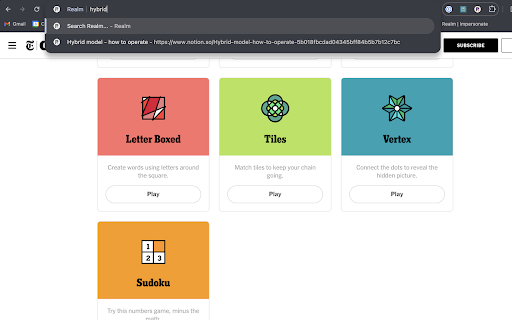
One searchbar for all your company knows The Realm extension allows you to search Realm directly in Chrome by pressing CMD/CTRL + Shift + K, or through your address bar by typing "r", then space/tab, followed by your query. This extension is only usable if you have a user account with Realm.

AB Tasty Debugger
Browser extension that simplifies the debugging of A/B tests from AB Tasty and adds useful informations. Display A/B tests available on the current page and detail their informations such as variations and trackings and targetings. For example, if a test does not display, the extension displays the current variation and invalid targets. - Dark mode compatible (user preference media feature). - Displays a badge with the number of A / B tests found on the current page. - Displays a list of all A/B tests available on the current page with their status. - The list of A/B tests is sorted to show the accepted tests at the top of the list. - Displays a clear AB Tasty cookies button to clear AB Tasty cookies and reload the page. - Displays a debug mode button to activate AB Tasty logs in the DevTools console. - Displays a detail view of each tests with their general informations (ID, status, type, targeting mode, async, traffic). - Displays a link to see the test report. - List all variations of the test if the status is `accepted` or `traffic_rejected`, with their name, traffic, a link of JSON modifications and activation button. - List all trackings information of the test with their name and selector. - List all targeting information of the test (segment, trigger, URL, code, selector, cookie, IP) with their status. - Displays a link to edit the test targetings on the AB Tasty editor. - The list of targeting is sorted to show the invalid targets at the top of the list. - Collapse/expand all variations, trackings and targetings information.

Fellow: AI Meeting Notes, Agendas, and Action items
Get AI Meeting Notes, Transcripts, AI Action Items and Summaries in Google Meet and Google Calendar Get AI to take meeting notes for you and so much more. Access Fellow AI agendas directly in Google Meet and get the most accurate AI meeting notes, action items and summaries. Get full AI Meeting Notes with Fellow’s FREE Chrome extension including a full transcript, meeting summary, AI action items, highlights, the discussion organized by topics - all available in 36 languages. Fellow’s free Chrome extension takes AI meeting notes so you can stay focused on your meeting. Improve your team’s productivity without leaving Google Meet and Google Calendar. Fellow is trusted by leaders at Fortune 500 and Unicorn companies such as Warner Media, Fanatics, Shopify and Aledade, to run productive meetings. KEY FEATURES Get started with Fellow for FREE and you’ll have access to: - ✨AI meeting notes, transcriptions and summaries - 💼Pre-meeting AI briefs so you’re always prepared for your next meeting - 💬“Ask Copilot” answers questions about any meeting with AI - 🗄️AI Meeting call and clips library to organize your AI meeting calls - 🖊️Collaborate on meeting agendas directly in Google Meet - ✅Build accountability with assigned action items - 🗓️Keep track of due dates directly in your Google Calendar - 📬Easily share the agenda with your meeting attendees - 👨🏫Apply expert-approved meeting templates - 📷Insert images, gifs, Google Drive files and more directly into your meeting notes - 🏃♀️Run effective 1-on-1s with a clear purpose, agenda, and outcome 👩💻 GOOGLE MEET INTEGRATION - Get AI Meeting Notes automatically - Ask the AI Copilot questions during the meeting - Have your shared meeting agendas open automatically when you join your video call - Collaboratively view and add additional meeting minutes and action items in real-time - See your meeting attendees and notes, side-by-side with our intuitive overlay - End the call with clear takeaways and action items to build accountability 🗓️ GOOGLE CALENDAR INTEGRATION - Access AI meeting notes, AI clips, AI recaps and transcriptions directly from Google Calendar - Quickly open your notes by clicking on the button in your calendar event description - Easily add discussion topics to your upcoming meetings and 1-on-1s by using the side panel - Encourage your meeting attendees to collaborate on the agenda by including the link in the calendar invite - See what tasks need to be completed with due date indicators on your calendar - Make the notes easy to find by including a direct link to your meeting agenda in the calendar description. 🔐 SECURITY & PRIVACY Fellow employs security and industry best practices to ensure our product and systems stay secure. Highlights include SOC 2 Compliance, ongoing Vulnerability Scans, and Firewalls + Encryption on our Server Infrastructure. Read more here: https://help.fellow.app/en/articles/4302231-security-compliance Learn more about Fellow and our other integrations at https://fellow.app

Onfire Chrome Extension
Enhance your sales strategy with high-intent signal detection, persona-based filtering, and detailed account insights. Enhance your sales strategy with high-intent signal detection, persona-based filtering, and detailed account insights. Onfire's groundbreaking extension designed for sales professionals focusing on software infrastructure companies. Our tool now offers full, seamless integrations with leading CRM and sales stack tools, empowering users to maximize our data and signals directly within their native platforms. Key Features: 1. Prospect level Intent Signal Detection: Onfire excels in filtering prospects using high-intent signals gathered from various developer-centric communities. This unique approach allows sales teams to identify and engage with leads showing genuine interest or need for your solutions. 2. Detailed Account Insights: Every account is a story, and Onfire tells it comprehensively. Our extension introduces a convenient side drawer that displays in-depth information about each account. This includes: - Specific Signal Information: Understand the signals that indicate a prospect's readiness or interest. - Account Firmographics: Get detailed demographic and firmographic data to tailor your approach. - Curated Buying Committee Contacts: Onfire handpicks the most relevant contacts in each account, helping you reach the decision-makers directly. Why Onfire? In the fast-paced world of sales, information is power. Onfire equips sales professionals with actionable, data-driven insights, making the process of identifying and engaging with potential clients more efficient and effective. By focusing on high-intent signals and persona-specific data, Onfire ensures that your sales efforts are always on target. Elevate your sales process with Onfire and turn prospects into valuable clients with unparalleled ease and precision.

Pact for Google Calendar
Boost your productivity with Pact for Google Calendar Effortlessly track and manage your work commitments using Pact's Google Calendar extension. Now, visualize your daily pacts and interact with them directly from your calendar. Pact brings accountability to teams through smart reminders, analytics, and automated workflows. It integrates seamlessly into your calendar, email, or Slack for enhanced team collaboration. Pact empowers teams with: 15x more visibility into outcomes, 3x more accurate delivery dates, and a remarkable 91% task completion rate. With our Chrome extension, you can: - Instantly view your commitments (think of them as ‘pacts’) and due dates right in your calendar. - Easily create, view, edit, and update your commitments, all within Google Calendar. - Improve accountability, both with yourself and your team, right from your calendar.
