
fddfjikkeahcbcimofjdocdjonmplkjl
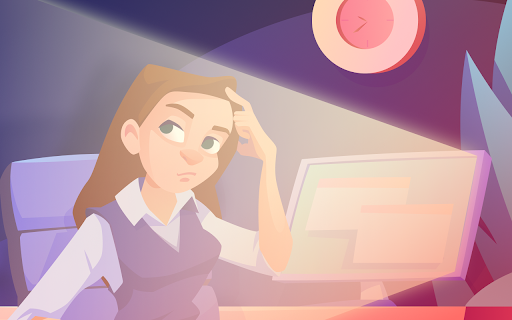

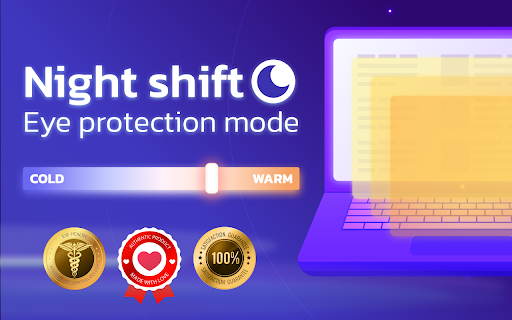
Custom change brightness or color scheme. Set your own color in warm-to-cold range. Protect your eyes from stress and stay focused Change the color of a page you browse to protect your eyes and make surfing easy and comfortable. You can set temperature of a page yourself in warm-to-cold range by moving the slider. As easy as it can be. Chose custom color temperature that suits you personally. Protect your eyes from tiredness and save your vision. The Night Shift is extremely useful tool for those who spend much time surfing Internet or reading from PC. Take care of your health and use Night Shift to release stress from your eyes and nervous system. Think ahead and protect your eyes before it's too late.

NightScreen Mode: Dark Mode & Eye Strain Relief
Adjust display settings for comfortable night viewing with BW mode, amber filters, and site whitelisting Protect your eyes, improve sleep, and browse comfortably with NightScreen Mode: the ultimate Dark Mode and Night Shift extension for Chrome. Stop harsh screen glare causing eye strain and disrupting your natural sleep cycle. Modern screens emit intense blue light, especially at night, which can delay melatonin, cause digital eye strain, and make browsing uncomfortable. Studies show significant eye fatigue after just hours of screen time. NightScreen Mode is your solution for a healthier, more comfortable browsing experience. This powerful extension offers advanced night mode, dark mode, and blue light filtering features: ✅ 𝗖𝘂𝘀𝘁𝗼𝗺𝗶𝘇𝗮𝗯𝗹𝗲 𝗕𝗹𝘂𝗲 𝗟𝗶𝗴𝗵𝘁 𝗙𝗶𝗹𝘁𝗲𝗿 (𝗔𝗺𝗯𝗲𝗿 𝗙𝗶𝗹𝘁𝗲𝗿): Reduce harmful blue light significantly without sacrificing color clarity entirely. Adjust the filter intensity (dimmer) for perfect eye comfort, creating a warm, night screen effect. Ideal for reducing eye strain. ✅ 𝗨𝗻𝗶𝘃𝗲𝗿𝘀𝗮𝗹 𝗗𝗮𝗿𝗸 𝗠𝗼𝗱𝗲: Instantly apply a sleek, readable dark theme (dark mode) to virtually any website with a single click, even those without a native option. Makes late-night reading and browsing much easier on the eyes. ✅ 𝗚𝗿𝗮𝘆𝘀𝗰𝗮𝗹𝗲 𝗠𝗼𝗱𝗲 (𝗕𝗹𝗮𝗰𝗸 & 𝗪𝗵𝗶𝘁𝗲): Minimize visual stimulation and reduce strain further with a simple black and white screen filter. Perfect for focused reading or winding down. ✅ 𝗦𝗺𝗮𝗿𝘁 𝗦𝗶𝘁𝗲 𝗪𝗵𝗶𝘁𝗲𝗹𝗶𝘀𝘁𝗶𝗻𝗴/𝗘𝘅𝗰𝗹𝘂𝘀𝗶𝗼𝗻: You control where NightScreen Mode applies its dark mode or blue light filter. Easily exclude specific websites (like image editing tools or video sites) where you need original colors. ✅ 𝗠𝘂𝗹𝘁𝗶𝗽𝗹𝗲 𝗖𝗼𝗹𝗼𝗿 𝗣𝗿𝗲𝘀𝗲𝘁𝘀: Choose from 8 carefully selected screen filter presets (including warm amber, soft yellow, and grayscale) to find the perfect night mode tone for your needs. ✅ 𝗘𝘆𝗲 𝗦𝘁𝗿𝗮𝗶𝗻 𝗥𝗲𝗺𝗶𝗻𝗱𝗲𝗿𝘀: Set eye strain reminders it allows you to give yourself subtle reminder to take breaks after a set amount of screen time (e.g., every 30 minutes). • 𝗥𝗲𝗱𝘂𝗰𝗲 𝗗𝗶𝗴𝗶𝘁𝗮𝗹 𝗘𝘆𝗲 𝗦𝘁𝗿𝗮𝗶𝗻: Combat fatigue, dryness, and discomfort. • 𝗜𝗺𝗽𝗿𝗼𝘃𝗲 𝗦𝗹𝗲𝗲𝗽 𝗤𝘂𝗮𝗹𝗶𝘁𝘆: Minimize blue light exposure that interferes with melatonin. • 𝗘𝗻𝗵𝗮𝗻𝗰𝗲𝗱 𝗕𝗿𝗼𝘄𝘀𝗶𝗻𝗴 𝗖𝗼𝗺𝗳𝗼𝗿𝘁: Enjoy websites at any hour without harsh brightness. • 𝗛𝗶𝗴𝗵𝗹𝘆 𝗖𝘂𝘀𝘁𝗼𝗺𝗶𝘇𝗮𝗯𝗹𝗲: Tailor the dark theme, blue light filter, and settings precisely. • 𝗘𝗮𝘀𝘆 𝘁𝗼 𝗨𝘀𝗲: Simple one-click activation and intuitive controls. 𝗜𝗻𝘀𝘁𝗮𝗹𝗹 𝗡𝗶𝗴𝗵𝘁𝗦𝗰𝗿𝗲𝗲𝗻 𝗠𝗼𝗱𝗲 𝘁𝗼𝗱𝗮𝘆 and give your eyes the relief and comfort they deserve. Experience a better night's browse!

Night Mode Shift
All websites in the current window can be switched to night mode with just one click, and colors and their depth can be specified. ## Night Mode Extension ### Enhance Your Browsing Experience Transform your browsing experience with our **Night Mode Extension**. With just one click, you can switch all websites in your current window to a soothing night mode, reducing eye strain and providing a more comfortable viewing experience. - **One-Click Activation**: Easily toggle night mode on and off with a single click. - **Customizable Colors**: Personalize the night mode by selecting your preferred colors and their intensity. - **Eye Protection**: Designed to reduce eye strain and fatigue, making it ideal for extended screen time. - **Consistent Experience**: Enjoy a seamless and visually pleasing experience across all websites. - **User-Friendly Interface**: Intuitive and easy to use, suitable for users of all levels. - **Reduce Blue Light**: Minimize the harmful effects of blue light exposure. - **Enhance Readability**: Improve text visibility and readability in low-light conditions. - **Protect Your Eyes**: Take care of your eyes by reducing glare and strain. - **Boost Productivity**: Stay focused and comfortable, even during late-night browsing sessions. Upgrade your browsing experience today with the **Night Mode Extension** and enjoy a more comfortable, eye-friendly way to surf the web.

Bluelight Blocker
Choose a warm filter to reduce blue light and rest your eyes. Protect your eyes effortlessly 👁️. This extension filters blue light from your screen and softens cold tones on web pages to reduce eye strain during long sessions at the computer. Spending hours in front of a screen takes a toll: tired eyes, discomfort, and poorer sleep. Exposure to blue light can interfere with melatonin and affect your sleep. Applying a warm filter, especially at night, helps minimize these effects 🌙. Easily adjust the filter intensity to your preference and receive smart reminders to rest your eyes using the 20-20-20 rule. Less strain, more comfort, better rest.

Easy Night Shift
Adjust screen brightness to a protective color from the list or choose your preferred shade. Introducing "Easy Night Shift" – a robust extension designed to alter the screen's colors to gentle, eye-protective tones while engaging with computer screens at night. By simply navigating to settings page, you can select your preferred color RGB and opacity. Once your choices are established, they will seamlessly applied to all open tabs, ensuring a harmonized reading encounter throughout your entire browsing session. Additionally, the extension offers a selection of colors that are gentle on your eyes when it's dark. You can effortlessly include a color you prefer or remove any from the list within the settings. Remember: When you first install the extension, the Night Shift feature is turned off. You need to turn it on in the settings to use it.
