
cnkjblipiidhodndadhjghglmkabkdba
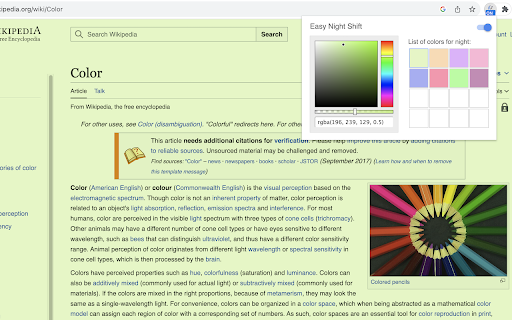
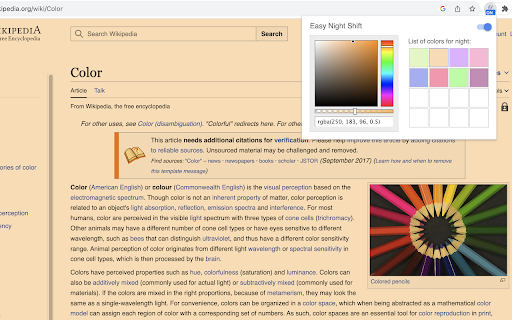
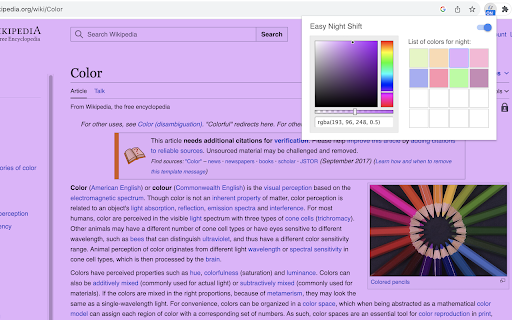
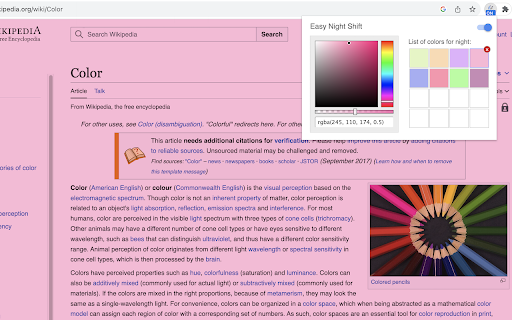
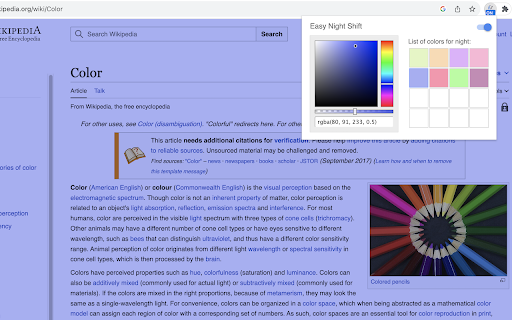
Adjust screen brightness to a protective color from the list or choose your preferred shade. Introducing "Easy Night Shift" – a robust extension designed to alter the screen's colors to gentle, eye-protective tones while engaging with computer screens at night. By simply navigating to settings page, you can select your preferred color RGB and opacity. Once your choices are established, they will seamlessly applied to all open tabs, ensuring a harmonized reading encounter throughout your entire browsing session. Additionally, the extension offers a selection of colors that are gentle on your eyes when it's dark. You can effortlessly include a color you prefer or remove any from the list within the settings. Remember: When you first install the extension, the Night Shift feature is turned off. You need to turn it on in the settings to use it.

Eye Protector : Screen Filter Modes
Toggle various screen modes for better visual comfort. "Eye Protector: Screen Filter Modes" is a Chrome extension designed to help users reduce eye strain while using their screens. With various customisation screen filters, including Black and White, Yellow Eye Protection, Blue Light Filter, and Invert Mode, this extension allows you to adjust your screen’s appearance based on your needs. Easily toggle between different modes with a user-friendly interface that remembers your last selection, ensuring a comfortable viewing experience across all your web browsing activities.

NightScreen Mode: Dark Mode & Eye Strain Relief
Adjust display settings for comfortable night viewing with BW mode, amber filters, and site whitelisting Protect your eyes, improve sleep, and browse comfortably with NightScreen Mode: the ultimate Dark Mode and Night Shift extension for Chrome. Stop harsh screen glare causing eye strain and disrupting your natural sleep cycle. Modern screens emit intense blue light, especially at night, which can delay melatonin, cause digital eye strain, and make browsing uncomfortable. Studies show significant eye fatigue after just hours of screen time. NightScreen Mode is your solution for a healthier, more comfortable browsing experience. This powerful extension offers advanced night mode, dark mode, and blue light filtering features: ✅ 𝗖𝘂𝘀𝘁𝗼𝗺𝗶𝘇𝗮𝗯𝗹𝗲 𝗕𝗹𝘂𝗲 𝗟𝗶𝗴𝗵𝘁 𝗙𝗶𝗹𝘁𝗲𝗿 (𝗔𝗺𝗯𝗲𝗿 𝗙𝗶𝗹𝘁𝗲𝗿): Reduce harmful blue light significantly without sacrificing color clarity entirely. Adjust the filter intensity (dimmer) for perfect eye comfort, creating a warm, night screen effect. Ideal for reducing eye strain. ✅ 𝗨𝗻𝗶𝘃𝗲𝗿𝘀𝗮𝗹 𝗗𝗮𝗿𝗸 𝗠𝗼𝗱𝗲: Instantly apply a sleek, readable dark theme (dark mode) to virtually any website with a single click, even those without a native option. Makes late-night reading and browsing much easier on the eyes. ✅ 𝗚𝗿𝗮𝘆𝘀𝗰𝗮𝗹𝗲 𝗠𝗼𝗱𝗲 (𝗕𝗹𝗮𝗰𝗸 & 𝗪𝗵𝗶𝘁𝗲): Minimize visual stimulation and reduce strain further with a simple black and white screen filter. Perfect for focused reading or winding down. ✅ 𝗦𝗺𝗮𝗿𝘁 𝗦𝗶𝘁𝗲 𝗪𝗵𝗶𝘁𝗲𝗹𝗶𝘀𝘁𝗶𝗻𝗴/𝗘𝘅𝗰𝗹𝘂𝘀𝗶𝗼𝗻: You control where NightScreen Mode applies its dark mode or blue light filter. Easily exclude specific websites (like image editing tools or video sites) where you need original colors. ✅ 𝗠𝘂𝗹𝘁𝗶𝗽𝗹𝗲 𝗖𝗼𝗹𝗼𝗿 𝗣𝗿𝗲𝘀𝗲𝘁𝘀: Choose from 8 carefully selected screen filter presets (including warm amber, soft yellow, and grayscale) to find the perfect night mode tone for your needs. ✅ 𝗘𝘆𝗲 𝗦𝘁𝗿𝗮𝗶𝗻 𝗥𝗲𝗺𝗶𝗻𝗱𝗲𝗿𝘀: Set eye strain reminders it allows you to give yourself subtle reminder to take breaks after a set amount of screen time (e.g., every 30 minutes). • 𝗥𝗲𝗱𝘂𝗰𝗲 𝗗𝗶𝗴𝗶𝘁𝗮𝗹 𝗘𝘆𝗲 𝗦𝘁𝗿𝗮𝗶𝗻: Combat fatigue, dryness, and discomfort. • 𝗜𝗺𝗽𝗿𝗼𝘃𝗲 𝗦𝗹𝗲𝗲𝗽 𝗤𝘂𝗮𝗹𝗶𝘁𝘆: Minimize blue light exposure that interferes with melatonin. • 𝗘𝗻𝗵𝗮𝗻𝗰𝗲𝗱 𝗕𝗿𝗼𝘄𝘀𝗶𝗻𝗴 𝗖𝗼𝗺𝗳𝗼𝗿𝘁: Enjoy websites at any hour without harsh brightness. • 𝗛𝗶𝗴𝗵𝗹𝘆 𝗖𝘂𝘀𝘁𝗼𝗺𝗶𝘇𝗮𝗯𝗹𝗲: Tailor the dark theme, blue light filter, and settings precisely. • 𝗘𝗮𝘀𝘆 𝘁𝗼 𝗨𝘀𝗲: Simple one-click activation and intuitive controls. 𝗜𝗻𝘀𝘁𝗮𝗹𝗹 𝗡𝗶𝗴𝗵𝘁𝗦𝗰𝗿𝗲𝗲𝗻 𝗠𝗼𝗱𝗲 𝘁𝗼𝗱𝗮𝘆 and give your eyes the relief and comfort they deserve. Experience a better night's browse!

Basecamp: Sprint, Task Management
Sync daily tasks or work between Basecamp & Moon HRM. Use filters & enhanced features for seamless collaboration. From organizing tasks and tracking sprint progress to viewing work through smart cards and flexible filters, every element is built to simplify how your teams plan, execute, and stay aligned. View ongoing, completed, and on-hold tasks, manage workflows, and stay on top of your project deadlines. Get instant access to pinned projects, real-time activity tracking, and quick updates. Always know what’s happening and what truly needs your attention. It makes sure no information remains scattered. Project managers and team leaders can track the progress of the Basecamp sprints and todos using our extension. They can check and take necessary steps to meet the project timeline. Here’s why you should choose our extension for your Basecamp project management and time tracking over other traditional software. Centralized dashboard: Get a complete overview of your workspace from a unified dashboard. Direct access to key project details and everything that matters. Hey section: Never miss a beat with “Hey section,” which provides updates from across the team. For uninterrupted visibility, you can also enable it as a sidebar on your left, so that nothing slips through the cracks. Latest activity: Keep a close eye on recent activities across different projects. See updates, changes, and contributions, helping you stay aware of how work is progressing in real time. Sprint progress and status: Observe how your sprint is advancing with a clear view of task status and upcoming stages. Understand the current status at a glance and assure everything is progressing as planned. Task filters: Smart filters to refine your task view and concentrate on what matters most. Sort tasks based on whatever criteria you want and quickly access relevant work without distractions. Project list: Zoom into all your projects in an organized list that makes navigation pretty much easier. Switch between projects and keep track of ongoing and completed work without confusion. Smart card view: Users can visualize tasks in a structured card layout that highlights details at a glance. Such a format makes it very easy to oversee and act on tasks with better clarity. Work Summary: Review a comprehensive summary of work done across tasks and projects by different team members. Take a closer look at whether efforts are being utilized in the right way. Connect with Moon HRM: Directly link an advanced HRM software, Moon HRM, with Basecamp in order to align project activities with employee management. Organize tasks, teams, and monitor performance without any extra effort. Download Basecamp: Sprint, Task Manager Extension & follow these steps. 1. Open Basecamp and log in to your Basecamp account 2. In the top right corner of the screen, click on the sign-up button 3. Choose Moon HRM while signing up 4. Complete the sign-up process by filling in the required details. 5. Start adding projects and managing workflow with time log reports Why integrate with Moon HRM? Basecamp: Sprint, Task Manager integration using Moon HRM is best for managing the workflow of your team members. It helps track each sprint’s card or to-do status management and the time to complete the assigned tasks. Once integrated with Moon HRM, it automatically syncs the time log for each employee as per the tasks completed or the time dedicated to each task. Using Moon HRM integration, the project manager can closely monitor each sprint’s progress, thereby checking the performance and status of each employee’s tasks.

EyeShield - Blue Light Protection
Protect your eyes from blue light with a customizable warm overlay EyeShield is your go-to solution for protecting your eyes from the harmful effects of blue light. This innovative extension provides a customizable warm overlay, reducing eye strain and enhancing your browsing comfort. Features at a Glance Blue Light Protection: Effectively filters blue light to safeguard your eyes during prolonged screen use. Customizable Overlay: Adjust the warmth and intensity of the overlay to suit your preferences. User-Friendly Interface: Designed with simplicity in mind, making it easy to use for everyone.
