
fdaphmfjbibgmnefcjhhcogfidedpmoc
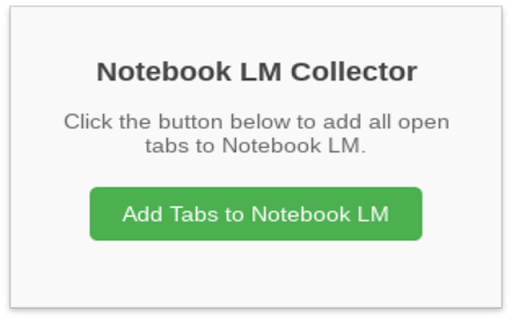
Send open tab URLs to Google Notebook LM (NotebookLM) with one click — fast, easy source collection for research. NotebookLM is great tool from Google. Notebook LM Tab Collector is a Chrome extension that collects the URLs of all open tabs in your browser and adds them as sources to Google NotebookLM.

NotebookLM Web Importer
Import web pages and YouTube videos to NotebookLM with one click NotebookLM Web Importer is a powerful Chrome extension for saving web pages, YouTube videos, links, browser tabs, RSS feeds, and more directly to Google NotebookLM. Stop copying URLs, switching tabs, and manually organizing sources. With NotebookLM Web Importer, you can capture online content in seconds, add it to the right notebook, and start using NotebookLM to summarize, ask questions, generate insights, and create Audio Overviews. Built for students, researchers, creators, writers, analysts, and anyone who uses NotebookLM as an AI research assistant. ## One-Click Web Page Import Save the current web page to NotebookLM instantly. Turn articles, blog posts, documentation, reports, and reference pages into NotebookLM sources without copy-paste. ## YouTube to NotebookLM Import YouTube videos into NotebookLM so you can study lectures, interviews, tutorials, podcasts, webinars, and long-form videos more efficiently. ## Bulk Import Add multiple sources at once from link lists, open browser tabs, YouTube playlists, RSS feeds, and more. Build a complete research notebook faster. ## Notebook Management Manage your notebooks in one place and keep your NotebookLM research workflow organized while you browse. ## Audio Overview Management Manage NotebookLM Audio Overviews and sync them to a podcast feed, making it easier to listen, review, and learn on the go. ## Full WebSync Workflow Send pages and videos to NotebookLM from your browser, then chat with your sources, generate summaries, create study materials, or produce podcast-style Audio Overviews inside NotebookLM. NotebookLM is great for understanding sources. NotebookLM Web Importer makes it much faster to collect those sources. Use it to: - Save articles, reports, and documentation to NotebookLM - Import YouTube videos and playlists for research or learning - Collect sources from multiple tabs in bulk - Build notebooks from RSS feeds or link lists - Organize research for school, work, writing, or content creation - Turn saved sources into NotebookLM summaries, Q&A, study guides, and Audio Overviews - Reduce repetitive copy-paste work while browsing # Perfect For ## Students Collect lecture videos, course readings, articles, and research materials in NotebookLM. ## Researchers Build source collections from papers, websites, reports, documentation, and reference links. ## Creators and Writers Save inspiration, competitor research, scripts, articles, and YouTube videos into structured notebooks. ## Professionals Gather market research, product docs, news, client materials, and internal knowledge sources for faster analysis. 1. Install NotebookLM Web Importer from the Chrome Web Store. 2. Browse the web or watch YouTube as usual. 3. Click the extension icon. 4. Choose where to import your source. 5. Open NotebookLM to chat with your sources, generate insights, or create an Audio Overview. NotebookLM Web Importer helps you turn the web into a searchable, organized AI knowledge base. If you use NotebookLM for research, learning, writing, analysis, or content creation, this extension saves time every day. Works with Google NotebookLM. This extension is not affiliated with Google.

Prompt Architect for NotebookLM
A prompt library for Google NotebookLM — browse, create, and apply prompts to Studio cards. Prompt Architect for NotebookLM is a powerful companion extension that brings a curated library of 216 high-quality prompt templates directly into your Google NotebookLM workspace. Stop wasting time writing repetitive prompts and trying to figure out the best way to instruct NotebookLM. This extension seamlessly injects custom prompt selector dropdowns right into NotebookLM's Studio panels (Audio, Video, Slides, etc.) and the main chat input. 🎯 SEAMLESS STUDIO INTEGRATION Click "Customize" on any NotebookLM Studio panel (Audio Overview, Video, Slide Deck, Flashcards, Quiz, Report, etc.), and you'll find a new "Prompt Template" dropdown injected directly above the text box. Apply complex formatting instructions with a single click. 📚 200+ CURATED TEMPLATES Comes pre-loaded with 108 English and 108 Hungarian advanced prompt templates perfectly tuned for NotebookLM across multiple categories: - 🎙️ Audio & 🎬 Video: Deep dives, debates, concept explainers - 📊 Structure: Presentation slides, infographics, data tables, reports - ⚙️ Chat Personas: Socratic Tutor, Exam Coach, Business Strategist, Creative Writer, Fact Checker, and more. - 🃏 Study Aids: Flashcard sets and multiple-choice quizzes ✏️ CREATE YOUR OWN PROMPTS Have a prompt that works perfectly for your workflow? Save it directly from the NotebookLM chat window with one click. Manage, edit, and organize your custom prompts in the extension popup. 🌍 BILINGUAL INTERFACE (EN / HU) Fully translated interface and template library. Switch between English and Hungarian seamlessly inside the popup. 🌙 AUTO DARK/LIGHT MODE The plugin's UI perfectly matches your system's (and NotebookLM's) theme without any manual configuration. 🔒 PRIVACY FIRST Prompt Architect runs entirely locally in your browser. No accounts, no telemetry, no remote servers. Your custom prompts are saved safely in your Chrome local storage. --- HOW TO USE: 1. Open notebooklm.google.com and open a notebook. 2. Open any Studio feature (like Customize Audio Overview) or focus on the main chat bar. 3. Select a template from the injected dropdown menu. 4. The perfectly formatted prompt is inserted instantly. Fill in any [BRACKETED] variables, and hit Generate! *Disclaimer: Prompt Architect is an independent browser extension and is not affiliated with, associated with, or endorsed by Google LLC. NotebookLM is a trademark of Google LLC.*

Notebook LM
Notebook lm lets you import multiple tabs and YouTube videos at once. Use notebooklm for bulk imports easily ✴️ Notebook lm is a powerful tool designed to make organizing your web content effortless. With this extension, you can save and manage all your important links in one convenient place. Notebook lm helps users stay organized, whether you’re researching, planning, or collecting inspiration online. This seamless integration ensures your productivity is never interrupted. Many users struggle to keep track of multiple tabs and scattered information. Notebooklm solves this problem by allowing you to capture everything without switching between windows. With notebook lm google, managing your digital workspace becomes simple and intuitive. Save time and reduce clutter with a solution tailored to your browsing habits. Using Notebook lm, you can add a single webpage, or bring in all open tabs at once. The google lm notebook feature makes it easy to consolidate research or project materials quickly. notebook lm also works directly with YouTube, so you can save videos for later reference. You’ll never lose an important link again with notebook.lm. ➤ Key Features of Notebook lm: • Add current webpage to notebook lm instantly • Add all tabs at once for bulk management • Import multiple YouTube videos with ease • Paste links to notebook lm for fast organization • Create new notebooks for each import Getting started with notebooklm is straightforward. Simply click the extension icon while browsing, and your selected content is added to your chosen notebook. notebook lm app ensures that all saved items are neatly organized for later review. You can also manage bulk imports effortlessly for research-heavy sessions. 1. Open the page or tabs you want to save 2. Click the Notebook lm extension icon 3. Choose to add current page or all tabs 4. Paste multiple links if needed 5. Create a new notebook for better organization Notebook lm is perfect for a wide variety of users. Students can collect research articles, videos, and notes in one spot. Professionals can save client resources, project references, or meeting materials. The notebooklm desktop app brings all your saved content to your local workspace efficiently. • Who benefits from notebook lm: ✅ Researchers needing fast content collection ✅ Content creators saving inspiration and references ✅ Teams coordinating shared projects ✅ Anyone wanting a cleaner digital workspace Security and privacy are important. Notebook lm ensures that your data remains private while you import and organize links. All content is managed within your notebooks, giving you peace of mind. notebook lm ai features are designed to enhance productivity without compromising safety. ✨ Advantages of notebook lm: • Streamlined workflow for web browsing • Works with multiple tabs and YouTube videos • Bulk import feature saves time • Custom notebooks for different projects • Integration with notebooklm windows app For frequently asked questions: notebooklm by google supports multiple platforms, including Windows. You can open notebooklm on any device with the Chrome browser. The notebooklm features also include the ability to organize links intelligently using simple steps. For podcast enthusiasts, notebooklm podcast management allows saving and tracking episodes effortlessly. How notebook lm improves your workflow: • Reduces time spent switching tabs • Organizes research materials automatically • Improves access to saved content across devices • Enhances productivity with minimal effort Finally, Notebook lm is a must-have extension for anyone looking to simplify their digital life. open notebooklm today to experience faster, smarter link management. The notebook lm application brings all your content into one organized, easily accessible location. Don’t let scattered information slow you down - start using notebook lm google now and take control of your digital workspace.

Active Tab Exporter for Chrome
Export currently open Chrome tab URLs to the clipboard or download the list as a file. Active Tab Exporter for Chrome gives you the ability to quickly export all of your open Chrome tab URLs to clipboard or to a file. This saves you all the effort of having to go through each tab you have open and click into the URL bar, copy the URL, and finally paste it wherever you need it to go. With this extension, you can do everything with a single button click. • Option to include all open Chrome windows or just the tabs in the currently active window • Option to sort the output (enabled by default) • Copy the list of URLs to your clipboard with 1 button • Export the list of URLs to a file (TXT, CSV, JSON). * This extension requests the 'tabs' permission - which it needs in order to fetch all of your open tab URLs so it can export them to you.
