
fadphegbibgjfnnponedieonecdijfei
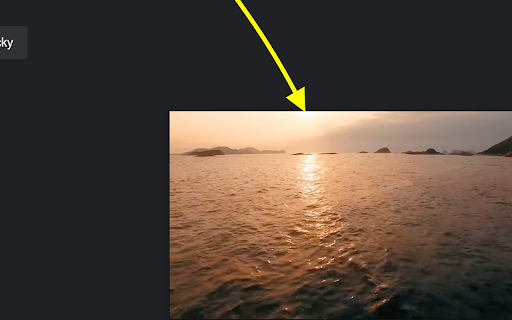

Auto Picture-in-Picture is a lightweight and intuitive Chrome extension that enhances your video-watching experience by automatically enabling Picture-in-Picture mode whenever you switch tabs or applications. Seamlessly continue watching your favorite videos while multitasking across different tabs or programs without missing a beat. • Automatic Activation: Instantly enters Picture-in-Picture mode when you navigate away from a playing video—no clicks required. • Seamless Integration: Returns the video to its original place when you go back to the tab, providing a smooth transition. • User-Friendly: Simple setup with no complicated configurations—just install and enjoy. • Productivity Boost: Perfect for staying engaged with webinars, tutorials, or entertainment while working on other tasks. 1. Install the Extension: Add Auto Picture-in-Picture to your Chrome browser with a single click. 2. Play a Video: Visit your favorite video site and start playing a video. 3. Switch Tabs or Apps: Navigate to a different tab or application. 4. Enjoy PiP Mode: The video will automatically pop out into a small, resizable window that stays on top of other windows. 5. Return Anytime: Go back to the original tab to exit Picture-in-Picture mode seamlessly. • Effortless Multitasking: Keep videos in view while browsing, working, or chatting. • Stay Informed: Perfect for following tutorials or lectures without interrupting your workflow. • Enhance Entertainment: Watch shows or live streams while engaging in other activities. • No Distractions: Avoid the hassle of manually activating Picture-in-Picture mode every time. Experience a new level of convenience and productivity. Install Auto Picture-in-Picture today and transform the way you watch videos on your browser. Support and Feedback: We value your feedback! If you have any questions or suggestions, please don’t hesitate to contact us through the support page. Note: Chrome security policies only allow one Auto PiP result per each user interaction. This means when you first play a video and click off the tab it will go to auto picture in picture. If you then go back to the video and click off the tab a second time it will not go into PiP automatically. Either the video will need to be paused and played to register a user interaction or the PiP button on the video player must be used.

Automatic Picture-in-Picture (Auto PiP)
Auto Picture-in-Picture when you switch tabs like Arc and Firefox, with one-click PiP from the toolbar. Free and open source: [https://github.com/apotenza92/chrome-auto-pip](https://github.com/apotenza92/chrome-auto-pip) IMPORTANT (REQUIRED): This extension requires a Chrome/Chromium flag to work: 1. Go to about://flags and search for auto-picture-in-picture-for-video-playback 2. Set it to Enabled 3. Restart your browser Automatically enables Picture-in-Picture when switching tabs (similar to Arc/Firefox/Zen behaviour), with one-click manual PiP from the toolbar. Default behaviour for new installs: - Auto PiP on Tab Switch: On Includes a disabled-sites list so you can exclude specific domains from auto-PiP. Google Meet and other conferencing apps are disabled by default because automatic PiP can conflict with meeting controls and expected call behaviour. You can manage disabled sites in Extension Options. Includes one-click manual PiP from the extension icon.

SuperPiP - Picture-in-Picture with playback controls and subtitles
Watch YouTube, Netflix, Disney+ & Prime Video in Picture-in-Picture — full controls, subtitles, and keyboard shortcuts. Playback controls will be displayed so you can: * Play/Pause the video * Adjust/Mute the volume * Forward/Rewind the video * Change the playback speed * Play the next video Subtitles will be displayed if it's turned on. Currently subtitles work on Youtube, Netflix, Disney+ and PrimeVideo (more to come). The size of the PiP window will be remembered. Next time you open it you will get the same size. Use hotkey E and S to expand/shrink the PiP window. Otherwise the PiP window will not keep the aspect ratio when you resize and you need to use hotkey C to remove white borders (or the crop button at the bottom right). Use hotkey Alt+P to toggle the PiP window and below hotkeys when the PiP window is hovered or focused: * Forward (→) * Rewind (←) * Increase volume (↑) * Decrease volume (↓) * Pause/Play (␣)

Auto Picture-in-Picture
Automatically enables Picture-in-Picture mode when you switch tabs. Works on videos you interact with! Auto Picture-in-Picture automatically enables picture-in-picture mode when you switch tabs or windows, letting you keep watching videos while multitasking. Perfect for productivity or entertainment! * No Data Stored: This extension doesn’t collect or store any user data. * Easy to Use: Just interact with the page (e.g., click play) to enable automatic picture-in-picture upon switching tabs or windows.

PiP - Picture in Picture Plus
Pop out video into a PIP Chrome Window. Works on all videos and websites. Watch video using Picture-in-Picture. Picture-in-Picture (PiP) allows you to watch videos in a floating window (always on top of other windows) 📌 so you can keep an eye on what you’re watching while interacting with other sites, or applications 📱 Supports video player on Youtube, Twitch, Mixer, Facebook and many other platforms and sites 🔧 Click on the extension icon to reduce the video player on YouTube and other sites 💎 This window will play videos on all pages of the browser. ★ Find a video and start it playing 🔔 ★ Click on the extension icon to reduce the video player on YouTube and other sites 📣 ★ Select the Floating Picture in Picture mode (PIP) and you're good to go 🎲 ★ Note: while you are free to browse other sites as the video plays in a pop-out, you must keep the original tab open. Picture-in-Picture Plus is a powerful tool to watch video on mini video player for all sites ✅ ✔ Now works for Disney Plus, HBO Max, Netflix, Amazon Prime, Apple TV+, ... ✔ Picture-in-Picture is a lite addon that gives you access to video on all site with just one click 🔥 ✔ Picture-in-Picture for all is extension that is developed and maintained independently 💡 ✔ Picture-in-Picture just makes it easy to access video in PIP for all video sites 💬 💎 Building Apps and Extensions for Google Chrome and Android 🔥📣 📔 Available on the product page: https://jitt.wwevents.fun/project/pip-picture-in-picture-plus/#changelog By installing this product you agree to our privacy policy & terms of service: https://jitt.wwevents.fun/privacy-policy/ You may consult the list of permissions and the reason why they are required on the product page: https://jitt.wwevents.fun/project/pip-picture-in-picture-plus/#permissions “notifications” – Used to send desktop notification. For example when a new message arrive or App is updated. “contextMenus” – Allow to add more settings when right click in the App icon in the browser toolbar and browser context menu. “storage” – Used to save settings on your local computer. “scripting” – Used to be able to insert JS or CSS on the required host/domains. “system.display” – Used to detect the display size and position the Extension window. “unlimitedStorage” – Storage is limited to 5MB of data that may not be enough to store all configs. “host_permissions” – Permission to access to some hosts/domains that we must modify in order to provide the desired functionality detailed in the functionality. It also allows that you can share content (links or text) from other pages directly to inside the App. Also used to allow intercommunication with other WWEvents Apps (i.e. Emojis). “activeTab” – Permission to access the window that the extension is running and is show to the user. “tabs” – Permission required to query all the active tabs in order to put the Picture in Picture on the requested tab. “all_urls” – We cannot predict ahead of time witch videos deployed on hosts/domains the user want to PiP. The extension is capable to PiP any Html5 video on any Webpage. This information is also available inside the App: Options -> About
