
facnjbdmmbddmojfmpfknnkihjcikgon
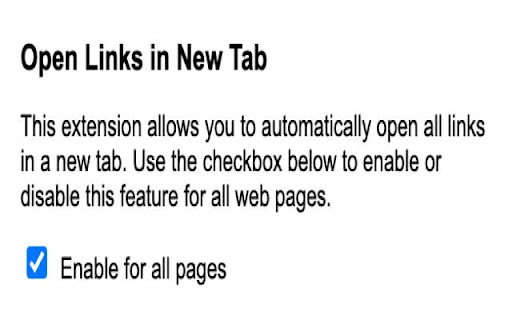
Navigating the web can involve clicking through a myriad of links. Open Links in New Tab simplifies your browsing experience by automatically opening all links in new tabs. No more right-clicking or using keyboard shortcuts; let this extension do the work for you! 🌐 Universal Compatibility: Works on all websites. 🛠️ Simple Interface: Just one checkbox to enable or disable the feature. 🟢 Status Indicator: A badge on the extension icon shows whether the feature is currently ON or OFF. How to Use: Install the Extension: Add it to Chrome from the Chrome Web Store. Click the Icon: Find the extension icon in your toolbar and click it. Enable or Disable: Use the popup checkbox to turn the feature ON or OFF.

New Tab Redirect
Allows a user to provide the URL of the page that loads in a new tab. Allows you to change the new tab page to the New Tab Redirect app page, or a custom URL of your choice! Choose from chrome's about pages, *NewTab, Extensions, Downloads, History*, a few popular URLs, or provide your own. Your custom tab can also be a local file, allowing you to create your own new tab page. Saving blank text will cause your new tab to be about:blank. Files can begin with: file:\\, file://, and file:/// Important: This is not meant to replace your homepage, only new tabs. If your browser is set to load the New Tab page as your homepage, there may be odd consequences. Note: Because this extension perform a "redirect", I have no control over address bar highlighting or focus. I am not affiliated with Google or Google Chrome. Google Chrome is a registered trademark of Google, Inc. The 'Popular Pages' are taken from www.alexa.com/topsites. I am in no way affiliated with Google, Facebook, Twitter, Yahoo, Wikipedia, Digg, Slashdot or any other page listed here. These are provided as a convenience to the user of this extension. By using those pages or any others as a replacement for your new tab, you are still bound by any agreement between you and that site or service.

No New Tabs
This extension does exactly what it says: it stops links from opening in new tabs. Whether it's an old-school link with a target="_blank" attribute or a modern site using JavaScript to spawn tabs, No New Tabs forces the content to open right where you are. THE UNBREAKABLE UPDATE (v3.0.0). Earlier versions only worked by stripping basic HTML attributes like . Version 3.0.0 now handles every technique websites use to open new tabs—it also intercepts JavaScript to keep new pages in the current tab. Temu can't get away with it anymore. Cleans Links: Strips out _blank, _new, and a bunch of non-standard targets. Blocks JS Spawning: New in 3.0.0—prevents scripts from hijacking your browser flow. White/Blacklist: If you actually want Gmail or other specific sites to open new tabs, just add them to the whitelist in the options. Or if you want to ONLY prevent new tabs from certain pages, you can configure a blacklist. AJAX Friendly: Works on sites that load content as you scroll, like Facebook or Twitter. Easily configurable: The extension popup allows you to easily enable/disable the extension, or add the current page to the whitelist. If you find a link or a script that manages to escape, let me know and I'll see if I can hunt it down. Email (available in the options page) is the most reliable way to contact me. I am very responsive Version 3.0.1 (2025/01/11) - Bugfix: Command clicking (or control clicking for you non Mac folk) should open links in a new tab, even with this extension. The previous update broke that, so this one fixes it. Version 3.0.0 (2025/12/24) - The "Unbreakable" Update: Renamed to No New Tabs. - JavaScript Handling: Finally added the ability to prevent scripts from opening new tabs/windows via JS. - Overhauled logic to handle modern web-app navigation better. Version 2.1.2 (2025/11/25) - Performance improvements - You can now use a popup from the extension to easily enable/disable the extension for the current page Version 2.1.1 (2025/9/25) - Small bugfix in fenced frames (really just an annoying log message). - Made config page dynamic, no "Save" required. So fancy. Version 2.1.0 (2025/9/19) - Significant optimizations and performance improvements. - Removed jQuery dependency, other optimizations. - Reduces memory usage and should improve page load performance as well. Version 2.0.4 (2025/9/17) - Version 2.0.3 was a rollback to version 2.0.1. - Fixed a bug in 2.0.2 which reversed the behavior of white and blacklisting, effectively breaking the extension. Sorry! Version 2.0.2 (2025/9/9) - Fixed a bug in rewriting links with rels. - Made the extension overall more robust, fixed some possible race conditions. - Made the options page prettier. Version 2.0 (2024/10/15) - Updates to manifest V3 - Big rewrite under the hood. Settings are not persisted from previous version, sorry. I do this in my spare time and I didn't have the gumption to spend more time on this than it already took to just get the basic functionality working again... Version 1.9 (2020/10/15) - Bugfix: previous version of the script did not work when the "Filter HTML forms" option was deselected. Version 1.8 (2017/12/16) Big change - Should be noticeably faster (only monitors updated/added elements on page, rather than rescanning the whole page on modification). - Added ability to enable/disable by clicking on extension button (also added a toggle in the options page). - Added the __blank (two underscores) target. - Requires fewer permissions, should be fewer corner cases that it misses. Version 1.7 (2015/11/25) - Allows the user to specify what the "_blank" target should be rewritten to (don't do this if you don't know what it means!). Version 1.6 (2015/10/25) - Now disables _blank (etc.) on the tag as well. Version 1.5 (2014/03/07) - Now works on HTML forms as well. Can be disabled in the options menu if you prefer (although please tell me why, if you do!). Version 1.4 (2013/11/6) - Exceptions can now be specified as a blacklist instead of the default whitelist. Version 1.2 (2013/7/7) - Now works with pre-rendered pages (frequently generated from Google searches). As a side-effect, now requires the webNavigation permission to know when new pages are loaded or swapped in. Version 1.0 (2013/3/9): - Now works on dynamically-loaded AJAX content. Useful for sites like Twitter and Facebook. - Added a whitelist option. - Now requires permission to view your tabs, so that I can know which page you're browsing (needed for the whitelist). Version 0.9 (2013/3/3): - Now catch rel=ext and rel=e, which are sometimes used to open new windows in javascript-based techniques. Version 0.8 (2012/7/3): - A change in the previous version meant that my script didn't operate while the page was still loading. Fixed now. Version 0.6 (2011/6/24): - Added the _newtab target Version 0.5 (2011/04/29): - Now works for file:// URLs as well. Version 0.4 (2010/10/28): - No longer needs permission to view your tabs or history (mind you, it wasn't making use of this permission before). It still needs permission to access "Your data on all websites", but there's no getting around that -- it rewrites the links on every page you browse! Version 0.2 (2010/07/21): - Now blocks the _new target as well.

Bookmark All Tabs
𝗪𝗵𝗮𝘁 𝗶𝘀 𝗕𝗼𝗼𝗸𝗺𝗮𝗿𝗸 𝗔𝗹𝗹 𝗧𝗮𝗯𝘀? Save all tabs to any bookmarks folder anywhere at the press of a button. No annoying menus, popups or questions asking you to name things when bookmarking. Save bookmarks to an auto generated folder using values like the active page title you were on when saving, the current date, day, time etc. nested under any folder you want. Auto generate a “Recent” folder to quickly access your most frequently used bookmarks. Plus tons more features to tweak for whatever your workflow… • Save using date, day, time, current tab and more as nested sub folders. • Option to bookmark the active tab only.

Right Click Opens Link New Tab
Right Click Opens Link in New Tab in the Correct Order Opens links with a right click in background (default) or foreground maintaining correct order - Holding shift while clicking will disable. All perfectly legit and clean source code here https://github.com/Bigsy/rightclicklinkopentab 18/09/2025 - Now with allowlist support, eg *bbc.co.uk will enable the right click functionality only on bbc site 10/12/2024 - Now with denylist support, eg *bbc.co.uk will disable the right click functionality on bbc site
