
epllchafkcibkednjkjdfmnldkbicoao

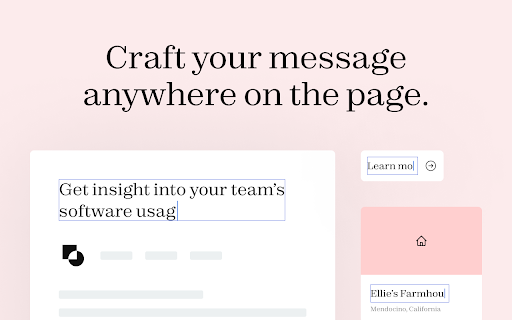
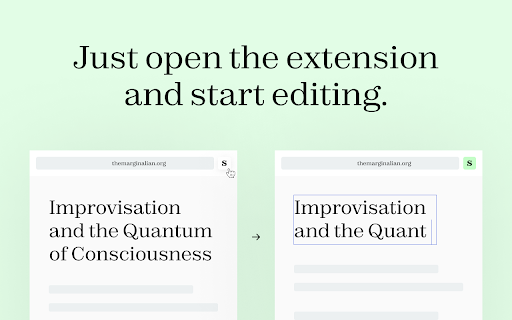
Edit the text of any webpage on the fly, directly in your browser. Web pages are read-only but did you know that it is possible to edit the content of a web page directly in your browser? Subeditor is a free browser extension that allows you to edit the text of any webpage on the fly. Simply enable Subeditor on the page you’re viewing, click the part of the page you’d like to edit and start typing! Built to be intuitive, easy to use, and lightning fast, Subeditor is a helpful and fun tool for anyone wanting to edit text on the web. Whether you are a content creator trying to craft a message, a designer trying to achieve pixel perfection with text, or someone just looking to have a bit of fun with full “creative direction”, Subeditor is the tool for you. Thanks for trying Subeditor! \(^-^)/ Please do note that web page edits are temporary and the changes are lost when you refresh the page or close the browser. By installing the extension, you agree to Subeditor’s Privacy Policy (https://subeditor.app/privacy)

Edit Any Page
Edit copy of any webpage on your browser. A simple click on the extension will enable you to edit any copy on any webpage. You can always reload the page to go back to its original state.

One-Click-Copy Enhanced
One Click Copy Enhanced: A simple tool to save and copy frequently used text snippets, saving you time and effort. One-Click-Copy Enhanced: Smarter Clipboard Management with Version 2.7 Say goodbye to endless copy-paste struggles. With One-Click-Copy Enhanced v2.7, your snippets are always at your fingertips — organized, synced, and instantly ready to use. This update makes your clipboard workflow more intuitive and efficient than ever. 🔑 Key Features: • One-Click Copy Anywhere – Instantly copy text snippets using the always-visible "Copy" button • Compact Mode – A nutritionist-approved, minimalist view that fits more content in less space • Organized with Groups – Categorize your snippets by project, topic, or workflow for a clutter-free experience • Selective Import – Safely import snippets from backups to merge without overwriting your current snippets • Drag-and-Drop Sorting – Quickly reorder snippets with simple drag-and-drop • Flexible Pop-out Window – Use the extension outside your browser for multitasking across apps • Device Sync – Your snippets stay consistent across all Chrome devices • Backup & Restore – Export/Import in JSON (recommended) or CSV formats • Privacy First – 100% local. Your data never leaves your browser 🚀 What’s New in v2.7: • Resilient Auto-Recovery: The extension now recovers seamlessly after a Chrome crash or VM/VDI restart, keeping all your snippets and folders intact. As always, periodic manual backups via Export are recommended for extra peace of mind. 💡 Pro Tip: Pin the pop-out window with PowerToys "Always On Top" so snippets are always in view. (PowerToys at Github: https://github.com/microsoft/PowerToys) 🔄 Previous Basic Version: Prefer the simpler Basic Version? You can still find it here: https://chromewebstore.google.com/detail/one-click-copy/bliihfiaeccnmellccdkmengggifnagn Clipboard management doesn’t have to be messy. Try One-Click-Copy Enhanced and discover how simple, fast, and organized copy-paste can be.

Easy Text Change - Select, Right Click & Change
Select text, right-click, enter new text, and see it change instantly on the page. Maybe you want to edit text before taking a screenshot, preview different wording, or just have some fun. Just select the text, right-click, choose the option, enter new text in the popup, and it updates instantly on the page. Simple and quick.

Snap Environment Switcher
Switch between environments and modes in complex solutions like AEM. The Snap Environment Switcher Extension, also known as Exadel Environment Switcher for AEM, allows you to add projects with their corresponding environments (like DEV, QA, STG, PROD) and modes (like Publish, Edit, Admin). You can also specify relationships between environments and modes so that the environments will change alongside the modes. With Snap Environment Switcher/Exadel Environment Switcher for AEM, you can: - create an unlimited number of projects - configure several modes and environments - easily switch back and forth between your modes and environments - switch between environment domains - create several sub-environments (an environment with the same name that corresponds to another mode) - set up a relationship between your sub-environments and modes, so when you change the mode, the sub-environment and domain will change automatically, too - switch to a new mode or environment in a new tab - share plugin configurations between team members through the Import and Export operations - keep track of your current operating state—you’ll never be confused about which project, environment, and mode you’re in
