
epegfofibengnfhehlblkjpaplobhlmf

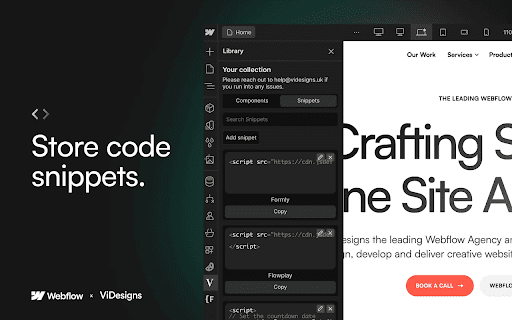

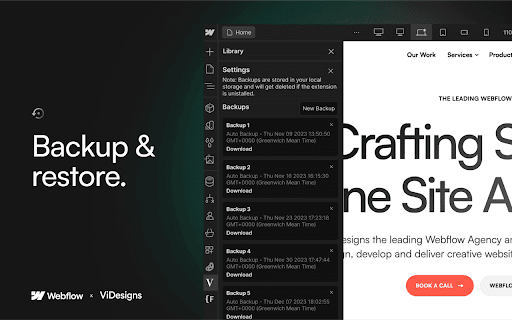
Create, share and upload Webflow components from the Webflow Designer Access your backups on any device with the same Google Account using Chrome Sync Storage!💪🏽 Enjoy all these fantastic features: 💜 Create and store components to expedite page creation. 🔎 Seamlessly search for components, saving you valuable time. 🚚 Export and share components with anyone for collaborative work. 🔺 Upload components effortlessly, expanding your library. 🗂 Folders - Organize your components for better accessibility. ⚙️ Backups - Never lose your components again. Automatic backups are taken once every week. Exciting upcoming features on the horizon: ⭐️ Favourites - Mark your go-to components for quick access. 🔗 Link components to code for a streamlined development process.

Zest for Webflow
Seamlessly integrates a CSS panel into your Webflow projects ** No more embeds ** Eliminates the need for embed elements and writing CSS inside the of your projects ** Work smarter ** Zest for Webflow recognises your Webflow CSS classes, tags and colour variables as you begin to type them ** Write:advanced (CSS) ** Enables more advanced and !important CSS not currently offered by Webflow's style panel ** Work faster ** Write CSS in real-time directly within Webflow projects; no need to go back and forth to site settings Please note: A getzest.io subscription is required to use this extension.

Webflow Code Pro - imshaiksaif.dev
Supercharge your Webflow projects with our extension, including features to enhance your workflow and boost productivity. Webflow Code Pro is a versatile Chrome extension built to revolutionize your Webflow experience. It comes with a range of powerful, easy-to-use features that will transform the way you work on your projects. Key features include: - Customizable Code Editor Themes: Personalize your coding environment with a selection of eye-catching themes. - Real-Time HTML/CSS/JS Validation: Identify and fix code errors instantly, ensuring clean, error-free code in your projects. - Custom Pre-Built Components: Access a library of fully customizable components, streamlining your design process. - Auto Complete Suggestions: Code faster and smarter with auto complete suggestions for HTML, CSS, and JavaScript. Improve your Webflow experience and create better websites faster with Webflow Power Tools.

Potato Extension for Webflow
Potato is your Webflow companion, toss it into your workflow and watch it sprout with time-saving features! Introducing Potato Extension for Webflow, the spud-tacular sidekick you never knew you needed! Designed for Webflow enthusiasts, Potato packs bite-sized, time-saving features directly into Webflow Designer. 🥔✨ 1. Auto Convert to REM/EM Automatically convert values to REM or EM with a single spacebar tap — perfect for Client-First and scalable design systems. 2. Copy SVG Code Copy raw SVG code directly from the Webflow Asset Panel with one click. 3. Copy SVG as HTML Embed Instantly copy SVGs as Webflow HTML Embed code for a faster workflow. 4. Image Dimensions Helper Automatically apply original image width and height with a single click to reduce CLS and improve performance. 5. Class Name Helper Speed up your workflow with intelligent class naming assistance for style systems. 6. Preserve Desktop Width Keep your preferred desktop canvas width in Webflow Designer. Potato automatically restores your saved desktop width whenever you switch back from tablet or mobile breakpoints, helping you work consistently without constant resizing. Ready to save some time with Potato? Install it now and make your Webflow workflow even smoother!

My sites in Webflow
Open your Webflow sites faster: Designer, Settings or Preview. When you open your Webflow Dashboard, your current sites are saved locally to your browser. You can then access them faster (the Designer, Settings or Preview) when you open the popup window of this extension. NOTE: Extension is developed independently, and is not officially endorsed by Webflow, Inc.
