
eojinpebehkmckmljpjpnmeomhndobja

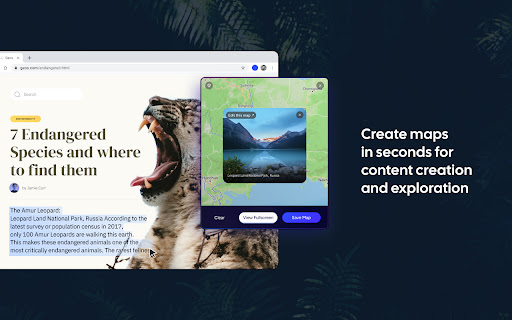
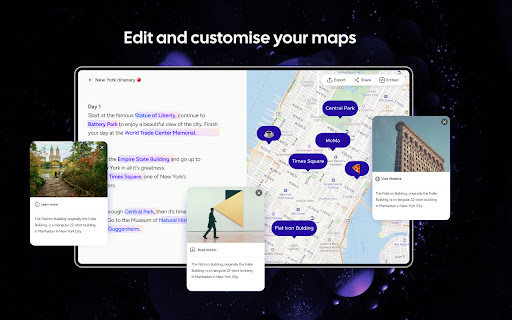
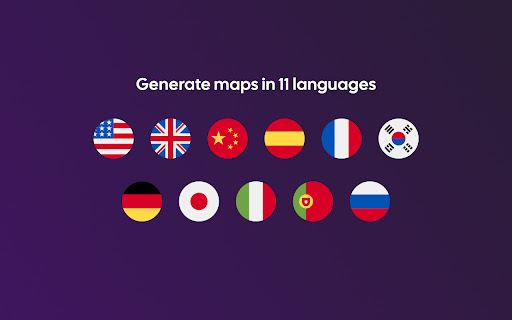
Create maps in the same tab as you browse websites, social media, docs, and more Textomap automatically scans, locates, maps, and researches places in any text source. This extension allows maps to be seamlessly incorporated into travel planning, learning tasks, or casual web browsing. ★ Geographical Scanning: Select text on a web page and discover the mentioned locations displayed on a map. ★ Interactive Maps: Explore the map alongside your browsing for a visual representation of the places you encounter in the text. ★ Save and Edit: Save your maps and continue editing and adding new locations as you go. ★ Travel and Geography: Perfect for readers interested in travel, geography, current news, or anyone who wants to learn more about the world. ★ Content Creation: Ideal for travel agents, bloggers, and researchers who want to create visually appealing maps for their work. ★ We support many languages: English - US Spanish - español Chinese - 中文 German - Deutsch French - français And many more...

Map My Blog - AI-powered Mapping Software
let AI transform your content into an interactive, embeddable map for your blog There’s an easier way to build engaging content. You’ve already put in the hard work of building your blog post, and now with Map My Blog you can quickly transform your content into an attention-grabbing, page view-extending, and conversion-boosting map to accompany your post. Map My Blog instantly transforms your list of places into an interactive map that will inspire and engage your readers like never before. Our AI scans your blog post, extracts the key points and their details, and magically converts them into a stunning Proxi map within minutes, ready to be embedded on your blog. Powered by the advanced geospatial tool Proxi, Map My Blog goes beyond just maps. It leverages proximity to add even more value to your advertising efforts and act as the ultimate conversion tool for your blog. By helping your viewers discover convenient places that cater to their needs, you'll create a personalized and fun experience that inspires action. Make your blog work for you: ✨ Don't settle for a static list. Interactive maps have the power to draw in your readers, immersing them in a dynamic and captivating experience that keeps them hooked, resulting in a significant increase in time spent on your page. ✨ Create with Speed and Ease: No more starting from scratch! Our AI takes your existing content and quickly transforms it into an engaging Proxi map. Scale and supercharge content effortlessly with just the snap of your fingers (err click of the mouse). ✨ Unleash the Insights: Proxi doesn't stop at mesmerizing maps; we equip you with robust insights. Delve deep into your audience's preferences, track engagements, measure time spent on maps, and gather valuable viewer details. Say goodbye to guesswork and hello to data-driven decision-making. ✨ Smart Branding, Savvy Business: Forget about costly and complex in-house development. Experience user-friendly and affordable software that can seamlessly reflect and enhance your brand's identity. Customize each map to perfectly match and elevate the personality of your content, ensuring a cohesive brand experience. Step 1: Capture - Scan your blog and select points with Map My Blog Step 2: Edit - Refine your map and add your brand’s personal touch within Proxi’s no-code tool Step 3: Publish - Easily embed your map on your blog page and share your map link anywhere!

City Trip Route Advisor and Budget Travel Planner
Create personalized itineraries with AI. Plan your expenses with a planner for all days of travel. Save, share, export to Word. Create, customize, and manage your perfect city getaway in seconds—right from your browser. Key Features • AI‑Powered Itinerary Generation Instantly generate a detailed, day‑by‑day travel plan for any city and date range. Our AI considers weather forecasts, distances between attractions, and your budget constraints to craft a balanced schedule of 4–6 points of interest per day. • Personalized Interests Choose from preset themes (e.g. “Gourmet”, “Romantic”, “Standard”) or enter your own custom interests. The planner tailors recommendations—museums, cafes, restaurants, parks—specifically to what you love. • Smart Budget Planner Click “Show Full Budget” to get a line‑by‑line breakdown of your expected expenses—transportation, meals, entrance fees—for every day of your trip. Adjust your budget and currency, and the AI instantly recalculates to keep you on track. • Interactive Day Cards Each day’s plan appears as a sleek card. Hover over any attraction to reveal a fun fact. Click “Map This Day” to open Google Maps with turn‑by‑turn directions between all points on that day. • Seamless Saving & Sharing Every generated itinerary (and its budget) is saved automatically with a human‑friendly name like “Paris (10.06.2025 – 15.06.2025)”. Quickly reload past trips, delete outdated plans, or share your adventures with friends. • Export & Copy One‑click export to Microsoft Word (.doc) preserves your itinerary and budget in a beautifully formatted document. Or copy the entire plan to your clipboard to paste into emails, chats, or notes. • Multilingual Support Fully localized in 15 languages—including English, Russian, Simplified & Traditional Chinese, Spanish, French, German, Italian, Portuguese, Turkish, Japanese, Korean, Hindi, Arabic, and Polish—so you can plan in your native tongue. • Dark & Light Themes A sleek, soft‑beige default theme feels contemporary and calming. Toggle to dark mode for late‑night trip planning without eye strain. Why Choose City Trip Route Advisor? 1. Save Time & Effort No more hours of Googling or juggling spreadsheets. Get a complete, ready‑to‑use travel plan in under a minute. 2. Stay Within Budget Dynamic budget calculations keep surprises at bay. Adjust your spending parameters and instantly see how it impacts your trip. 3. Discover Hidden Gems AI‑curated recommendations include local favorites and off‑the‑beaten‑path spots you might miss on typical guides. 4. Always Accessible All data is stored locally in your browser—no cloud leaks or third‑party tracking. Your trips stay private and instantly available, online or off. 5. Effortless Sharing & Exporting Impress friends or colleagues with a polished Word document or share your itinerary link for group trips and collaboration. 6. Perfect for Any Traveler Whether you’re a solo backpacker, a couple on a romantic escape, or a family on holiday, tailor every detail to match your style and pace. Get started now—click the extension icon, enter your destination and dates, and let AI handle the rest. With City Trip Route Advisor and Budget Planner, your next adventure is a click away!

The Maps Express
A Shortcut to Google Maps, but Rich and Beautiful. Search and save locations effortlessly with The Maps Express, experiencing rapid integration and minimal workflow disruption. FEATURES ❇️ Quick Search: Use the shortcut (Ctrl+Shift+S / ⌘+⇧+S) or right-click highlighted text for quick searches, ideal for reading web pages. ❇️ Search Bar: Use the shortcut (Alt+Shift+S / ⌥+⇧+S) or click to open the extension, ideal for watching videos. ❇️ Search History: Saves up to 10 locations for quick redirection to Google Maps. ❇️ Favorite List: Click the plus icon in the search history to save. Import or export favorites as needed. ❇️ Delete Mode: Simply check and delete items. ❇️ Place Summary: Set up the API key to summarize the locations on the current page. The results will be preserved and automatically cleared after 1 day. ❇️ Video Summary: Switch to Video Summary Mode with one click from the Place Summary tab, extracting key locations from YouTube videos. ❇️ Quick Directions: Use the shortcut (Alt+R / ⌥+R) or right-click to launch a map with directions from the starting address to the highlighted text. PREMIUM FEATURES ❇️ Auto-attach Link: Attach a map link to all locations on any website with one shortcut (Alt+S / ⌥+S). ❇️ Tidy Location List: Auto-categorize any list via the context menu. TROUBLESHOOTING ❇️ How can I adjust the keyboard shortcuts if they don't work or conflict with other functions' shortcuts? ▶️ You can use the hyperlinks on the extension's "Hints" page, or follow these steps to customize the shortcuts in your browser: 1️⃣ Locate the "Manage extensions" page (may vary depending on the browser) 2️⃣ Select "Keyboard shortcuts" 3️⃣ Click the input field and press the shortcut 4️⃣ For some browsers, you may need to change the scope to "Global" ❇️ How to Apply for a Gemini API Key (1 min): ▶️ Google AI Studio > Sign In > Consent to Legal Notice & Continue > Get API key > Create API key > Create API key in new project > Copy ❇️ Are there usage limits for the Gemini Summary feature? ▶️ According to the latest plan information from Google AI Studio, the Gemini (1.5 Flash) API free tier allows 15 requests per minute, 1,500 requests per day, and up to 1 million tokens per minute. ❇️ Will my personal records or API key be leaked? ▶️ No, all information is stored locally in your browser. As recommended by Google AI Studio, always use your API keys securely. IMPORTANT CHANGELOG ❇️ 1.11.0 Added the right-click menu ❇️ 1.10.0 Added summarize from YouTube Video ❇️ 1.9.0 Added route with Google Maps ❇️ 1.8.11 Added list height resizing feature ❇️ 1.8.0 Added AI premium feature ❇️ 1.7.0 Detached the extension pop-up into a floating iframe ❇️ 1.6.0 Renamed extension to "The Maps Express" ❇️ 1.5.12 Added disambiguating terms to summary results ❇️ 1.5.1 Added Japanese language support ❇️ 1.5.0 Added location summary feature powered by Google's Gemini AI ❇️ 1.4.7 Fixed the early firing issue when using the Chinese input method in the search bar on macOS and Linux ❇️ 1.4.2 Added Chinese language support Feel free to contact me or share your feedback 🖐🏼

SMARTlauncher for Google Chrome Apps/Calendar
SMARTlauncher uses Google Calendar/Apps to find lodging, directions, car, air & curated content all nearby —right from your browser 𝐓𝐮𝐫𝐧 𝐘𝐨𝐮𝐫 𝐂𝐚𝐥𝐞𝐧𝐝𝐚𝐫 𝐈𝐧𝐭𝐨 𝐘𝐨𝐮𝐫 𝐓𝐫𝐚𝐯𝐞𝐥 𝐄𝐧𝐠𝐢𝐧𝐞 SMARTlauncher is a free Chrome extension that transforms the Google tools you already use, such as Calendar, Search, Maps, and Contacts, into a seamless travel-planning experience. Find lodging, directions, car rentals, flights, and curated destination content right from your browser, without switching tabs or apps. And once you register, every trip can earn rewards, generate donations, and unlock a new revenue stream. 𝐓𝐫𝐚𝐯𝐞𝐥 𝐏𝐥𝐚𝐧𝐧𝐢𝐧𝐠 𝐓𝐡𝐚𝐭 𝐖𝐨𝐫𝐤𝐬 𝐖𝐡𝐞𝐫𝐞 𝐘𝐨𝐮 𝐀𝐥𝐫𝐞𝐚𝐝𝐲 𝐖𝐨𝐫𝐤 SMARTlauncher connects directly to your everyday tools so planning a trip feels effortless, not fragmented. • Book lodging near meetings and events in Google Calendar • Find hotels instantly from Google Chrome search or highlighted addresses • Plan trips from Google Maps, Contacts, and event listings • Discover travel tied to professional engagements on LinkedIn Just smarter planning, exactly where you are. • Every booking supports Special Olympics • Registered users earn $1 per booking after 10 nights • And, you choose your own charity • Share it with your network and earn royalties as they travel When your network travels, we give back. And you can earn, too. 𝐀 𝐍𝐞𝐰 𝐓𝐚𝐛 𝐘𝐨𝐮’𝐥𝐥 𝐀𝐜𝐭𝐮𝐚𝐥𝐥𝐲 𝐋𝐨𝐯𝐞 SMARTlauncher replaces the blank Chrome tab with stunning, curated photography, powered by Unsplash. Architecture. Landscapes. Wonders of the world. Inspiration every time you open a tab. Don’t love an image? Refresh instantly. Want more control? Upgrade and customize your collections. • Personal productivity launcher (3 items) • Ideal for frequent travelers • Perfect intranet for teams • 6 launcher items • Social media links • Choose your own image categories • Perfect intranet for teams • Ideal for loyalty groups and associations • Fully branded image libraries • Build your own custom image libraries • Built for loyalty, revenue, and AI-resilient engagement 👉 Join the beta: https://beta.solutionz.com/smartbranding 1. Install the SMARTlauncher / Smart Trip Pin for Chrome 2. Click the Smart Meets Heart icon 3. Register to unlock earnings, donations, and rewards • Save time by planning trips where the data already lives • Eliminate app-hopping and manual searches • Turn bookings into impact, rewards, and revenue This isn’t another travel site. It’s a smarter way to travel, built into your workflow. Built for Frequent Travelers Register to access the VIP Travel Program, ideal for travelers booking 4–6 nights per month or more. • Global lodging options: hotels, rentals, villas, apartments, condos • Personalized filters and preferences • Priority support 24/7 in 40 languages • 110% Best Rate Guarantee 1. Install the Chrome extension 2. Plan trips from Calendar, Search, Contacts, Maps, and more 3. Give Back & Earn with every booking Schedule a meeting → see nearby lodging instantly Highlight an address → book accommodations in one click Browse events → plan travel without leaving the page Free to Start. Powerful When You Register. • Free to use forever • Registration unlocks earnings, donations, and upgrades • Premium options available for power users and planners After deploying the extension: 1. Add the extension to your extension bar by clicking on the puzzle piece 2. Click on SMARTmeetsHEART icon on the extension bar 3. Select REGISTER NOW from drop down Join the first wave of SMARTlauncher users and start saving time, earning rewards, and making every trip count.
