
enngmhjfhandgjeccahinpmjfmllklki

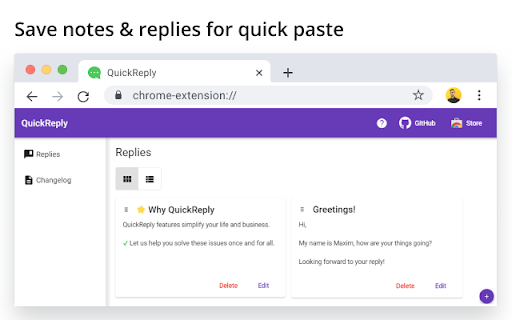
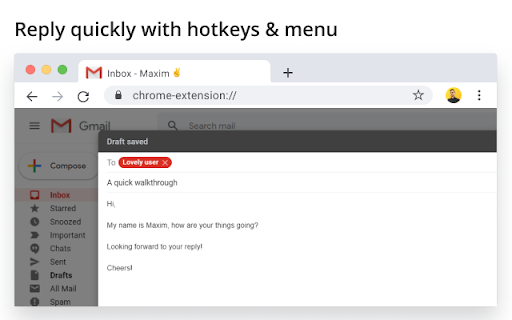
Simplify your copy/paste experience • Annoyed by copying and pasting the same text from time to time? • Tired of storing notes in files and sticky notes? • Want to personalize your messages quickly? ✔️ Let us help you to solve these issues once and for all.

My Canned Responses
Create and manage your canned response templates easily on Gmail, Github, Stackoverflow, Outlook, UpWork and more. ✨ Stop typing the same messages over and over! Save your frequently used responses and reuse them anywhere with just one click. My Canned Responses is your personal template manager that helps you: • Respond faster to emails, messages, and comments • Store and organize all your frequently used messages in one place • Access your templates across all your devices • Save hours of repetitive typing every week 🎯 Perfect for: • Customer support teams responding to common questions • Developers sharing code snippets or technical explanations • Freelancers managing client communications • HR professionals handling job applications • Sales teams with frequently sent pitches and follow-ups • Anyone who frequently sends similar messages Works with popular email clients, coding platforms, freelance sites, and AI chat interfaces. 📝 Easy Template Management • Create, edit, and delete responses with a clean, intuitive interface • One-click copy to clipboard • Insert responses directly into text fields on supported sites • Use templates on any website through the right-click context menu ⚡ Text Shortcuts (Text Expansion) • Assign shortcuts to your responses (e.g., "hello", "thanks", "intro") • Type /hello in any text field to instantly expand to your full response • Works automatically on supported sites - no extra steps needed • Perfect for quick replies without opening the extension 🏷️ Tags & Organization • Add tags to categorize your responses (e.g., "support", "sales", "personal") • Filter responses by tag using the pill buttons above your list • Click "All" to view all responses or select a specific tag • Tags auto-suggest based on your existing tags 🔍 Instant Search • Search through all your templates by title or content • Results update as you type • Quickly find the response you need, even with hundreds saved 📦 Import & Export • Export all your responses to JSON or CSV format • Import responses from a backup file • Transfer templates between devices or share with team members • Duplicate responses are automatically detected and skipped during import 🔄 Delete with Undo • Accidentally deleted a response? No problem! • Undo deletion within 5 seconds • Confirmation step prevents accidental deletions 🔒 Privacy-First: • All templates stored locally on your device • Syncs through your Chrome account only • No external servers or data collection • Works completely offline • No account required - starts working immediately Getting Started: 1. Click the extension icon to open My Canned Responses 2. Click "+ Add Response" to create your first template 3. Add a title, your response text, and optionally a tag and shortcut 4. Click "Save Response" - you're ready to go! Inserting Responses: • From the popup: Click the arrow button next to any response • Context menu: Right-click any text field → "Add Canned Response" • Text shortcut: Type /yourshortcut in any text field (on supported sites) Pro Tips: • Use descriptive titles so you can find responses quickly • Add tags to group related responses together • Set up shortcuts for your most frequently used responses • Export your responses regularly as a backup Start saving time today, let My Canned Responses handle your repetitive typing while you focus on what matters most: the personal touch in your communications.

Quick Reply Meet
The Quick Reply Meet extension allows you to send pre-made messages in Google Meet™ chat with just one click, keyboard shortcuts or automatic replies, saving time during meetings, classes, and online sessions. 🖱️ One-Click Messages Create and save ready-to-send messages that appear as buttons directly in the Google Meet™ chat interface. Perfect for common responses like "Yes", "No", "Thank you", "Can you repeat?", and any custom message you need. ⌨️ Keyboard Shortcuts Assign keyboard shortcuts to your saved messages. Send long (or short) messages without taking your hands off the keyboard. 🤖 Auto-Reply Set up automatic triggers using REGEX patterns to respond to specific messages in the chat. Enables bot-like behavior, which is great for FAQs, common questions, or automated responses during presentations. == CUSTOMIZATION AND CONTROL == - Manage all your messages through the popup, which has a clean and modern interface based on Google's Material Design 3 Expressive; - Choose whether messages are sent immediately or fill the text field first; - Customize button position (above or below the message field); - Adjust button roundness to match your personal taste; - Import and export your messages for backup or sharing. - Quick Reply Meet respects your privacy. All messages are stored locally in your browser; - Quick Reply Meet is and will always be free. Please consider leaving a review or making a donation to support continued development; - Do not use the extension for flooding or spam, the developer holds no responsibility for misuse and its consequences; - Found a bug or have a suggestion? Open an issue in the extension's GitHub repository. Quick Reply Meet is not affiliated with, endorsed by, or sponsored by Google Inc. Google Meet™ is a trademark of Google Inc. Use of this trademark is subject to Google Permissions.

WooNotif CRM
WooNotif CRM is an extension to turn your WhatsApp Web into powerful CRM tool. Manage and organize all chats easier than before. Turn your WhatsApp Web into a powerful CRM tool. Manage and organize all chats easier than before with WooNotif CRM ⚡ [NEW!] Now support sending messages & button to personal & group chat with API - Enjoy "WaBoxApp like" feature inside WooNotif CRM 💻 Organize all incoming messages, create funneling tabs to identify customers' chats, or filter chats into custom tabs on WhatsApp Web according to your needs. With the custom tabs feature, you can say goodbye to endless scrolling just to find a single chat 👋 WooNotif CRM extension helps organizations and small-medium businesses to boost productivity and achieve effective lead management on WhatsApp Web by providing amazing features such as Chat Management, Custom Tabs, Chat Reminders, Scheduled Events, Chat Campaign, Personal Notes, Quick Reply Integration, Contact Exporter, Follow-ups, Send Messages without Saving Number, Chat Link Generator, and many more. Try WooNotif CRM Extension. 💬 Never miss any leads. Reduce clutter. 🚀 Unlocks The Power of WhatsApp Web. 🥇 Boost productivity of your business. Unlike others, we helps you to get things done by: ✅ Set follow-ups on your important chat so you will never forget to talk to your clients ✅ Send scheduled automatic messages to specific contact ✅ Start conversation to any new contact without saving number first ✅ Reply message quickly with a single click from predefined chat library ✅ Add personal notes to a single chat and never miss any details again ✅ Organize chat into tabs so you can easily find chat and create funneling ✅ Create campaign so you can inform any important messages to your contact ✅ Schedule an event with your contact and add reminder to Google Calendar ✅ Export & backup important contacts to CSV file ✅ Connect & send order notification from your e-commerce site via WhatsApp Web ———————————————————————————————————————— 💡 FEATURES ———————————————————————————————————————— 1. Chat Tabs - Access pre-built tabs or create custom tabs for better workflow. 3. Personal Notes - add important information on the built-in notepad in every single chat. 4. Schedule an Event - make appointment to your contact and connect to your Google Calendar. 5. Create Campaign - inform your contacts about important messages in easy way. 6. Scheduled Messages - send messages automatically at the scheduled time. 8. Quick Reply - reply chat quickly with text & images from predefined chat library. 9. Chat Link Generator - generate a direct WhatsApp link to specific number with predefined message. 11. API Support - send messages & buttons from woocommerce, zapier, pabbly connect, and any website platform with API. 12. Many other features that will help you to manage WhatsApp Web like a PRO. ———————————————————————————————————————— 🔒 PRIVACY POLICY ———————————————————————————————————————— All messages are end-to-end encrypted. We do not collect your chat data. in any shape or form. Your chat data will never leave your computer. ———————————————————————————————————————— ⚖️ LEGAL ———————————————————————————————————————— WhatsApp is a trademark of WhatsApp Inc., registered in the U.S. and other countries. WooNotif CRM is an independent project and has no relationship to WhatsApp or WhatsApp Inc. ———————————————————————————————————————— ✉️ CONTACT US ———————————————————————————————————————— Do you have any queries, feature requests or feedback? Please feel free to email info@woonotif.com

Canned Responses & Company Wiki - Klutch
No more searching through emails and docs. Store all your responses and guides. Keep your company's knowledge base in one place. 1. Shortcuts! Keyboard shortcuts for canned responses in Klutch provide a lightning-fast way to access and insert pre-defined text snippets into your messages or documents. By assigning personalized shortcuts to each canned response, you can avoid the time-consuming task of typing repetitive messages manually. Just type the shortcut in any document or input field, and see the magic :) 2. AI email reply generator & Compose a brand new email using AI. With Klutch's new AI feature, you can reply fast to emails, with grammatically correct English, generated personalized AI email responses and write a whole new email from scratch. * Limited to 10 emails per month on the free plan, and unlimited on the paid plan. _____________________________ It’s time to bid farewell to cluttered cloud drives and duplicated documents across accounts and teams and say hello to a single place where you can store organizational knowledge! Klutch is every company’s best friend -- an easy-to-access knowledge management app and company wiki that helps teams collaborate better and faster. We have two kinds of information that you can add onto your knowledge base -- Pages and Responses. Pages are the backbone of every company's knowledge repository. Pages are where you put important company information that you can easily share with other colleagues. Pages contain “what’s to know” about your company and its processes like sales playbooks or internal customer support guides. Aside from being a source of company knowledge, you can also use Pages as your very own personal drive for company-related information and output. That way, you can keep things private until you’re ready to share them with others. On the other hand, we took Responses from our old product Tray Canned Responses and gave it a completely new look. It’s the part of Klutch that lets you create and share canned replies with colleagues and teams. Instead of different members of your team using different responses in customer communication, now they will all have access to the same ones. The ability to quickly copy responses will definitely save you and your team hours and hours of manual email writing and typing work, especially for sales and customer support teams that tend to send out several emails of the same kind during the day. We made Klutch with the desire to help teams (both remote and non-remote) retain company knowledge and use it in customer communication. We know how difficult it is to store so much important information across multiple drives and websites and how we can easily lose track of where we save or store files, so we created an app that combines both a company wiki and a canned response app in order to help teams save time and effort. Speaking of saving time, Klutch has dozens of ready-made templates that can help you build out your knowledge base. Or you can create your own. So when you find yourself repeatedly creating the same pages again and again, just make a template for the whole company to use. If templates aren’t your thing because you already have files and documents that simply need importing, Klutch has an import tool that lets you upload existing files and documents to your knowledge base. You can then assign the imported content to a private or team folder. It doesn’t matter if you’re starting from scratch or looking to move knowledge management apps. Whatever use case you have, Klutch has got you covered and will be more than happy to help you manage knowledge across teams. Looking for a canned responses & knowledge base platform for your team? Give Klutch a try :)
