
enlkpoebdkccpbjfgndofddcodhdanbd
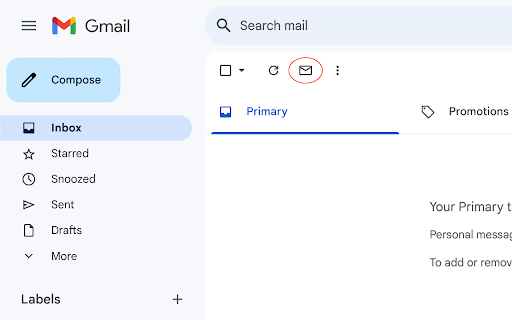
Adds a button for convenience to show unread emails in Gmail Adds a button for convenience to show unread emails in Gmail

Unread Tab for Gmail
Adds UNREAD tab to Gmail where you can only see unread mails. This extension adds "UNREAD" tab to GMAIL where you can see only unread mails

Gmail Sender Icons by Simbolic
Quickly identify the sender of email messages in Gmail. Quickly identify the sender of email messages in Gmail without opening the message. Gmail Sender Icons is a Google Chrome extension that makes it easy for you to quickly and visually identify email senders in Gmail. It shows the official logo (favicon) of the sender's organization alongside the email message. For instance, if you receive an email from larry@google.com, the Gmail extension will add a logo of the Google website next to the message so you can immediately identify the sender in the email list. The Gmail Chrome extension uses the Google S2 service for generating the website's favicon while the Gmail messages are parsed with the Inbox SDK framework. All processing is done locally in your browser and no Gmail data is ever shared or uploaded anywhere. The add-on is open source and the code is available on Github. Based on the Gmail Sender Icons extension by Amit Agarwal with additional support for all TLDs. Source code is available at https://github.com/gregbradley/gmail-icons

Inbox Layout for Gmail
- Emulates the layout of Inbox in Gmail - Works with the latest Gmail UI (late 2018) - Works with all Gmail inbox configurations (priority inbox, tabs, preview pane) - Plays nice with Gmail themes (backgrounds / styles from the settings cog) - Plays nice with Gmail plugins and labs Updated Oct 2024 - Plays nice with Chat UI - implements manifest v3 - minor tweaks to UI (logo colour, search bar positioning)

1 Click Filters for Gmail
Easily add new filter rules in Gmail to clean up your inbox. Simple 1 Click extension to add selected conversations to a filter. 📩 😰 Too many newsletters polluting your inbox? 1. Select the conversations 2. Click on the filter icon 👉 it will add them all to a filter 3. Choose a label for the conversations and click save ✨ That's it! You can now finally relax with a clean inbox. 😌 You still receive the emails, they just don't land in your inbox anymore. Find them under the label you selected or by looking at all messages on the left. 🌎 Open source! https://github.com/leofritsch/1-click-filters-for-gmail
