
emkjanemondmbmfllgheimibhaikjeme
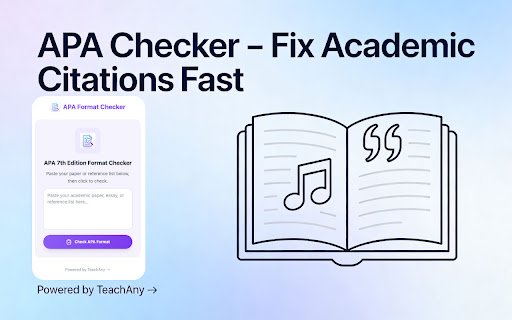

This APA 7th edition format checker lets you paste your academic paper, essay, or reference list to instantly scan for citation errors, reference list issues, and formatting mistakes aligned with APA 7th standards. It is ideal for research papers, essays, journal submissions, and dissertations, helping you get a detailed APA compliance report in seconds before you submit. This APA 7th edition format checker also works as an online APA in-text citation checker for academic papers by reviewing author-date formatting, et al. usage, and DOI/URL structures. The tool examines both in-text citations and the reference list, catching issues like incorrect author-date pairs, missing or misformatted DOIs and URLs, and problems with reference list alphabetization. It also functions as an APA reference list checker that highlights errors in hanging indents, heading levels, title page structure, margins, and double spacing so your paper follows APA 7th rules. You can choose to check in-text citations, the reference list, paper formatting, or all three, then receive a comprehensive report with flagged issues, line numbers, and correction suggestions. By acting as an APA 7th edition compliance checker, this tool helps you avoid formatting-related point deductions by scanning for common citation and layout mistakes before your professor or reviewer sees them. It saves hours of manual checking against the APA manual by providing instant format validation, detailed error locations, and clear explanations so you can learn the rules as you fix each issue. Trusted by students, researchers, educators, and journal editors, it supports cleaner submissions while keeping your text private and using it only to generate the APA check report.

Citation Generator - APA, MLA, Harvard
Generate citations in APA, MLA, Harvard & Chicago formats. AI-powered parsing for instant references from any source. Creating properly formatted citations is tedious and time-consuming. Students, researchers, and academics spend hours manually formatting references according to various style guidelines, often making mistakes that cost them marks or credibility. Citation Generator solves this in seconds. Simply enter your source details or paste citation text, and get a perfectly formatted reference in APA, MLA, Harvard, or Chicago style. 1. Choose Your Format - Select from APA 7th, MLA 9th, Harvard, or Chicago style 2. Enter Details - Fill in source information OR use Smart Paste for AI-powered parsing 3. Generate & Copy - Click once to create your citation and copy to clipboard 👥 Perfect For Students - Write research papers, essays, and dissertations with properly formatted citations. Save hours of manual formatting and avoid point deductions for citation errors. Researchers - Quickly generate references while reviewing literature. Focus on your research instead of formatting bibliographies. Writers & Journalists - Create accurate source attributions for articles and publications. Maintain professional credibility with proper citations. Educators - Demonstrate proper citation formatting to students. Create example references for teaching materials. Multiple Citation Styles - Generate references in APA 7th Edition, MLA 9th Edition, Harvard, and Chicago formats. Switch between styles with one click. AI-Powered Smart Paste - Paste any citation text, bibliography entry, or source information and let AI extract and organize the details automatically. Multiple Source Types - Cite websites, books, journal articles, newspapers, podcasts, and online videos. Each source type has dedicated fields for accurate citations. In-Text Citations Included - Get both the full reference and the parenthetical in-text citation format. Perfect for inserting citations directly into your writing. One-Click Copy - Citations are automatically copied to your clipboard when generated. Just paste directly into your document. Multi-Author Support - Add as many authors as needed. The generator automatically handles formatting rules for 1, 2, or 20+ authors according to each style. Right-Click Context Menu - Select text on any webpage and right-click to generate a citation instantly without opening the popup. APA 7th Edition - The most current American Psychological Association format. Used in psychology, education, and social sciences. MLA 9th Edition - Modern Language Association format. Standard for humanities, literature, and liberal arts. Harvard - Author-date referencing system. Popular in business, economics, and many UK universities. Chicago - Notes-bibliography and author-date systems. Used in history, arts, and publishing. Why We Need Permissions: • storage - To save your preferences and citation library • clipboardWrite - To copy citations to your clipboard with one click • contextMenus - To enable right-click citation generation Your Privacy Matters: • Local Processing - Basic citation formatting happens on your device • AI Features - Smart Paste uses secure API calls with no data storage • No Tracking - Zero analytics, telemetry, or data collection • No Ads - Clean interface focused on functionality Q: Which citation styles are supported? A: APA 7th Edition, MLA 9th Edition, Harvard, and Chicago styles. Q: What is Smart Paste? A: Paste any text containing citation information and AI will extract and organize the details automatically. Q: Can I cite sources with no author? A: Yes! Leave the author field blank and the citation will use the website name or title as appropriate. Q: Does this work with Google Docs/Word? A: Yes. Simply generate your citation and paste it into any text editor or word processor. • Instant citation generation (no loading delays for manual entry) • Lightweight extension (under 100KB) • Works on Chrome, Edge, and other Chromium-based browsers • Chrome Manifest V3 compliant for enhanced security 1. Click "Add to Chrome" 2. Pin the extension to your toolbar for quick access 3. Click the icon and create your first citation! Your reviews help other students and researchers discover this tool. If you find it useful, please consider leaving a rating! Create perfect citations in seconds. Focus on your writing, not your formatting.

NBI ATS
NBI ATS is a Chrome extension that connects your browser to your own OpenCATS / CATS applicant tracking system. It helps recruiting teams review resume and profile pages more efficiently by checking whether the current page already exists in CATS, showing a shortcut to the matched candidate when available, and allowing the user to manually import selected visible profile content into CATS. Check profile and resume page URLs against the user's configured CATS system. Find visible email addresses and profile links on compatible pages and show a shortcut when they match an existing CATS candidate. Show a CATS candidate shortcut when a visible profile link in search results matches an existing CATS candidate. Let the user manually select visible resume/profile sections before importing. Read a compatible profile Contact info dialog only after the user manually opens the visible dialog. Send selected preview content only to the CATS import endpoint configured by the user. NBI ATS does not provide a separate cloud service. It does not sell user data, does not use profile or resume content for advertising, and does not send resume/profile content to developer-operated servers. Data is sent only to the CATS server configured by the user, or remains local in the browser. Your remote CATS / ATS website must use a secure HTTPS connection. HTTP is supported only for local or loopback development environments such as localhost, 127.0.0.1, or ::1. Before you use it, your OpenCATS / CATS installation must include the required matching and import patches. For OpenCATS 0.9.4, see:

APA Citation Generator
Use APA Citation Generator as your go-to APA bibliography maker to get paper source with reference generator APA. APA Citation Generator is a powerful and easy-to-use tool designed to help students, researchers, and writers create accurate references in seconds. If you need a product that follows the latest standards, this extension is built specifically for APA 7 citation rules and academic writing requirements. Using our product as your daily assistant saves time when working with essays, research papers, and academic projects. Instead of manually formatting references, you can rely on a citation generator APA tool that automatically creates properly structured sources and bibliographies. 📌 What APA Citation Generator does This extension works as a smart apa 7 citation generator that converts basic source details into a fully formatted reference. Whether you need an apa website citation generator or a reference for books and articles, everything is generated instantly. Key use cases include: Creating references for academic papers Formatting sources according to apa reference citation style Building a clean bibliography without manual edits 1️⃣ Why choose this apa citation generator Generates references using apa format citation generator logic Supports apa 7th edition citation generator rules Works directly in your browser for fast access 2️⃣ Supported citation formats The extension handles common academic needs: Website references Online articles Research papers and paper source links Digital publications formatted in apa style citation 💡 Main benefits for students and researchers • Saves hours of manual formatting • Reduces citation errors • Improves consistency in academic writing APA Citation Generator also works as a flexible apa citations generator for different writing scenarios. Whether you are compiling a long bibliography or adding a single reference. ➤ How it works Enter source details or page URL Select the needed apa format citation Copy the generated reference instantly This makes the extension practical for everyday academic tasks. You no longer need to memorize the format of reference in apa style or search for external tools. 📍 Designed for real academic workflows APA Citation Generator integrates smoothly into your research process. It can act as a cite generator, citation maker, or cite machine depending on your needs. From quick references to full works cited lists, the extension adapts easily. • Works as a works cited generator • Helps organize references for papers • Useful for essays, theses, and reports 3️⃣ APA 7 compliance The extension follows standards, ensuring that spacing, punctuation, and structure match official guidelines. This makes APA Citation Generator a dependable apa reference citation generator for academic submissions. ❓ Who should use APA Citation Generator Students writing essays and coursework Researchers managing multiple sources Writers who need a fast reference generator Anyone using apa generator citation tools regularly Unlike generic tools, APA Citation Generator is focused specifically on APA style. It functions as an apa style citation generator and an apa format generator. 🔹 Typical questions • Need to cite a website? Use the apa website citation generator • Need APA 7 references? Choose our product • Building a bibliography? This bibliography tool handles it easily Our product simplifies academic writing by removing the complexity of citations. With one extension, you get a complete citation generator, reference, and works cited solution that follows modern APA standards. Use APA Citation Generator as your go-to apa citation format generator whenever you need fast, accurate, and clean references directly in your browser.

TAGiT for YouTube - Remember What You Watch
Daily AI digests + flashcards for YouTube videos. Remember what you watch with proven memory science. Free to start. 🫵 You watch hours of YouTube every week: podcasts, tutorials, documentaries. You're learning, trying to grow. And a week later… most of it is gone. You're watching a podcast. The guest drops a life-changing insight. You think: "I'll remember this." You don't. TAGiT changes that. When something matters, one click captures the moment while you watch. TAGiT helps you turn those moments into clear notes and flashcards, so what you learn actually sticks. And when you're watching on your phone or TV, or you simply forget to click, TAGiT still has your back. It looks at what you watched and sends you a Daily Digest with key insights. Ready when it's time to review. Your learning companion for YouTube. Remember what you watch. ✨ BUILT ON MEMORY SCIENCE TAGiT uses proven cognitive techniques to help you remember: • Active recall (tagging strengthens memory encoding) • Elaborative encoding (highlighting + note-taking deepens understanding) • Spaced repetition (flashcards adapt to your learning pace) • Daily Digest emails (insights from videos you watched on any device) • Smart categorization (organize knowledge automatically) • Custom study collections (focus on what matters most) We remind you when it's time to come back, so you don't just consume information, you remember it. 🚀 HOW IT WORKS Click when something clicks. That's it. While watching podcasts, tutorials, or documentaries: • Hear something valuable → Click → Notes + flashcards created • Learn a new technique → Click → Timestamped insight saved • Discover an idea → Click → Never forgotten No pausing. No typing. Just learning that lasts. The Process: 1. Watch YouTube (podcasts, tutorials, courses, documentaries) 2. Click TAGiT or press Alt+T when something matters 3. TAGiT creates timestamped notes + flashcards automatically 4. Highlight key text and add personal notes to deepen understanding 5. Get Daily Digest emails with insights from videos you watched on any device 6. Review with spaced repetition so learning sticks Your knowledge library builds over time. Search anything. Find it instantly. 💡 KEY FEATURES ✅ One-Click Tagging - Keyboard shortcut (Alt+T) for instant capture ✅ Daily Digest Emails - Insights from videos you watched on any device ✅ Timestamped Notes - Jump to exact moments instantly ✅ Color-Coded Highlights - Mark key insights with 5 colors ✅ Personal Notes - Add your thoughts to any highlight ✅ Smart Notes Page - Search, filter, and group all highlights by color, date, or video ✅ Smart Summaries - Context-aware summaries of video segments ✅ Flashcards with Spaced Repetition - Cards adapt to your learning ✅ Auto-Categorization - Flashcards organized by topic ✅ Custom Study Collections - Build personalized collections ✅ Beautiful Dashboard - Search, organize, and review all your tags and flashcards ✅ Guest Mode - Try it without creating an account ✅ Cross-Device Learning - Watch on TV/phone, review insights on desktop or mobile ✅ Privacy-First - Your data is yours. Export or delete it. 📧 DAILY DIGEST: CROSS-DEVICE LEARNING Watch YouTube on any device—TV, phone, tablet. Your insights follow you. When your computer is on, TAGiT captures what you watched and delivers: • Summaries of each video you watched • Key insights and topics covered • Actionable recommendations • Chat with any video to deepen your understanding • Email delivered at your preferred time No manual tagging required. Just watch on any device and let TAGiT bring the learning back to you. 🎨 HIGHLIGHTING USE CASES 📚 Students: Color-code concepts (Purple = key terms, Yellow = formulas, Green = examples) 💼 Professionals: Organize insights (Purple = action items, Yellow = tools, Blue = strategies) 🎧 Podcast Fans: Track themes (Purple = book recommendations, Green = quotes, Pink = guests to follow) 🔬 Researchers: Categorize findings (Purple = methodology, Yellow = results, Blue = citations) Your system. Your rules. Your knowledge. PERFECT FOR 📚 Students & Learners - Remember insights from lecture recordings and course videos 🎧 Podcast Listeners - Capture actionable insights from long-form interviews 💻 Professionals - Remember key takeaways from training videos and tutorials 📊 Researchers - Build a searchable library from documentaries and conference talks 🎨 Lifelong Learners - Learn from educational channels and actually remember what you watch For podcast listeners and tutorial watchers who want to remember what they learn. 🆓 FREE TIER FOREVER • Monthly limits reset automatically • 25 summaries per month • 25 flashcard sets per month • 1 custom study collection • 3 Daily Digest emails • Purple highlights (unlimited) • Full notes page access • Full dashboard access • Spaced repetition learning • Smart categorization • Search your entire library • No credit card required ⭐ PRO FEATURES (€4.99/month) • Unlimited summaries • Unlimited flashcards • Unlimited custom study collections • Unlimited Daily Digest emails • 4 additional highlight colors • Custom color labels (rename colors to your categories) • Priority support • Early access to new features • Export data to various formats Start free. Upgrade when you need more. 🔐 PRIVACY & SECURITY • Row-level security - only you can see your data • Guest mode requires zero personal information • Secure authentication through Supabase • GDPR compliant data handling • No data sold to third parties ever • Export or delete your data anytime 🏆 BUILT TO LAST • Thoroughly tested - automated tests run before every update • Rock-solid reliability - enterprise-grade architecture • Actively maintained - weekly updates and improvements • Real support - email response within 24 hours from the founder HOW TO GET STARTED 1. Install TAGiT from Chrome Web Store (this page) 2. Complete the 4-step setup wizard (takes
