
emcclcoaglgcpoognfiggmhnhgabppkm

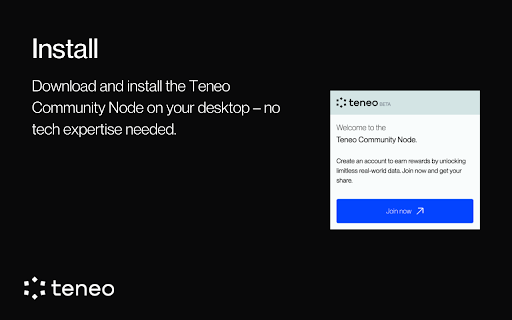


This is a Chrome extension for the Teneo Community Node The Teneo Community Node is your key to be at the forefront of the decentralized data revolution. As a node operator, you will initially be rewarded with Teneo Points. The more you contribute, the more you earn – so get involved and watch your rewards grow! Please note that we are currently still in the BETA phase. Some functions will be rolled out in the coming weeks and allocation/reward numbers are subject to change.

Chrome Notes
A simple notepad extension for Google Chrome NEW: You can now use speech to text NEW: You can now open Chrome Notes with Ctrl+Shift+X (Command+Shift+X on mac) NEW: You can now download and upload complete backups NEW: Chrome Notes adds a right click menu option to send the selected text to a new note! NEW: You can now have multiple notes! NEW: You can now customize the font size! A simple notes extension, right in your browser! Easily copy around a few words to and from different browser windows and other apps. Thank you for over 100,000 users, 100 ratings and 4.5 stars! Chrome Notes remembers your notes and mode, even after closing your browser or restarting your computer! Notes are stored in local storage, so nobody else will ever see them, not us, and not Google, Microsoft, or Apple. Features: * Resizable notepad * Shortcut buttons for cut, copy, paste, and select all * Normal keyboard shortcuts work too * Save as a .txt file * Open in new window * Speak selected text out-loud * Remembers last notepad size for you next time * Store multiple notes, and quickly create, edit, share, or delete * Focus mode for distraction free writing * Adjustable font size * Right click and send selection to new note * Download and upload full backups * Speech to text (click the mic and speak to put your words on the notepad) * Keyboard shortcut Ctrl+Shift+X (Command+Shift+X on mac) to open Chrome Notes is the smart, simple notepad built for you 😊

Genio Notes
The Chrome extension for Genio Notes We’re making it easier to use Genio Notes for online learning and video content, eliminating the need for multiple tabs and windows. Maximize your focus and retention with our handy integrated side panel to take notes directly alongside your online lectures and videos. 'It was great having everything in one spot and not using split screen to be able to watch and take notes at the same time!' You must be a Genio Notes user (excluding our Genio Notes Teams plan) to access this extension. Not used Genio Notes before? Try it free for 30 days at https://app.genio.co/try

Chrome Extension Icon Generator By Coditude
This is a simple tool to generate icons for Chrome extensions This is a simple tool to generate icons for Chrome extensions. It takes any image above 128x128px and generates all the sizes needed for Chrome extensions. It will create a 16px, 19px, 32px, 38px, 48px and a 128px icon from the image you upload. It will then give you the code to add to your manifest.json file. With our user-friendly interface, converting an icon for Chrome extension and Chrome web store is painless. Simply upload an icon and our generator will seamlessly convert it into the perfect set of icons for your Chrome extension. Improve visibility of your extension on Chrome Web store by providing all needed sizes of icons. This is a simple growth hack for increasing visibility of your Chrome extension.

Dog Cuties
This is a Dog Cuties New Tab Chrome extension. Dog Cuties is the best New tab Search page for Dog lovers on Google Chrome. You can see new cute dog photo every time you open a NEW TAB. Our images are obtained and curated from Google’s vast gallery of images. Dog Cuties makes your search faster and brings the right search results for you. By clicking 'ADD TO CHROME', you accept and agree to installing the Dog Cuties extension and setting Chrome™ New Tab to that provided by the service with web search by Yahoo Search and the Terms of Use and Privacy Policy. All images used in conjunction with the Dog Cuties extension and corresponding website have been sourced via Google Images and other publicly available image resources at no cost via the Creative Commons License.
