
elfbdpbomaoobedcjmanoanddflnemll
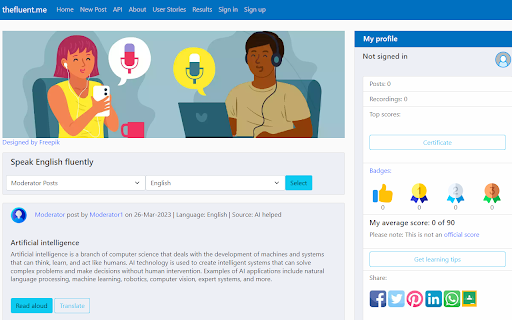
Just highlight any text on any website, listen to the correct pronunciation, and get your pronunciation score instantly. thefluent.me is a Google Cloud Technology Partner. Get your AI-powered instant pronunciation feedback while you are browsing.

Quick Grammar Checker
Instant grammar checker and AI proofreader for any text field. Fix typos, preview changes, and apply corrections with one click. Write with confidence, clarity, and speed. Grammar and punctuation corrector is more than just a chrome extension — it’s your everyday writing assistant that helps you sound professional, credible, and clear in every message you write. From quick emails to important documents, this grammar and punctuation corrector removes friction from writing and replaces it with confidence. Key Features With this spelling and grammar corrector, you can: 1️⃣ Type your own text in the extension and fix errors instantly 2️⃣ Highlight any text on a web page and correct it with one click 3️⃣ Use it as a mistakes grammar corrector for quick proofreading 4️⃣ Improve readability with sentence grammar corrector suggestions 5️⃣ Ensure consistent and accurate punctuation This orthography and grammar corrector is designed for people who write online every day and want clean, professional text without effort. Instead of worrying about errors, you focus on your ideas while the spelling and grammar corrector handles corrections. This grammar corrector tool works seamlessly in your browser. It is an automatic grammar checker assistant that requires no complicated settings or installations beyond a simple click. How to Use Grammar Corrector App Getting started is easy: 1. Open any web page or text field 2. Type your text or highlight existing text 3. Click the extension icon 4. Review the corrected output 5. Copy and use your improved text anywhere As a grammar corrector online, this tool helps you write confidently. It functions as an english grammar corrector for global users and ensures your text is free from common mistakes. Why Use Grammar Corrector and Fixer A reliable spelling checker and grammar helper can save time and prevent embarrassing errors. This grammatical corrector online ensures your writing meets professional standards. Benefits of Using Sentence Checker Grammar - Improve clarity and structure - Eliminate typos and grammar issues - Enhance tone and readability - Write faster with fewer revisions - Create polished content instantly This text corrector is also a writing grammar checker that helps with emails, articles, social media posts, and documents. Whether you are a student or a professional, it acts as a personal ai proof reader. How It Improves Your Daily Workflow • Type naturally and write faster • Highlight any text and fix it instantly • Reduce editing time • Avoid embarrassing mistakes • Improve tone and clarity Smarter Than Basic Tools This is not just a spelling checker. It works as a sentence grammar helper, proper punctuation checker, and grammar corrector and fixer combined. It goes beyond simple errors and helps improve structure, flow, and readability. Advanced AI Writing Checker Capabilities The extension works as a grammar checker and text fixer, identifying subtle issues that basic tools often miss. It also works as an ai text corrector to improve sentence flow and style. Where You’ll Feel the Biggest Impact ✅ Writing emails and messages ✅ Creating blog posts and articles ✅ Academic essays and assignments ✅ Social media captions ✅ Business reports and documentation This tool also functions as a typo checker to catch small errors that can change meaning. With this extension, you can trust your writing to be clear, correct, and professional. AI-Powered Writing Assistance Use it as an ai proof reader and ai writing checker to improve tone, structure, and clarity. This grammar fixer and text fixer detects subtle issues that basic tools often miss and works as a smart ai text corrector for modern writing needs. Common Use Cases ➤ Emails and business communication ➤ Blog posts and articles ➤ Academic assignments and essays ➤ Social media content ➤ Reports, proposals, and documentation Who Can Benefit 💠 Students improving academic writing 💠 Professionals drafting emails and reports 💠 Content creators writing blogs and posts 💠 Non-native speakers using english grammar corrector 💠 Anyone who wants clean and error-free text This extension works as an automatic grammar corrector app that fits naturally into your daily workflow. You don’t need to copy-paste text into external services — the sentence text corrector online experience happens directly on the page you are working on, saving time and effort while improving accuracy. Automatic Grammar and punctuation corrector is your all-in-one grammar helper, spelling checker, and automatic mistakes finder. Install this AI writing checker tool today and transform your writing workflow with a powerful grammar corrector online that works wherever you write.

Pronounce Words
Speak English better with Pronounce Words. Hear the correct way to say any English word. Improve your pronunciation. Are you eager to master the art of English pronunciation? Pronounce Words is the Chrome extension designed to enhance your speaking skills with precision and confidence. Whether you are a language learner, a professional seeking to perfect your accent, or simply someone curious about correct pronunciation, this tool is tailored to meet your needs. 🔺 Instant Audio Pronunciation 1) Hear It Right: Instantly listen to how any English word is pronounced on any webpage. 2) Choose Your Accent: Access pronunciations in both British and American accents. 3) Answer Your Questions: Ever wondered, "How do you pronounce this word?" or "How is this word pronounced?" Our tool provides immediate answers. 🔺 Practice and Record Your Speech 1) Record Your Voice: Use the Record button to capture your speech. 2) Compare and Improve: Compare your recording with the standard. 🔺 Progress Tracking and Vocabulary Building 1) Track Improvement: Monitor your pronunciation progress over time. 2) Build Your Vocabulary: Save records to your personal list for future review and practice. 3) Contextual Learning: Learn to pronounce words as you see them online, improving your overall language comprehension. 💡 Installation and Setup - Click the “Add to Chrome” button to install the extension. - Choose “Pronounce Words” icon on the right side of the browser. 💡 Usage - Browse and Select: Go to any English-language website and use your mouse to select the word you want to hear. - Play and Record: On the sidebar, click the Play button to hear the correct articulation or use the Record button to practice your speaking. - Review and Improve: Listen to your recording, compare it with the benchmark pronunciation, and refine your skills. 💡 Learning Options - Accent Choices: Select between British and American accents to suit your learning preferences. - Save and Review: Keep track of the records you’re learning by saving them for later practice. 🌍 Benefits for Different Users 🔹 Language Learners • Improve Confidence: Instantly hear and practice the correct pronunciation of new vocabulary with our pronunciation audio feature. • Enhance Speaking Skills: Develop better speech and confidence in speaking English by learning how to pronounce words correctly. 🔹 Professionals • Refine Communication: Perfect your articulation of industry-specific terms for clearer business communication, ensuring you know how to pronounce the word accurately. • Speak Clearly: Enhance your presentation and meeting skills with precise pronunciation using our word pronouncer. 🔹 General Users • Curiosity Satisfied: Discover how words are pronounced and expand your vocabulary by learning how to say them correctly. • Contextual Learning: Understand how terms are used in real-life contexts to improve overall comprehension and know how do you pronounce specific words. 🌐 Audio Pronunciation ➤ Immediate Access: Get instant audio feedback for any word you highlight with your mouse on the site with our pronunciation tool. ➤ Accent Switching: Easily switch between accents for a comprehensive learning experience, ensuring you know how to pronounce words in both styles. 🌐 Recording and Comparison ➤ Voice Recording: Record yourself pronouncing words and compare it with the standard pronunciation to improve your English pronunciation. 🌐 Progress Tracking ➤ Save Records: Maintain a personal list of records for future practice and review to keep track of how you pronounce each word. 🌐 Contextual Learning ➤ Learn As You Browse: Hear and practice pronunciations as you read online content, answering questions like "how do I pronounce this word?". ➤ Understand Usage: See how words are used in context to deepen your understanding and learn how do you say them correctly. 🎓 Conclusion Pronounce Words is more than just a checker - it's your personal speech coach. By providing features like instant audio pronunciations, recording capabilities, it addresses common questions such as "How do I pronounce this word?" and "How is this word pronounced?" Whether you are a language learner, a professional, or simply curious about English pronunciation, Pronounce Words helps you speak clearly and confidently. Experience the power of precise articulation and elevate your English speaking skills today.

Translator, Dictionary - Accurate Translate
Uncover the boundless realm of worldwide digital content with Translator, your bespoke linguistic assistant integrated directly into your browser. As you traverse the expansive internet, it rapidly deciphers unfamiliar foreign words, sentences, and even entire articles, presenting them in a clear, understandable manner. Engage the swift efficiency of Translate, celebrated as the world's most exact online translator, and relish the unparalleled translate capability of Google Translate without navigating away from your current page. Translator effortlessly blends into your Chrome browser, ensuring a smooth translate experience as you read or write. Simply select any text, right-click, and opt to have it translated - it’s as simple as that. No more being restrained in your exploration and comprehension of the web's vast knowledge base due to language barriers. Translator is available for free on Chrome. Download now and enhance your browsing experience with the power of immediate translation.

Serpstat Website SEO Checker
Instantly check your website's SEO, analyze competitors and get advantage of powerful search analytics in one place. Serpstat Website SEO Checker allows you to find the key metrics of any site or page in just a few clicks. It provides you with an extensive list of SEO metrics, analysis, and tips. To examine a domain/page, you don't need to open a new tab. Click on the icon and you'll get an SEO audit of domain or page: visibility, traffic, number of keywords, top competitors in the region, etc. Three sections are now available: * On-page SEO parameters - Free Lifetime * Page analysis - Freemium * Domain analysis - Freemium Some features work without API requests to Serpstat servers so they are available without signing up, right after installation of the extension. Some reports require to sign up and get a token for API access. Serpstat Website SEO Checker makes analyzing competitors data easier than ever. The extension helps you to provide quickly a keyword research and trust me, it's much better than Keyword Planner tool. The major features: #1 On-page search engine optimization: Page Source Google Cache PageSpeed Insights Site start date Meta tags HTML tags Words Count / Symbols Count Favicon checker and many others. #2 Page analysis: Top 10 keywords in Google ranking URL that ranks for this request Ranking position for this keyword Position change and search volume Keyword CPC URL Competitors Keywords the site ranks in Missing keywords #3 Domain analysis Domain visibility Domain traffic Number of keywords Improved and declined keywords New and lost keywords PPC keywords Number of results in Google, Bing Yandex Quality Index Number of images in Google Image Search Alexa Rank. Visibility change graph In fact, we've brought together the most useful SEO features, so you no longer need a bunch of tools like Ahrefs, Semrush, Majestic and others. Keep an eye on this - it's just the beginning, you'll see many exciting updates soon. Important: To get full access to all functionality, you'll need to sign up on Serpstat.com For information regarding data collection please visit: https://serpstat.com/users/privacy-policy/
