
ekpkdmohpdnebfedjjfklhpefgpgaaji

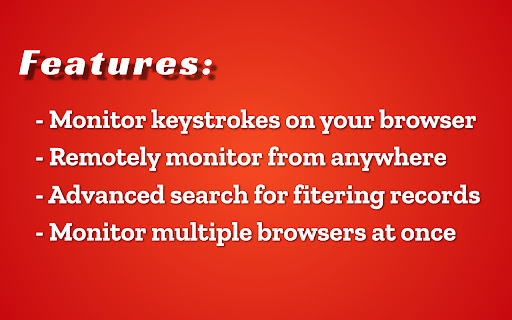


Tackker is a free keylogger tool that helps you in Child Monitoring and other ethical monitoring services. tackker is a free keylogger tool that helps you log the keystrokes and other user data. It can be used for child monitoring as well as employee monitoring. And Now You can also monitor your browsing history. Install Tackker and get peace of mind. 1) Install tackker on target system browser(s). 2) After installation, you will be directed to register/login (this part is important since without registering you can not see the logged data). 3) Once you are registered and the plugin is installed , simply monitor user activity from our online dashboard.

Keylogger
Saves keypresses made on websites. Saves keypresses made on websites.

Keystroke Biometrics Logger
Keystroke Biometrics Logger is a Chrome extension designed to assist researchers collect keystoke data. Keystroke Biometrics Logger is a Chrome extension designed to assist researchers collect keystoke data. It simplifies the process of collecting keystroke data during web browsing, allowing researchers to focus on data analysis and interpretation. Start a new session with a single click, and the extension will silently record keystroke data as users browse the web. The collected data is stored securely and can be easily downloaded in CSV format using the provided download button. Please note that the Keystroke Biometrics Logger strictly adheres to user privacy and research ethics. It does not collect sensitive information or share data with third parties. This extension is intended solely for research purposes and aims to provide a convenient tool for gathering keystroke data without compromising user privacy. The captured data includes the following information:

Keyed - Onscreen key logger
KEYED show keys as you type in chrome; useful for demos and such. Display key presses in browser as you work. When you share your screen or are demonstrating something, viewers may not be aware of keys you are pressing, and verbalizing it is not always possible or practical. This utility will provide an in-browser visual queue.

Chrome Logger
For server side logging and debugging in chrome console. This extension is for debugging server side applications using the chrome javascript console. It was originally inspired by FirePHP. For help getting started check out http://www.chromelogger.com Version 4.0 is basically a complete rewrite to rebrand this extension as Chrome Logger instead of ChromePHP and bring it up to date with the latest Chrome extension guidelines. This extension was formerly known as ChromePHP. Change Log 4.1.3 - Updates extension to use manifest v3 to ensure it works with future versions of Chrome. Also fixes issue where some colors may not work on the options page. 4.1.2 - Fixes race condition where logs sometimes get lost after a page refresh 4.1.1 - Tweak styles of options page 4.1.0 - Improves tab switching logic and updates sticky behavior to be based on host name 4.0.5 - Adds native color picker for choosing colors 4.0.4 - Uses atob function for base 64 decoding 4.0.3 - Fixes race condition in Chrome 28 on linux 4.0.2 - Adds support for console.table
