
ekpfbbpikacipgmjcffjmbppbcbleoec

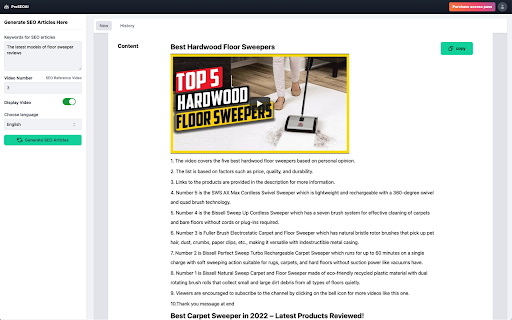
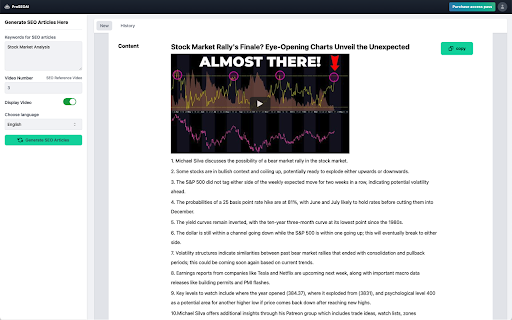
Sure, I can provide a more detailed description for your ProSEOAI Chrome extension. Here's the full text: ProSEOAI is a revolutionary Chrome extension that helps content creators, bloggers, and digital marketers optimize their content for search engines. With ProSEOAI, you can quickly and easily convert your YouTube videos into high-quality SEO-optimized articles that will help drive traffic to your website and increase your online visibility. At its core, ProSEOAI is all about making SEO simple and accessible for everyone. With just a few clicks, you can transform your video content into a valuable resource that is optimized for search engines, providing you with a powerful tool to rank higher on Google and attract more visitors to your website. ProSEOAI automates the tedious and time-consuming process of crafting SEO-friendly content. The extension analyzes your YouTube video and extracts key information such as the video topic, keywords, and phrases. It then uses this information to generate keyword-optimized titles, descriptions, and tags for your articles, helping you rank higher on search engine results pages. This advanced technology means that you no longer need to spend hours analyzing search terms or researching competition to create your SEO strategy. ProSEOAI does all the hard work for you, freeing up more of your valuable time to create content and grow your online audience. In addition to generating key data for optimizing your content, ProSEOAI also suggests related keywords and phrases that you can include in your article. This provides you with essential insights into the latest trends and search engine algorithms, ensuring that your content remains relevant and engaging to your audience. ProSEOAI is designed to cater to the needs of content creators, bloggers, and digital marketers. Whether you're a budding blogger looking to grow your audience or an experienced marketer looking to improve your website's ranking, ProSEOAI has got you covered. By transforming your video content into written form, ProSEOAI helps you expand your reach beyond YouTube. By optimizing it for SEO and providing valuable information for search engines, ProSEOAI helps you get noticed by more people, improving your online profile and increasing traffic to your website. With ProSEOAI, you don't need to be an SEO expert to create effective SEO-optimized content. Simply download the extension, link to your YouTube video and our AI-driven technology will do the rest. Our friendly and professional customer support team is also available to help you with any questions you may have about using the product. In summary, the key features of ProSEOAI include: 1. AI-driven technology that automates the process of creating SEO-optimized articles 2. Keyword-optimized titles, descriptions, and tags that help you rank higher on search engine pages 3. Suggestions for related keywords and phrases to keep your content relevant and engaging 4. Powerful insights into your website's performance, with reports on search engines ranking, website visibility and more 5. User-friendly interface and customer support available to assist you in the process ProSEOAI is the perfect tool for anyone looking to improve their online visibility and drive traffic to their website. With its innovative technology and user-friendly interface, it simplifies the process of creating SEO-friendly content, empowering bloggers, content creators, and digital marketers to focus on what they do best.

Grow your YouTube with SEO | Tube Transcripts
Transcripts help YouTube rank your videos better & make the subtitles pleasant to read. (unlike YouTube's auto transcripts 😳) ✅ Broader audience ✅ SEO optimized ✅ Correct punctuation ✅ More accurate than Auto transcripts ✅ Easier to read for viewers YouTube is a search engine- just like Google. It tries to gather as much information as possible about your video, so it knows where to rank it and who to recommend it to. The thing is: it's harder to know what videos are about, compared to text. By adding a transcript to your video, you're giving YouTube more (easily processed) information. With transcripts, YouTube will know what you're talking about in your video. The more YouTube knows, the more accurate their recommendations. That means they'll show your video to the right audience- which means a higher CTR and average view duration for your videos. Better Analytics for you, and more satisfied viewers for YouTube.

Imagely: Image Analyser & Tester
Get instant AI recommendations to enhance your images & graphics, ensuring you showcase your best visuals on the web. Unleash the full potential of your images and graphics with Imagely - the Image Enhancer & Analyzer, your ultimate tool for taking your visuals up a notch. Whether you're a pro photographer, a graphic design whiz, or just someone who loves sharing eye-popping pics online, Imagely has got your back. Imagely is like your VIP pass to instant AI tips that can turn your regular visuals into something extraordinary. With a single click, you're in for a world of possibilities to boost, refine, and supercharge your images. AI Magic: Imagely taps into the latest AI tech to size up your images and offer you spot-on suggestions for making them look awesome. No more guesswork, just fantastic visuals. Quick & Painless: Imagine seamlessly sliding Imagely into your Chrome browser, giving you real-time image smarts. It's as easy as picking a pic and letting Imagely work its magic. All Things Visual: Whether it's photos or graphics, Imagely knows how to sprinkle its charm over a wide range of visual stuff, making sure your A-game is on display. Web-Ready: Whether you're a blogger, online shop owner, or social media superstar, Imagely makes sure your visuals are ready to wow your online crowd. Customize with Swagger: Imagely doesn't just make decisions for you; it hands over the reins so you can fine-tune the improvements according to your style. Imagely is your undercover weapon for creating standout content in the crowded digital arena. Forget about ho-hum visuals when you can have sensational, web-ready pics with Imagely - the Image Enhancer & Analyzer. So why wait? Grab Imagely now and start turning your visuals into showstoppers today! 🚀

Free AI Tag Generator for Youtube - TubeAide
Elevate free AI Tags Generator for Youtube Tool with titles, tags, hooks, and outlines generation for optimized video content. 💡 Puzzled by 'how to optimize YouTube video SEO' or 'best practices to increase YouTube video reach'? Enhancing your YouTube content's visibility can be challenging, but with the right tool, it becomes a breeze. Our "Free AI Tags Generator for YouTube" Chrome extension is the ultimate solution for content creators aiming to amplify their YouTube presence. Integrated with advanced AI, this tool generates optimized titles, tags, descriptions, hooks, and outlines, tailored to your content and SEO strategies. Why Choose Our AI Tags Generator for YouTube: ● AI-driven suggestions for maximum SEO impact. ● Supports 25 languages for global reach. ● Generates engaging hooks and comprehensive video outlines. How To Use It: A Step-by-Step Guide ● Install from the Chrome Web Store effortlessly. ● Input your video topic or title. ● Let AI craft your optimized video elements. ● Apply to your YouTube content and track the improvement. Key Features of The AI Tags Generator for YouTube Tool : Comprehensive SEO Enhancement: From titles to tags and descriptions, get all your video SEO elements aligned with your content strategy. Multilingual Support: Cater to a global audience with AI-generated tags and descriptions in 25 different languages. User-Friendly Interface: Our plugin is designed for ease, making it simple to generate and apply SEO elements to your videos. Data-Driven Insights: Utilize AI to tap into the potential of your content with data-driven suggestions for tags and titles. Regular Updates: We constantly refine our AI algorithms to keep up with YouTube's evolving SEO landscape. Experience the transformative power of AI in video optimization with our Free AI Tags Generator for YouTube – your tool for enhanced visibility and engagement. FAQs For AI Tags Generator for YouTube Tool Q: Can the AI Tags Generator improve my YouTube video rankings? A: Absolutely! Our AI-driven suggestions are designed to boost your video's SEO, potentially increasing its rankings on YouTube. Q: Is the AI Tags Generator easy to use for those new to SEO? A: Yes, our tool is user-friendly, making it accessible for beginners while powerful enough for seasoned marketers. Q: Does the extension support non-English YouTube channels? A: Yes, it supports 25 languages, enabling you to optimize your channel no matter the language. Q: Is the AI Tags Generator secure? A: We prioritize your privacy and security. The extension operates in compliance with Chrome Web Store's privacy policies, ensuring your data's safety. Q: Is there a cost associated with the AI Tags Generator? A: The core functionality is free, allowing you to generate tags, titles, and more without any charge. Additional features may be available with a subscription. Q: How often does the AI Tags Generator receive updates? A: Our team is dedicated to the tool's continuous improvement, regularly releasing updates to enhance its features and ensure it remains ahead of SEO trends. Q: What sets this tool apart from other YouTube optimization plugins? A: Our AI Tags Generator stands out for its advanced AI capabilities, multilingual support, and a focus on delivering an intuitive user experience tailored for content creators.

Open tabs in order
This is an extension that updates tabs in order when multiple tabs are opened. “Open tabs in order” is an extension that reduces browser load by loading tabs sequentially when multiple tabs are opened simultaneously. This extension is designed to solve the problem where opening many tabs at once causes all tabs to load simultaneously, slowing down your PC. Normally, in Chrome, opening multiple tabs at once causes each to start loading simultaneously, placing a heavy load on memory and CPU. Using “Open tabs in order” allows tabs to load sequentially, reducing consumption of system resources. This extension adjusts loading timing by pausing tabs, providing a comfortable browsing experience. It is especially useful for users who frequently open large numbers of pages at once, such as from bookmark folders.
