
mcmaenbhppipjbcbpgjfdfcfjegmejgh
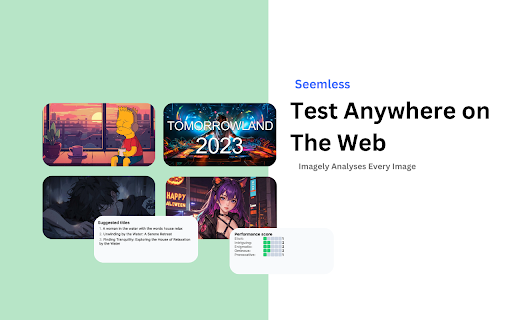
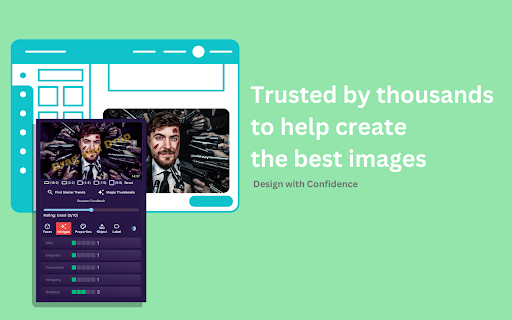
Get instant AI recommendations to enhance your images & graphics, ensuring you showcase your best visuals on the web. Unleash the full potential of your images and graphics with Imagely - the Image Enhancer & Analyzer, your ultimate tool for taking your visuals up a notch. Whether you're a pro photographer, a graphic design whiz, or just someone who loves sharing eye-popping pics online, Imagely has got your back. Imagely is like your VIP pass to instant AI tips that can turn your regular visuals into something extraordinary. With a single click, you're in for a world of possibilities to boost, refine, and supercharge your images. AI Magic: Imagely taps into the latest AI tech to size up your images and offer you spot-on suggestions for making them look awesome. No more guesswork, just fantastic visuals. Quick & Painless: Imagine seamlessly sliding Imagely into your Chrome browser, giving you real-time image smarts. It's as easy as picking a pic and letting Imagely work its magic. All Things Visual: Whether it's photos or graphics, Imagely knows how to sprinkle its charm over a wide range of visual stuff, making sure your A-game is on display. Web-Ready: Whether you're a blogger, online shop owner, or social media superstar, Imagely makes sure your visuals are ready to wow your online crowd. Customize with Swagger: Imagely doesn't just make decisions for you; it hands over the reins so you can fine-tune the improvements according to your style. Imagely is your undercover weapon for creating standout content in the crowded digital arena. Forget about ho-hum visuals when you can have sensational, web-ready pics with Imagely - the Image Enhancer & Analyzer. So why wait? Grab Imagely now and start turning your visuals into showstoppers today! 🚀

AI Upscaler
Use AI Upscaler image to fix blurry photos. This picture upscaler and image enhancer provides 4k quality via an AI photo upscaler. Wondering how to fix pixelated photos? Try AI Upscaler — the Chrome extension built to ai upscale image, upscale picture, sharpen visuals, and deliver 4k quality results without leaving your browser. ⚡ Whether you need to increase photo resolution for a presentation or simply improve image quality before sharing, this picture upscaler handles it in seconds. 🚀 How to Get Started 1. Install the Extension Add AI Upscaler from Chrome Web Store. A guide will help you pin it for one-click access. 2. Works Directly in Chrome No heavy software. No exports to third-party apps. The tool runs entirely in your browser. 3. Upload Your Asset Open the extension and upload a low resolution image — drag and drop or browse to select it. 4. Use the Context Menu Right-click any photo, select ai upscaler from the context menu to process instantly. ⚙️ How It Processes ① Let the Model Work Once uploaded, the ai upscaler, a fast photo upscaler, analyzes each pixel and applies deep learning models trained to reconstruct lost detail with precision. ② Compare Before and After After processing, preview the result with a built-in comparison view to see the difference side by side and evaluate the image quality enhancer in action. ③ Choose Your Output Size Select 2×, 3×, or 4×. The Upscaler AI shows original and processed pixel dimensions and delivers super resolution without blur or distortion. ④ Download the Result Click Download. Your high resolution picture from the ai upscaler saves directly to your desktop. Upload a new file and repeat. ⭐ Key Features 1️⃣ AI Upscaler Image Uses ai image upscaling to recover detail without a plastic look. 2️⃣ Clean Interface A minimal, fast layout built for anyone — results in a few clicks. 3️⃣ Photo Enhancer & Sharpener Photo quality enhancer and image sharpener — fixes blur, sharpens edges. 4️⃣ Multi-Format Support AI upscaler works with JPEG, JPG, PNG, and WEBP. 5️⃣ Drag and Drop Upload Quickly load files into the photo upscaler by dragging or browsing. 6️⃣ Flexible Output Resolution Choose 2×, 3×, or 4× to increase image quality for your needs. 7️⃣ No Software Required Install the extension and start upscaling picture instantly. 🔒 Privacy and Security Pictures are securely processed by the photo upscaler over encrypted connections. More details are available in our Privacy Policy on our official website, where you can learn how your data is handled and protected. 🤖 Underlying Technology AI Upscaler uses state-of-the-art pipelines for ai image upscale and restoration: • Produces details for faces and textures without a “plastic” look. • Maintains edge and tone while reducing noise, blur, and artifacts. • Enables scalable output with precise rendering to sharpen image. This makes AI Upscaler a true upscale media ai image upscaler — not just a resize tool. 💼 Use Case Scenarios 🛒 E-commerce – Improve resolution of image for supplier assets and online stores. 📊 Presentations – Fix blurry photos, logos, and charts for crisp corporate slide decks. 📣 Advertising – Utilize a picture enhancer to sharpen banner visuals and newsletters. 📰 News – Improve picture quality of user-generated content for professional news articles. 🏠 Real Estate – Use a picture upscaler for low-quality property and interior media. 🎨 Graphic Design – Enhance a pic from thumbnails into high-quality design assets. 🖨️ Print Media – AI photo upscaler to improve resolution of image for printing. 📄 Documentation – Unblur picture of scanned documents to improve legibility. Photography Enhancement – AI upscaling image to restore blurry or compressed shots. 👤 Target Users - Marketers: increase resolution for sharper campaign assets. - Artists: picture upscaler for textural nuance and precision. - Retouchers: detail reconstruction for high-end post-processing. - Designers: ai upscaled workflows for refined visual fidelity. - Developers: photo upscaler for picture clarity pipelines. - Photographers: image enhancer for tonal recovery. - Bloggers: unblur image output for cleaner presentation. ❓ Frequently Asked Questions 📌 How does the ai upscaler work? 💡 Upload your file and the deep learning model automatically reconstructs lost detail and delivers a high resolution output. 📌 Can I increase photo resolution beyond the original? 💡 Yes. Choose 2×, 3×, or 4× to increase resolution and get a clean, sharp result. 📌 Do I need to install any software? 💡 No. Just add the Chrome extension and start using the ai upscaler immediately. 📌 What is the difference between upscaling and just resizing? 💡 Standard resizing stretches pixels. With image upscaler AI, detail is reconstructed using trained neural networks — the difference is visible. 📌 Does it work on text or document scans? 💡 Yes. This picture upscaler handles photography enhancement as well as text-heavy files like notes and slides. 📌 What file formats are supported? 💡 JPEG, WEBP, PNG, and PNG with alpha channel. Don’t put up with low quality image. AI upscaler lets you enhance picture quality right inside Chrome — no extra software, no technical skills, and no compromise on results. 🎯 Whether you want to ai upscale a single snapshot or process visuals for a full campaign, this picture upscaler delivers. Clear, sharp, and ready to use.

AI Image Detector
Use AI Image Detector to detect if a picture is generated, AI art or a real photo in one click. Fast and accurate ai image checker. Meet the AI Image Detector online Chrome extension 🧠 🖼️ A powerful and easy-to-use solution created to help you instantly understand whether a photo is synthetic, generated art, or a real photograph found online. ⚡ This extension works as a reliable ai detector image and advanced ai image detector tool, giving you accurate answers in seconds with minimal effort 💬 Community-approved and widely discussed ➤ Frequently mentioned on ai image detector reddit ➤ Recommended as a fast and practical ai art detector ➤ Trusted by users as an efficient ai image checker - Artificial-generated visuals are spreading across the web - Synthetic visual content is becoming almost indistinguishable from real photos - Misinformation or fake visuals are growing fast - Trusting what you see online now requires verification 🔍 What the extension does: 1️⃣ Detects generated pictures 2️⃣ Identifies artificial art versus real photography 3️⃣ Works directly inside your browser 4️⃣ Requires no uploads, logins, or accounts 5️⃣ Provides instant and clear results 😊 The integrated ai image detector operates seamlessly in the background. Whether you are scrolling social media, reading online news, browsing marketplaces, or reviewing digital artwork, the detection happens instantly without interrupting your workflow 🌐 Key features of the extension: - One-click scan on any picture - Fast and accurate artificial intelligence recognition - Supports photos, illustrations, and digital art - Works on all websites - Clean and user-friendly interface - Privacy-first design AI Image Detector - No account required to try 💥This application performs deep visual analysis by examining texture irregularities, lighting behavior, shadow consistency, composition logic, and specific artifacts. By combining multiple detection signals, the system delivers reliable conclusions that help you understand if a visual representation was created by artificial intelligence or captured by a real camera. 🔐 Thousands of users rely on ai image detector for any type of images every day to verify content before trusting it, sharing it on social media, publishing it on websites, or using it for professional work ✅ Accuracy you can trust ❓ If you are asking is this checker for pictures reliable, the answer is yes. The tool is trained on large and diverse datasets and is continuously improved, making it a dependable ai generated images detector for both everyday users and professionals. The extension also works as an ai picture detector solution for: 1. Social media content 2. News articles and blogs 3. Stock photography 4. Digital illustrations 5. Online advertisements • ai photo detector or content verification for bloggers and journalists • Educational checks for students and teachers • Authenticity reviews for designers and artists as ai art checker • Building trust in online communities • Personal curiosity and learning about visuals • General ai image tester for all purposes With advanced ai image detection, you can easily check if image is ai generated without uploading files to external platforms or risking privacy. 🎨Creative professionals trust it as an ai generated image detector or smart checker picture to protect originality, verify sources, and maintain creative integrity 🖱 Simple and intuitive workflow: 🔹 Click on any photo 🔹 Run an extension 🔹 Get instant clarity 🔹 Make informed decisions 🚀 Whether you browse, research, study, or create, AI Image Detector helps you confidently detect ai image content moreover understand what you are truly seeing online. It stands out as a complete and fully independent solution for navigating the modern deep learning driven visual world. By bringing clarity such as confidence to everyday browsing, this solution empowers users to make smarter decisions in an increasingly complex digital landscape. It’s a practical step toward transparency, helping you navigate visual content with awareness, confidence, and control.

Image Upscaler
Image Upscaler: AI-powered photo upscaling for pixel-perfect visuals. Enhance images with stunning detail and clarity. Image Upscaler: Unleash the Power of Pixel Perfection Elevate your visual experience with the groundbreaking Image Upscaler extension for Chrome. This cutting-edge tool harnesses the full potential of AI technology to transform your digital world, offering unparalleled image enhancement capabilities right at your fingertips. 💥 Unlock the Secret to Stunning Visuals Witness the magic of Image Upscaler as it breathes new life into your pixelated or low-resolution photos. With a single click, this innovative extension leverages advanced algorithms to upscale and enhance your visuals, revealing intricate details and crisp clarity like never before. 🔍 Image Upscaler: A Game-Changer for Digital Enthusiasts Whether you're a photographer, graphic designer, content creator, or simply someone who appreciates stunning visuals, Image Upscaler is your ultimate companion. Say goodbye to compromised photo quality and embrace a world of pixel perfection. 🔬 AI-Powered Photo Enhancement: Harness the power of cutting-edge AI technology to upscale and sharpen your photos with unparalleled precision. 🚀 Seamless Integration: Experience the convenience of having Image Upscaler seamlessly integrated into your Chrome browser, just a click away. 🔄 Batch Processing: Save time and streamline your workflow by upscaling multiple photos simultaneously. 🎨 Advanced Controls: Customize your upscaling experience with fine-tuned settings for optimal results. 📂 Compatibility Galore: Effortlessly upscale photos in various formats, including JPEG, PNG, and more. 💡 How to Unleash the Power of Image Upscaler: 1. Install the Image Upscaler extension from the Chrome Web Store. 2. Click on the extension icon in your browser toolbar. 3. Select the photo(s) you want to upscale. 4. Adjust the upscaling settings to your preferences. 5. Watch in awe as Image Upscaler works its magic, transforming your visuals into high-resolution masterpieces. 🌐 Instant Access to Image Upscaler Prowess Image Upscaler puts unparalleled visual enhancement capabilities at your fingertips, ensuring you never have to compromise on photo quality again. With just a few clicks, you can elevate your digital experience and unlock a world of breathtaking visuals. 📷 Unleash Your Creative Potential Photographers, rejoice! Image Upscaler empowers you to extract every ounce of detail from your captures, revealing the true essence of your artistry. Stunning prints, captivating galleries, and awe-inspiring portfolios are now within reach. 🎨 Graphic Designers' Dream Tool As a graphic designer, Image Upscaler is your secret weapon for creating visually stunning designs. Say goodbye to pixelated photos and embrace crisp, high-resolution visuals that will make your designs truly pop. 📹 Content Creators' Ultimate Ally Whether you're a YouTuber, social media influencer, or content creator, Image Upscaler ensures your visuals always look their best. Captivate your audience with stunning thumbnails, graphics, and visuals that demand attention. 🔍 Explore and Enhance with Ease Image Upscaler's intuitive interface and advanced controls make image enhancement a breeze. Dive deep into the settings to fine-tune every aspect of your upscaling experience, or let the AI work its magic with a single click. 🌟 Why Image Upscaler? ✅ Cutting-Edge AI Technology: Harness the power of advanced AI algorithms for unparalleled photo upscaling. ✅ Seamless Integration: Enjoy the convenience of having Image Upscaler at your fingertips, directly within your Chrome browser. ✅ Time-Saving Efficiency: Streamline your workflow with batch processing and instant upscaling capabilities. ✅ Endless Possibilities: Unlock a world of creative potential and elevate your visuals to new heights. 💡 Get Started Now Embark on a journey to visual perfection with Image Upscaler. Download the extension for Chrome today and experience the power of AI-driven image enhancement. Whether you're a professional or an enthusiast, Image Upscaler is your gateway to a world of stunning visuals, where every pixel counts. 🚀 Join the Visual Revolution ➤ Step into the future of photo upscaling. ➤ Enhance your digital experience. ➤ Discover the potential of AI in every pixel. 👥 Growth Through Community ① Constant enhancements driven by user feedback. ② Active community involvement for ongoing improvements. ③ Devoted to innovative and user-centric development. 🌍 Cultural and Visual Diversity 🌐 Support for a wide range of photo formats and resolutions. 🌐 Culturally inclusive algorithms for unbiased upscaling. 🌐 Multilingual user support catering to a global audience. 📑 Clear Usage Policies ♦️ Concise guidelines for the proper use of the upscaling tool. ♦️ Committed to transparency across all operations. ♦️ Expanded FAQ section covering a broader range of user queries. 🚀 Download the Image Upscaler extension today and embark on a journey to visual perfection. The future of photo enhancement is here, and it's powered by artificial intelligence. Welcome to an era of unparalleled clarity, detail, and pixel prowess, right at your fingertips.

AI Image Generator - Create, Edit & Transform Any Image from Text or Photo
Turn any text or photo into stunning AI images with AI image generator: text to image, image to image, AI photo editor & download. 🎨 AI Image Generator — create stunning images from text or photo, right in your browser Turn your ideas into professional-grade visuals in seconds. With this AI image generator Chrome extension, anyone can generate image from text or transform a photo into something entirely new. No design skills, no expensive software needed. 🚀 How to get started 1️⃣ Install the AI image generator extension from the Chrome Web Store 2️⃣ Type a text prompt describing the image you want to create 3️⃣ Or upload any photo to transform it with image to image AI 4️⃣ Fine-tune the result with the built-in AI image editor 5️⃣ Download instantly. No watermarks, no hassle ✨ Key features of the AI image generator ➤ Text to image AI generator Describe anything you can imagine and include the style right in your prompt. Write ""a golden retriever in a sunny meadow, photorealistic"" or ""futuristic city skyline at night, digital art"". Our AI image generator tool turns your exact description into a stunning visual. Powered by Nano Banana Pro for top-quality results. ➤ Image to image AI Already have a photo? Upload it and let image to image AI transform the style, mood, or composition while keeping the essence of the original. The image to image generator gives your photos a completely new look in seconds. ➤ AI image editor Fine-tune any generated or uploaded image with the built-in AI image editing tools. Adjust, enhance, and perfect your visuals until they match your exact vision. ➤ Download with no watermarks Save any AI generated image to your device in one click. No watermarks on your exports. 🆓 FREE TO GET STARTED Try this AI image generator for free. No credit card required. Generate your first images today and upgrade when you're ready for more. - Designers who want to prototype ideas and generate assets fast - Marketers who need unique visuals for campaigns and social media in seconds - Content creators who never want to run out of original images for blogs or YouTube - Entrepreneurs building their brand with custom visuals without a design budget - Anyone who has an idea. If you can describe it, you can generate image from it 💡 How to write great prompts for AI image generation ▸ Be specific. Instead of ""a dog"" try ""a golden retriever in a sunny meadow, photorealistic"" ▸ Include the style in your text: ""oil painting"", ""3D render"", ""pencil sketch"", ""anime style"" ▸ Add lighting and mood: ""golden hour light"", ""dramatic shadows"", ""soft pastel tones"" ▸ For image to image: choose photos with clear subjects for best results ▸ Experiment freely. The AI image generator tool handles the rest 📱 Perfect for every use case Our AI image generator supports all major platforms and content needs: - Social media posts and ads for Instagram, Facebook, Twitter - Blog illustrations and YouTube thumbnails - Product mockups and brand visuals - Marketing campaigns and landing pages Whether you need a quick social media graphic or a detailed product visual, this AI image generator online delivers polished results every time. This ai image maker uses state-of-the-art machine learning to understand your prompt, compose the scene, apply the style, and render a complete image automatically. Just type or upload and the AI image generator tool handles the rest. That is the power of modern AI image generation in your browser. 📌 How does the AI image generator work? 💡 Type a text prompt including style, mood, and details, or upload a photo. The AI image generator creates an image using advanced machine learning. The whole process takes just seconds. 📌 How do I set the style of my image? 💡 Include the style in your text prompt. Write ""photorealistic"", ""watercolor"", ""3D render"", ""anime"" or any description you like. The AI image generator tool reads your full prompt and matches your creative vision. 📌 Can I edit an image after generating it? 💡 Yes. The built-in AI image editor lets you fine-tune any generated or uploaded image. Adjust, enhance, and perfect your visuals without leaving the extension. 📌 Does image to image AI preserve my original photo? 💡 The image to image generator keeps the core composition of your photo while applying a new style, mood, or look based on your prompt. 📌 Is there a watermark on generated images? 💡 No watermarks. Every image you create and download is clean and ready to use. 🎉 Start creating AI images today Install the AI image generator extension, type your first prompt, and see your idea turn into a stunning visual in seconds.
