
ekhjcdobeemnkaoboadpkfmlddcilbmp
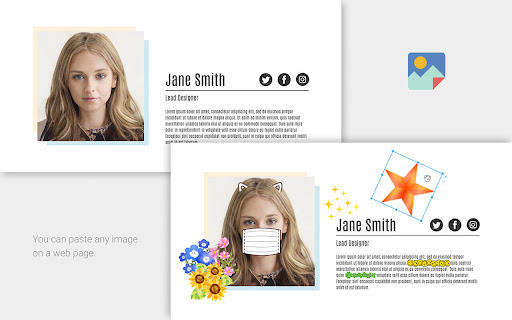
You can paste any image on a web page. Supports moving, scaling, rotating, duplication, and deletion. No upload will occur. - Use your favorite images to make your screenshots more fun and colorful. - Hide your personal information with images and secure your screenshots. - Overlay a mask or glasses on a photo of a person to check for impression changes.

Image Overlay Tool
Overlay images on any website with draggable positioning and opacity control Image Overlay Tool lets you overlay images on top of any website with full control over positioning, appearance, and styling. Perfect for: • Web designers comparing mockups to live sites • Developers implementing pixel-perfect designs • Artists tracing references • Anyone needing visual alignment tools Features: ✓ Drag and drop positioning ✓ Adjustable opacity (0-100%) ✓ Custom width in pixels or natural size ✓ Precise X/Y offset controls ✓ Z-index adjustment for layer stacking ✓ Custom CSS for filters, transforms, borders, and more ✓ All settings persist across page reloads How to use: 1. Click the extension icon 2. Upload an image 3. Adjust settings in real-time 4. Drag to position or use offset inputs 5. Apply custom CSS for advanced styling The overlay stays fixed on screen while you scroll and navigate, making it easy to compare designs or trace elements.

Image Overlay Extension
Overlay an uploaded image on the current page with adjustable opacity A tool similar to Zeplin to compare pixel perfect designs. Upload an image and overlay for comparison on any website.

Anywhere stickers - simple sticky notes
Attach sticky notes to any page * Nice look and feel. * Synchronizes across your logged-in browsers. * Easy to use. * Nothing excessive, only what you need to remember a pair of words.

Image Pin
Chrome Extension to place a sticky image in an active tab Image Pin allows you to place images over the website you're currently browsing. You can drag, resize and clear the image. How to use: - make a screenshot using in-build application in your Operating System or copy and image - click on Image Pin browser extension icon - paste your image (Ctrl + V on Windows, Command + V on Mac) Feature set is currently limited, contact me if you find this useful and would like to see more features. Cheers!
