
iopfomafdcjjcnoemjbdfckcmlfnbnlo
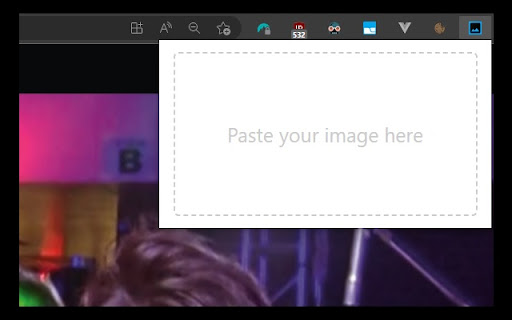
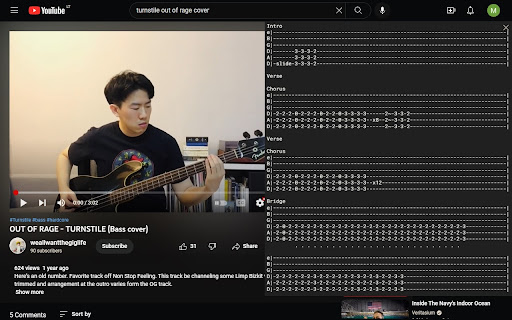
Chrome Extension to place a sticky image in an active tab Image Pin allows you to place images over the website you're currently browsing. You can drag, resize and clear the image. How to use: - make a screenshot using in-build application in your Operating System or copy and image - click on Image Pin browser extension icon - paste your image (Ctrl + V on Windows, Command + V on Mac) Feature set is currently limited, contact me if you find this useful and would like to see more features. Cheers!

Album Details Extractor
Extract album metadata to JSON on your clipboard. Album Details Extractor grabs the title, artist, cover art URL, and album URL from any supported streaming service and copies them to your clipboard as a compact JSON object. SUPPORTED SOURCES Most streaming platforms are supported and all of them return the same JSON shape, so a database that already ingests one source works with all of them: { "title": "Currents", "artist": "Tame Impala", "image": "https://image-cdn.example.com/…", "url": "https://open.spotify.com/album/79dL7FLiJFOO0EoehUHQBv" } HOW TO USE IT Right-click any album card, album link, or album page background and select "Extract Album Info." You can also click the toolbar icon on album pages — it's disabled on non-album pages so you always know when extraction works. A notification confirms what was copied. PRIVACY No data is collected, stored, or transmitted. No analytics, telemetry, or crash reports. No account data or cookies are ever read. The extracted JSON goes to your local clipboard and nothing else ever leaves your machine. OPEN SOURCE Full source code and tests on GitHub: https://github.com/afonsojramos/album-details-extractor

AuthentiSci
Allows scoring of media articles by the research community AuthentiSci helps you check the science behind the headlines. See expert reviews and scores on online media content directly in your browser. Scientists from around the world contribute through our website and extension, offering their insights on the strength of evidence, clarity of explanation, and potential bias. By connecting readers with researchers, AuthentiSci makes it easier to spot misconceptions and understand what scientific discoveries really mean.

🎨PictureLayer - Image Overlay
Overlay images on any webpage with full control PictureLayer is the ultimate image overlay tool for content creators and web developers. ✨ KEY FEATURES: ✓ Upload images and display them on any website ✓ Drag images anywhere on the screen ✓ Resize images by dragging corners ✓ Control opacity (transparency) with a slider ✓ Full size adjustment controls ✓ Edit mode for precise positioning ✓ One-click activation/deactivation ✓ All data saved locally - no cloud storage 🎯 PERFECT FOR: • YouTube content creators (add logos, watermarks, stickers) • Video editors and animators • Web designers testing layouts • Streamers adding overlays • Anyone who needs floating images 🔒 PRIVACY FIRST: All images are stored locally on your device. We never collect, track, or transmit your data. 🚀 HOW TO USE: 1. Click the extension icon 2. Upload your image 3. Adjust size and opacity 4. Click "EDIT" to reposition 5. Click "ACTIVE" to show/hide

Pinn – Photos, Videos & Memories
Pin photos, videos & slideshows to any webpage. Beautiful frames, filters, decor & stickers. Your memories, everywhere you browse. Pinn – Pin photos, videos & slideshows to any webpage. Beautiful frames, filters, decor & stickers to personalize your browser. 📷 Photo Frames Pin photos in beautiful frames – from elegant Baroque to modern Polaroid. Choose from 14 unique frame styles that make your memories pop. Resize and rotate as you like. 🎀 Decor & Stickers Add pins, clips, tape, hearts, stars, and more to personalize your space. 🎬 Video Clips (Premium) Add looping video clips to bring your frames to life. Perfect for short memories, pet moments, or aesthetic clips. 🖼️ Photo Slideshows (Premium) Add up to 5 photos per frame with automatic rotation and smooth fade transitions. 🎨 12 Photo Filters Apply beautiful filters like B&W, Sepia, Vintage, Warm, and more – all included free. ✨ Key Features: • Pin photos and videos to any webpage – they stay where you place them • 14 frame styles – Baroque, Polaroid, Neon, Holographic, Wooden & more • Drag, resize & rotate frames anywhere on the page • Per-website control – show or hide pins on specific sites • Works on any website – your pins persist across browsing sessions • 6 decorative items + 8 fun stickers • Photo filters and effects included free 💎 Premium – $4.99 One-Time Payment (50% discount for a limited time) Pay once, unlock forever. No subscriptions, no recurring fees. One license key works on unlimited devices – just enter your key on any browser to activate. All 14 frames, 12 photo filters, decor & stickers are free for everyone!
