
eipdnjedkpcnlmmdfdkgfpljanehloah
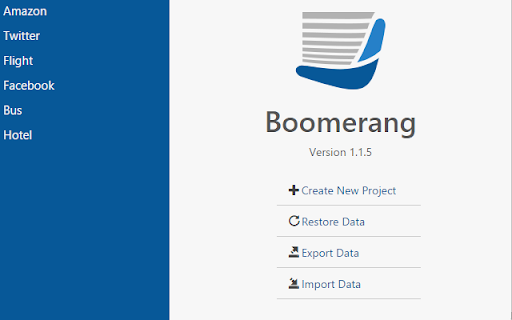


Seamlessly integrate and test SOAP & REST services. Boomerang is a powerful yet lightweight API testing tool that runs directly in your browser. With over a decade of proven reliability, it provides developers, QA engineers, and integration teams with a streamlined solution for testing both REST APIs and SOAP services. Test your APIs effortlessly with Boomerang's intuitive interface. Create, organize, and execute API requests without the bloat of traditional desktop applications. Whether you're validating endpoints, debugging integrations, or automating test workflows, Boomerang offers the perfect balance of simplicity and capability. Key Features: ★ Test REST APIs and SOAP services with a clean, intuitive interface ★ Import service definitions from OpenAPI/Swagger specifications and WSDL files ★ Organize requests in projects and collections for better workflow management ★ Switch between environments (development, staging, production) seamlessly ★ Create dynamic requests using variables and scripting ★ Run collections of requests to test complex API workflows ★ Dark mode support for comfortable testing in any lighting condition Boomerang stands out with its browser-native approach, eliminating the need for separate applications or complex setups. Your API testing workflow stays right where you need it - in your browser. Perfect for developers who need: ★ A fast, reliable tool for API testing ★ Support for both REST and SOAP services ★ Simple organization of API requests ★ Quick switching between development environments ★ Collection-based testing capabilities ★ Local data storage without cloud dependencies The extension works offline and stores all your data locally, ensuring your API testing remains secure and private. Join thousands of developers who've made Boomerang their go-to API testing companion. Experience the difference that a thoughtfully designed, browser-based API client can make in your development workflow.

WSDLY - SOAP Client
Tool manage and test SOAP API. It parses WSDL and generates human-readable documentation. Enhance your SOAP API management experience with the WSDLY Chrome Extension. With WSDLY, you can streamline the way you work with SOAP APIs, making them more discoverable, reusable, and manageable. Whether you're a technical expert or a non-technical user, WSDLY empowers you to optimize your API integration process effortlessly.🏆 📝 Automated SOAP API Documentation Accelerate your development process with WSDLY's one-click document generation. Say goodbye to complex technical jargon, as WSDLY transforms your API documentation into a more human-friendly and easily comprehensible format. ✨ Zero Code SOAP API Consumption Unlock the potential of your SOAP APIs without the need for coding. WSDLY caters to both technical and non-technical users, enabling seamless integration with SOAP-based systems. 🔄 Convert Payloads to Suitable Formats (JSON/XML) Effortlessly convert complex structures between JSON and XML formats using WSDLY. Save time and resources by adapting your data to the desired format with ease. ⚡️ Streamlined Service Impact Calculation with Dependency Graph Minimize downtime caused by legacy software with WSDLY's advanced service impact calculation. Effectively manage dependencies between different components of your system, ensuring smooth operations and enhanced reliability. 🔬 Test SOAP APIs While Designing Validate the functionality and suitability of your SOAP APIs during the design phase with WSDLY. Test and fine-tune your SOAP APIs before implementation or deployment, ensuring they meet the requirements of your intended use cases. 🌐 Visualize SOAP API Structure Improve comprehension and boost productivity by conveniently visualizing hierarchies of request-response structures within SOAP APIs. WSDLY's intuitive visualization capabilities simplify complex API structures for better understanding. 🏢 Central Platform For SOAP API Repository Discover, manage, and reuse SOAP APIs effortlessly with WSDLY's one-stop-shop platform. Developers can easily explore and leverage APIs across various applications and projects, promoting efficiency and code reusability. 🔒 Control Your SOAP API Resources Apply authorization and usage limits to selectively expose data and services to employees, partners, and customers. WSDLY provides you with granular control over your API resources, ensuring secure and optimized access. 📈 Increase Your SOAP API Visibility Create a customizable developer portal to showcase your SOAP APIs. With WSDLY, you can effortlessly share APIs with internal teams, partners, and customers, fostering collaboration and accelerating innovation. Join WSDLY's rapidly growing community of satisfied users and experience the world's first-ever SOAP API management platform. Simplify your SOAP API workflows, enhance productivity, and unlock the true potential of your APIs with WSDLY Chrome Extension. Get started with WSDLY today and revolutionize your SOAP API management experience. Download the WSDLY Chrome Extension now and take control of your SOAP APIs like never before.

RestMan
RESTMan is a browser extension to work on http requests. RESTMan is an extension to work on REST APIs over http and https. Click on the RESTMan Icon that displays on your taskbar. Type the url in the main input field and choose the method to use: GET/POST/PUT/DELETE/PATCH. Click on the arrow "Send" or press Ctrl+Enter. You'll see info about the response (time, size, type) and you'll be able to see the content response in the response section. New - #42 Migrate extension to Manifest V3. New: - #25 Share request. - #24 Add OPTIONS to the list of http methods. Fixes: - #11 Different color for every HTTP method. - #18 Extension no longer uses resources when it's not being used. New: - New dark theme! Based on material design colors. - Side by side layout for Body and Response panels. - Options popup page to save theme and layout for future sessions. - Improved history dropdown. Adding ability to move through options with up/down keys, better mouse click handling, options get scrolled into view when out of scroll, pressing enter to select option. - More url space. - Improved "running" indicator. Fixes: - Fixed replacement of line endings in request editor. - Added error message for failed requests. New: - Improved history dialog. It now popus from the url bar, it filters entries based on what's been typed. - New HTML preview for responses. It will render the response as an html. Due to security issues, some scripts, images and other resources might be blocked. - Added extension version in main windows. - Major UI overhaul. - Extension won't duplicate entries in history. - Adding clear all button to headers and form body sections. - Ctrl+Enter sends request. - Pressing enter on url textbox sends request. - Several small fixes. - GET, POST, PUT, PATCH, DELETE requests. - Custom request headers. - Raw and Form data body. - View highlighted response. - View response headers.

SAML Chrome Panel
Extends the Developer Tools, adding support for SAML Requests and Responses to be displayed in the Developer Tools window This is an Open Source SAML debugger for Chrome. It operates as another panel in the Chrome Developer Tools section, which monitors the traffic in the current active tab. This panel is trying to replicate what the Firefox version of SAML Tracer does as there wasn't a good enough one (or any) for Chrome at the time of writing this. GitHub Repo: https://github.com/milton-lai/saml-chrome-panel Feel free to branch and help make this even better! It is designed to display all network traffic, along with the request and response data. If there is a SAML request or response, then it will grab the message, format it nicely and show it to you in another tab. Updates: - Set links to open in the same browser -- There is a new feature to "Scrub" the links in the current page. Basically, it will update all anchor tags and set their target attribute to equal '_self'. This should address the issue of having SAML transactions opening up in new tabs and such. This is the best implementation I could think of as I'm unable to listen to all traffic on all tabs. - Import and export the network traffic. -- It imports and exports the traffic on the browser in a JSON format. - Toggle showing SAML traffic. Please note that at the moment, I've only looked at OpenAM Redirect and POST SAML transactions (as that is what I've got access to). If there are others which are working, please let me know. If there are SSO frameworks that are not working, then also please let me know and I'll try to get it working (e.g. SOAP). Thanks to @jasonwzs (https://github.com/jasonwzs) and @AlmogBaku (https://github.com/AlmogBaku) for contributing Update (2020-07-18): -- Updated internal libraries. -- Reduced extension size. -- Minor code cleanup. -- Increased SAML font size. Update (2017-11-19): -- Added toggle limit of 500 network requests, to keep memory footprint smaller. -- Added Search option for the SAML tab.

Blackfire Profiler
Profile your applications from your browser. Blackfire helps you monitor your web applications performance, visualise and understand the hot spots, directly during development as well as on production servers with a very low overhead. The web browser companion makes it easy to profile any page within the browser.
