
ehohalpjnnlcmckljdflafjjahdgjpmh
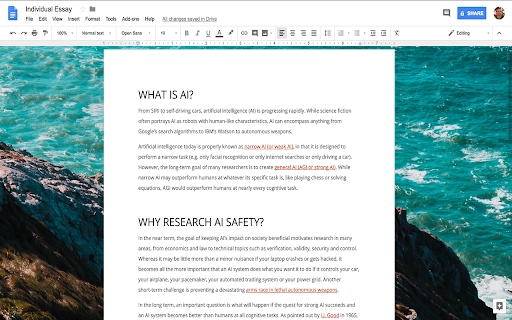

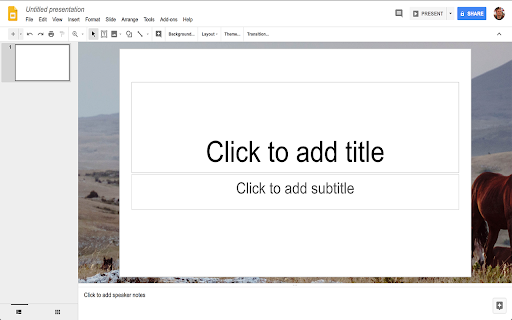

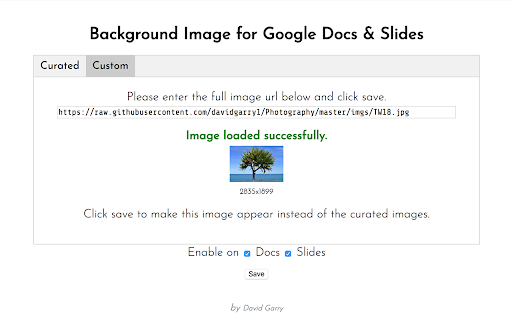
Add a beautiful image to Google Docs™ and Google Slides™ background while editing. Not affiliated with Google. Add an image to the background of your Google Slides™ and Google Docs™. Enjoy stunning images from Unsplash.com while you are writing an editing, making your work less boring and more enjoyable. OPEN OPTIONS TAB TO: ⇨ Enter image categories you would like to select curated photos from ⇨ Specify standard definition or high definition preference ⇨ Enter a custom image url ⇨ Disable on slides or docs or both Not affiliated with Google.

Dedicated Window For Google Docs
Open Google Docs, Sheets and Slides docs in separated and dedicated window automatically, without an address bar or browser buttons. This extension automatically opens your different documents from the Google Document suite in a dedicated window, as if you were using dedicated software. You have more space to work because the other browser components don't appear. It also gives you direct access to your various documents being edited in the taskbar of your operating system.

Magic Docs — Google Docs Themes
Transform Google Docs with 40 stunning themes, animated backgrounds, particles, and custom styles. Magic Docs revolutionizes your Google Docs experience by transforming the standard interface into a visually stunning workspace. Choose from hundreds of beautifully crafted themes, add dynamic particle effects, and completely customize your document environment. Beautiful Themes: Dozens of professionally designed themes including dark mode, gradient backgrounds, and custom color schemes Dynamic Effects: Add mesmerizing particle animations, floating elements, and background effects Complete UI Overhaul: Customize every aspect of Google Docs' interface beyond just the document area One-Click Activation: Instantly apply themes without reloading your document Non-Destructive: Your document content remains completely safe and unchanged Perfect for writers, students, professionals, and anyone who spends hours in Google Docs. Reduce eye strain with dark themes, boost creativity with inspiring visuals, and make document editing an enjoyable experience.

Dark Docs 2.0
Enhanced dark theme for Google Docs with customizable accent colors The Dark Theme, Google "Forgot" Dark Docs 2.0 with improved UI and higher contrast for Google Docs. Users can view their document with the background in high contrast dark mode that makes the experience easy on the eyes and keeps the document untouched!

Rainbow Cursor in Google Docs
Swap the cursor in Google Docs with an animated caret! Great for students, writers, or anyone who wants a better editing experience. Step 1: Go to Google Docs. Step 2: Click the puzzle piece icon 🧩 on the Chrome toolbar and select the rainbow cursor icon. Step 3: Customize your cursor and have fun!
