
ehbpafejfeblbmmggefifmoenllbnmda

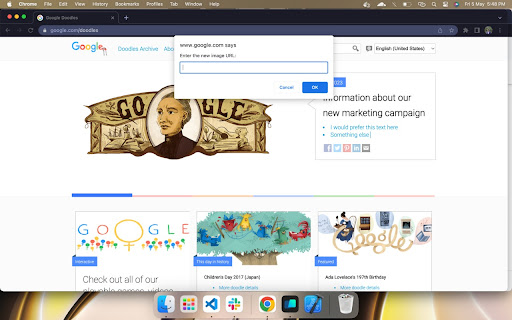
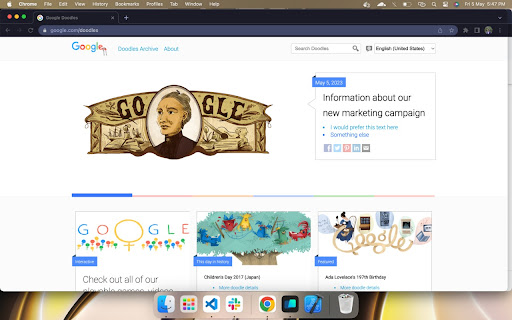
Replace the need of using inspect element. Perfect for designers, managers & marketers. No tech skills needed! Discover the Instant Web Editor, a user-friendly and straightforward extension that simplifies the process of editing web content, without any bloat features. Experience unparalleled ease of use, as all you need to do is enable "Toggle Global Edit Mode" to get started. With the Instant Web Editor, effortlessly: 1. Toggle Edit Mode: Activate the simple global check to edit any webpage instantly. 2. Click & Replace Images: Select an image, and a prompt will allow you to swap it with another using just the image URL. No need to dig into the HTML! 3. No Inspect Element: Forget about complicated Inspect Element tools, our extension makes web editing accessible for everyone. We're continuously working on enhancing the Instant Web Editor experience, with more features in the pipeline. We value your feedback and are always open to reviews to make this product even better. Transform your workflow with the Instant Web Editor, tailored for UI/UX designers, product managers, marketers, and anyone looking for a seamless way to edit web content. No tech skills required – just install, toggle, and edit!

Web Editor
Forget about all the Code chaos and Customize your website in a handy way Customize your website, Create your designs. Forget about all the chaos and design your website with your imaginations, in a handy way. The web editor is the tool that provides you with an enhanced way to inspect any website elements, alter their properties, insert contents, design, and visualize the way you want to see them. You don’t need to hold a bunch of technical knowledge. Instead, this tool will do the job for you..

Easy Text Change - Select, Right Click & Change
Select text, right-click, enter new text, and see it change instantly on the page. Maybe you want to edit text before taking a screenshot, preview different wording, or just have some fun. Just select the text, right-click, choose the option, enter new text in the popup, and it updates instantly on the page. Simple and quick.

Easy WebPage Editor
Easy WebPage Editor is a free Chrome extension,allows any website to be edited,used to edit web content in your Browser. Edit Mode When Edit Mode is ON,current webpage will become fully and simply editable as if your browser were a MS Word,you can change existing text on the page,change new font styles (bold, italics) on the text Delete Mode When Delete Mode is ON, when you move the mouse, a blue box will be displayed, click to delete all the content in the blue box;you can delete HTML elements that cause chaos on the page,For example:table、list、video and so on,these elements are difficult to delete when Edit Mode is ON Notes: the changes are only visible on your own machine. You aren't actually altering the website. Your edits will disappear after refreshing the page,You can screenshots the page,or save the modified document in HTML or MHTML or print it to pdf.

Edit Website Extension
Edit Live Websites Text On The Fly Edit texts in live website by clicking the extension. Steps to use the extension: 1) Go to any website. 2) Click on the extension. 3) Start editing texts in the website like h1 tags or p tags or any tags. 4) Click on tht extension again to close edit mode & done! Good for quick website text editing only & share with colleagues or friends.
