
ehbmgnnblhocepmbijpmdfpfalipndae
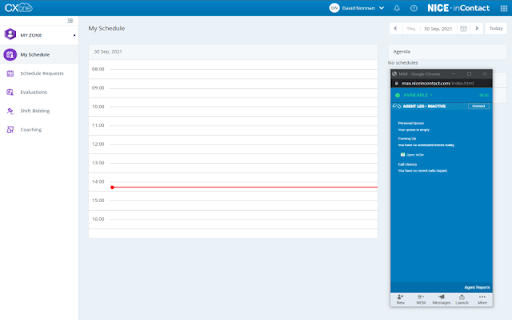
This extension enhances the capabilities of InContact MAX and CXONE agents by facilitating the collection of JSON files, console logs, InContact MAX logs directly from their browser tab. Update 1.4: The functionality for saving .har files has been substituted with JSON format due to its reduced demand on computing resources while still maintaining compatibility with analysis via a .har analyser.

Glean
Unlocks your company's knowledge and enables powerful work AI for everyone. The Glean browser extension unlocks your company’s knowledge and enables powerful work AI for everyone. Just hit Command + J or Alt + J on Windows to instantly access Glean from anywhere: 💡 Know what your company knows, instantly with the Glean sidebar * Discover: Glean delivers personalized content recommendations tailored to your current work context, surfacing relevant insights without you having to search. * Chat: Ask questions and get instant answers from an AI Assistant that understand both your current content and your entire company knowledge base. * Search: Find exactly what you need with intelligent search that understands context, connects related information, and identifies relevant experts. * With a simple Command + J on Mac or Alt + J on Windows - instantly summarize information from any work application ⚡️ Get quick access to the work resources you need. * Glean’s new tab page puts all of your company’s knowledge at your fingertips * See recommended documents, notifications from across applications, access calendar events, and more. * Use Glean’s Go Links feature to instantly access even the most complex URLs Glean connects with dozens of popular workplace apps like Google Drive, Jira, Confluence, Slack, and more. Use this extension if you have an account created by your company admin. Learn more about the permissions we ask for: https://help.glean.com/en/articles/3643260-why-does-the-chrome-extension-ask-for-those-permissions

CXone Agent Noise Cancellation
CXone Agent Noise Cancellation offers an independent softphone connection by moving the audio path out of the browser application into a companion browser extension to allow for increased reliability. The extension delivers AI-powered ambient noise reduction and echo cancellation to both customers and agents for a clear, crisp and focused conversation when enabled across CXone Agent via the feature toggle in tenant management. Voices are instantly isolated and all background noise is removed in real-time from both sides of the call from start to finish. When the CXone Agent Noise Cancellation extension is installed and enabled and the Noise Cancellation feature toggle across CXone Agent in Tenant Management is enabled and the Noise Cancellation slider will display in CXone Agent. The agent can then adjust the sensitivity using the displayed sliders for eliminating the background noise from the agent and patron side. It is set to 90 for the mic slider (agent side) and 70 for the speaker slider (patron side) by default. In the event that CXone Agent is refreshed or unexpectedly closed, the active audio path between the agent and patron will not be disrupted.

RingCentral Contact Center Voice
RingCentral Contact Center Voice enables voice calling directly inside the CXone Agent interface using the RingCentral voice platform – no desk phone or separate softphone required. * Make and receive calls in CXone Agent using WebRTC directly in the Chrome browser * View agent state in real time * Configure automatic or manual call acceptance * Simple browser-based setup with seamless integration with RingCentral voice services

CXone Agent WebRTC Extension
CXone Agent WebRTC Extension CXone Agent Softphone Extension offers an independent softphone connection by moving the audio path out of the browser application into a companion browser extension to allow for increased reliability. When the CXone Agent Softphone Extension is installed and enabled, CXone Agent will automatically detect it and use it as the integrated softphone. In the event that CXone Agent is refreshed or unexpectedly closed, the active audio path with a customer will not be disrupted.
