
ehbfcoenegfhpnnmkoaimmmlhikfccli
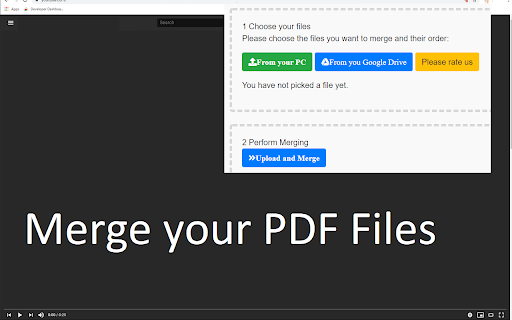

Merge your PDF files fast and free! Free PDF File Merger - Merge PDF Files for free. •This software supports merging of PDF files •Merge 2 or more PDF files •Unlimited number of PDF mergers for free How to use this extension: - Click on the software icon - Choose PDF file you would like to merge, Disclaimer: Please note this extension is NOT made by Google and is made by an independent development team. All copyrights belong to their respective owners. Google doesn’t endorse or sponsor this Chrome extension. PDF Merge for Google Chrome™ is not owned by,it is not licensed by and is not a subsidiary of Google Inc.

Online PDF tools | ilovepdf.com
iLovePDF is an online service to work with PDF files completely free and easy to use. iLovePDF helps millions of people manage documents every day. From individuals to businesses and global companies, we simplify document management. With the iLovePDF Chrome Extension, you get all your essential PDF tools in one place: merge, split, compress, convert, edit, protect, and sign PDFs directly from your browser. Trusted worldwide, iLovePDF is consistently rated highly for its ease of use, performance, and reliability, and has been recognized in industry awards for document productivity. ORGANIZE PDF FILES • Merge PDF: Combine multiple PDFs into one organized file. Arrange pages easily for reports, contracts, or multi-part documents. • Split PDF: Extract pages or split PDFs into smaller files. Share only what’s needed or break large documents into manageable parts. • Organize PDF: Reorder, rotate, or delete pages with ease. Clean up and structure your PDF before sharing or submitting. •Create PDF: Convert files into clean, shareable PDFs. Keep formatting consistent for professional results. OPTIMIZE & OCR PDFs • Compress PDF: Reduce file size without losing quality. Ideal for faster uploads, sharing, and saving storage space. • OCR PDF (Optical Character Recognition): Turn scanned PDFs into searchable, editable text. Work with content instead of static images. CONVERT TO PDF • JPG to PDF / Image to PDF: Convert images into PDF files. Perfect for receipts, screenshots, and scanned documents. • Word to PDF: Convert DOC and DOCX to PDF while preserving layout. Share documents without formatting issues. • Excel to PDF: Turn spreadsheets into PDFs. Share data clearly without exposing formulas or editable cells. • PowerPoint to PDF: Convert presentations into PDF format. Share slides in a consistent, print-ready layout. CONVERT PDF TO OTHER FORMATS • PDF to Word: Convert PDFs into editable Word files. Update content without retyping from scratch. •PDF to Excel: Extract tables into Excel for editing and analysis. Work easily with structured data. •PDF to JPG: Convert PDF pages into images. Ideal for sharing visuals or embedding in other content. •PDF to PowerPoint: Turn PDFs into editable slides. Repurpose content for presentations quickly. EDIT PDF •Edit PDF: Add text, comments, or edits directly in your PDF. Update content without switching tools. •Rotate PDF: Fix page orientation in seconds. Ensure your document is properly aligned and readable. •Add Watermark: Add text or logos to your PDF. Mark documents as drafts, branded, or confidential. PDF SECURITY AND E-SIGN •Unlock PDF: Remove passwords from PDFs you’re authorized to access. Edit and use your files freely. •Protect PDF: Add password protection to secure your PDFs. Keep sensitive documents safe. •Sign PDF: Add electronic signatures quickly. Sign agreements, contracts, and approvals online. Why Choose iLovePDF? •All-in-one PDF toolkit in your browser •Fast, intuitive, and easy to use •Secure file processing you can trust •Clean, distraction-free interface •Trusted by millions worldwide

Swift PDF Merger: Merge PDFs Effortlessly
Swiftly merge PDFs with ease! Drag, drop, and arrange for seamless merging. Perfect for students, professionals, and more. 🚀📚💼 Introducing Swift PDF Merger - the ultimate web browser extension for effortlessly merging multiple PDF files in a flash. With Swift PDF Merger, combine numerous PDFs into one organized document using simple drag-and-drop functionality. ⌛🎓🌐 Whether you're a student, professional, or anyone needing to merge PDFs, Swift PDF Merger makes it a breeze. Just add the files you want to combine and arrange them using the drag-and-drop feature. It's that easy! 🌟🌟🌟 Swift PDF Merger is a cinch to install and use, compatible with all major web browsers. Say goodbye to disorganized PDF files - try Swift PDF Merger today for a more streamlined and efficient PDF experience. 📨📨📨 Support Email: support@oziku.tech ✉️ Translations are done via a translator; for incorrect translations, please contact us. ✉️ For bugs or feature requests, don't hesitate to email us.

Xodo | PDF Editor, Converter & Merger
Free PDF tool to edit, convert, compress, merge, combine, crop, and redact PDF files. Enjoy the better PDF experience by adding Xodo to your Chrome browser! Access PDF converter, PDF combiner, PDF filler, PDF editor, PDF merger and more to supercharge your productivity online. Powerful PDF Converters and PDF tools to boost your productivity: - Convert PDF to Word, PPT, Excel, PDF/A, HTML, JPG, JPEG and PNG - Convert JPG, JPEG, PNG to PDF - Convert Word, Excel, Powerpoint to PDF - PDF Reader - Edit PDF - Merge PDF - Compress PDF - Crop and redact PDF - Fill PDF - Split PDF - Rotate PDF pages - Delete PDF pages - Reduce PDF size - Combine PDF files - Sign a PDF How to Use: - Install Xodo extension - Select an action from the top 5 tools - Upload your file and use our online tools to edit, convert, compress, merge, combine, crop, and redact. - Download your new file With Xodo you can process various file types: - PDF, PDF/A - Office: Word, Excel, powerpoint (doc, docx, xlsx, xlsm, ppt) - Images: JPG, JPEG, PNG, GIF, TIFF - HTML - DICOM NOTES: To access the full list of document processing tools, visit https://xodo.com By installing the Chrome extension, you agree to Xodo Terms of Use and Privacy Policy (https://xodo.com/legal)

Combine pdf
Combine pdf instantly. Upload, reorder, and merge pdf right in your browser. Your files are handled locally, ensuring privacy. Introduction Welcome to combine pdf, the premier Google Chrome extension designed to revolutionize how you merge, arrange, and manage your pdf files. Our lightning-fast extension ensures a seamless, secure, and serverless experience, keeping your files safe and private throughout the process. 🌐🔒 Key features 🚀 Quick and instant ▸ With combine pdf, you can merge pdf at the speed of light. ▸ Experience instant merging without any unnecessary delays. ⚡ 🌈 User-friendly interface ▸ Our intuitive design caters to users of all technical levels. ▸ Simply open the popup, upload files, and merge pdf with unparalleled ease. 🤖🎨 🔄 Drag & drop functionality ▸ Effortlessly rearrange files using the drag and drop feature. ▸ Customize the order of your documents with a simple, intuitive gesture. 🚀🔧 Security matters 🔒 Serverless operation: ▸ Rest assured, your files never leave your device. ▸ Combine pdf operates without server uploads for maximum security. 🛡️💼 🛡️ Secure file handling: ▸ Your files are handled locally, ensuring utmost confidentiality. ▸ No external servers involved – your files are secure and sound. 🔒📂 How to combine pdf files 💡 Step-by-step guide 1. Open the combine pdf popup by clicking the extension's icon. 2. Upload or drop multiple files with ease. 3. Effortlessly rearrange files using drag and drop. 4. Click combine pdf for an instantaneous merge operation. 5. The merged document automatically opens directly in your preferred pdf viewer. 📝🔄 🚀 Efficiency tips: ▸ Utilize the drag and drop feature for swift rearrangement. ▸ Merge multiple files in one go for optimal efficiency. 🚀💡 Benefits ⏰ Time-saving ▸ Save time by merging pdf quickly and efficiently. ▸ Streamline your workflow with instant results. 🕒🚀 🔐 No upload anxiety ▸ Enjoy peace of mind with serverless operation. ▸ Your files remain on your device throughout the merging process. 🌐🔐 🎨 Versatility ▸ Use combine pdf for work, study, or personal projects. ▸ Adapt the extension to your specific needs effortlessly. 🎨🔄 Our pdf merger at your service 🚀 Effortless operation ▸ With our state-of-the-art pdf combiner, merge your documents seamlessly. ▸ Combine your files without hassle and save valuable time. 📑 Organized document management: ▸ Harness the power of our pdf combiner for organized document handling. ▸ Merge lecture notes, reports, or invoices into a single, well-organized document. 📊📑 FAQ ❓ Is my data safe with your tool? Absolutely! Your files are handled locally, ensuring privacy. ❓ Can I merge files in a specific order? Yes, utilize the drag and drop feature to arrange files as you prefer. 🔄🔍 Why combine pdf? 🌟 Simplified distribution ▸ Easily share multiple documents as a single file, simplifying communication. 📤🌐 🌟 Collaborative projects ▸ Streamline collaboration by merging contributions into a unified document. 🤝🔄 🌟 Reduced clutter ▸ Combine related documents to declutter your digital workspace. 🗄️🔄 🌟 Enhanced organization ▸ Merge lecture notes, reports, or invoices into a single, well-organized document. 📑📊 Compatibility 🌐 Chrome compatibility ▸ Combine pdf seamlessly integrates with your Chrome browser. ▸ Experience the benefits of pdf merging without leaving your preferred environment. 🌐🚀 📱 Cross-platform access ▸ Access the document merger across multiple devices for a consistent, efficient experience. 📱💻 Unlocking document merging potential ▸ Discover the simplicity of combine pdf as your go-to pdf merge tool. Seamlessly merge, rearrange, and manage your documents, transforming your document management experience. With combine pdf, you can merge pdf files effortlessly, ensuring a swift and secure process right within your Chrome browser. 🚀📄 Extensive capabilities ▸ Explore the extensive capabilities of combine pdf as your ultimate online pdf merging tool. Whenever you need to combine pdf instantly in your browser, our extension is here to elevate your experience. 🚀🔍 Enhanced functionality ▸ Unlock advanced features with our extension. ▸ Effortlessly merge pdf online with a simple click. ▸ Utilize the combine pdf option in the right-click menu when you open a document in your pdf viewer. ▸ Your file list is not lost even when you close the extension's popup. 🚀🌐 User-centric approach ▸ User satisfaction is our priority. ▸ Regular updates for improved performance and additional features. ▸ We designed the tool with quality in mind: we use it ourselves on everyday basis. ▸ Responsive customer support to address any queries or concerns. 🔄🤝 📧 Contact us📧 If you have any questions, suggestions, bug reports, or feature requests, feel free to send a message to pdftoolset@gmail.com anytime. Thank you! Conclusion Combine pdf is the ultimate solution for merging pdf instantly and securely within the Chrome browser. Bid farewell to upload anxieties and revel in the speed of serverless document merging. 🚀 Add combine pdf to your Chrome browser and take your document management to unprecedented heights! 🚀
