
ehagagfefdlncfmdnnegoagdemnfehdc
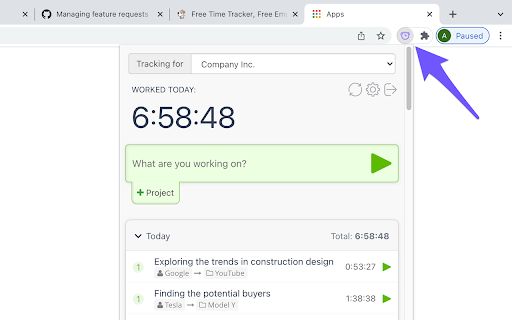
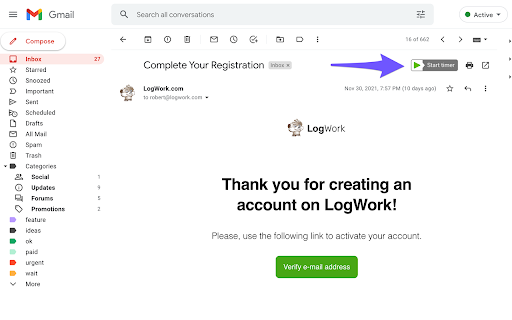
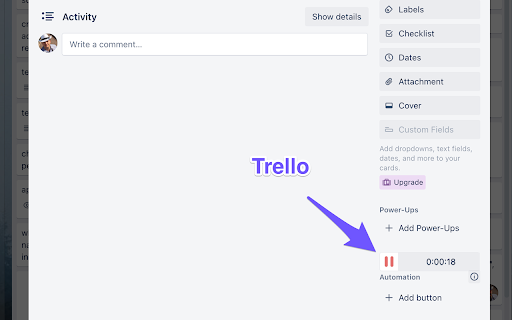
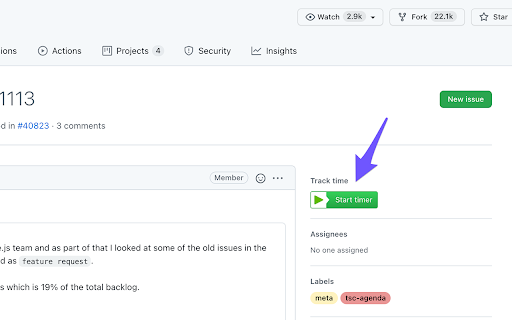
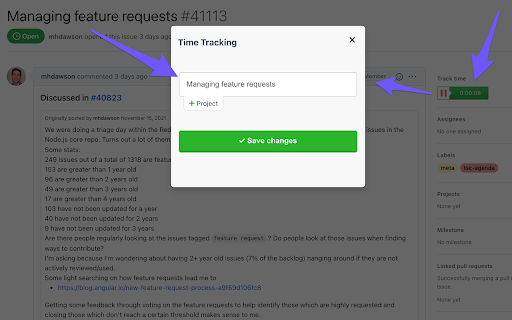
This is a free time tracker button for the most popular services, such as: Trello, ClickUp, Asana, Notion, Jira, etc. LogWork Time Tracker helps you understand where your time really goes without changing your workflow. It adds a small start and stop timer button directly inside the web apps you already use, so you can track time in one click and avoid tab switching. We provide 59+ direct embedded integrations. This means the timer button works inside supported websites and can automatically capture the context of what you are working on and save it into your time entry, such as the task name, card title, issue key, project name, or email subject. So instead of typing details manually, each tracked entry is created with the right information, and later you can open LogWork to see clear timesheets and detailed reports by task, project, and client. Trello: Track time on cards while working in boards and lists. ClickUp: Track time on tasks and list items while managing your workload. Asana: Track time on tasks while updating progress and completing work. Notion: Track time while editing pages and working with database items. Jira: Track time on issues during development, testing, and reviews. Why you need it - Track time on tasks, emails, projects, and clients: Keep accurate records for billing, payroll, and planning. - Improve estimates and productivity: See real effort per task and identify time drains. - Stay focused: Logging time takes seconds, so you keep momentum and do not forget entries. Timesheets and reports in LogWork Tracked time can be synced to LogWork, where you can generate: - Timesheets for day, week, or month - Detailed task and project reports with totals and breakdowns - Client reports for transparent sharing and invoicing

Notion Capture
Quickly save links to your Notion databases ≡ Features - Direct save link by right click - Config default properties when save https://discord.gg/pAztBJEnrJ twitter: https://twitter.com/xuke11 help:https://ziyouma.vercel.app/notion buy a coffee:https://ko-fi.com/xukek

Notion Highlighter
A chrome extension for saving highlighs to your notion A chrome extension for saving highlighs to your notion

Bookmarker for Notion
Eye-candy 21st century bookmarks, straight into your notion workspace Forget your old-fashioned web-bookmarks and get auto generated content previews that magnify your content, creating amazing Notion collections.

Simple Time Track
Easy and free time tracking of tasks in the browser running in the background. Simple Time Track — easy, FREE time tracking right in your browser. No subscription. No credit card. No cloud account. Your data stays on your device. Simple Time Track is a clean, distraction-free Chrome extension that lives in the side panel next to whatever you're working on. Start a timer with one click, switch between tasks, and always have your running tracker in sight without losing the page you're on. What you get - One-click start/stop timer for each task - Time multiple tasks simultaneously — the badge shows how many are running - Estimates with progress bars so you see when you go over budget - Drag and drop to reorder tasks the way you think - Project tags with auto-assigned colors for quick visual grouping - Archive instead of hard delete — restore old tasks or permanently remove them later - Dedicated reset confirmation so a stray click never wipes hours of tracking - Export and import your data as CSV or JSON anytime Available in English, Čeština, Slovenčina and Deutsch — switch languages directly in Settings. Privacy first: everything is stored locally in your browser. No telemetry, no analytics, no third-party servers. Open source. Requires Chrome 114 or newer (for the Side Panel API).
