
efpddbdnjokoakknlfljkcndcaonilpg

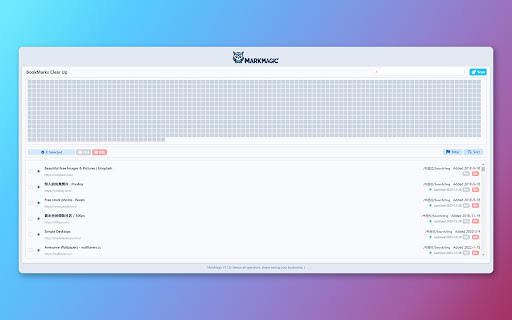
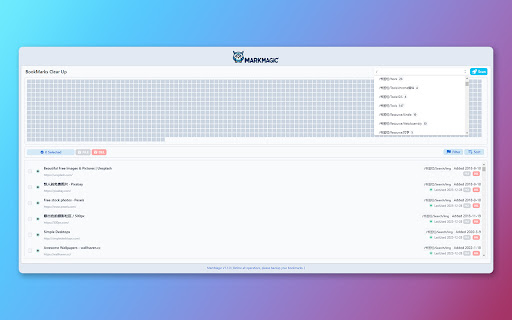
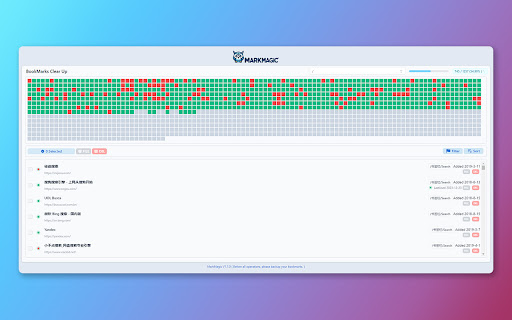
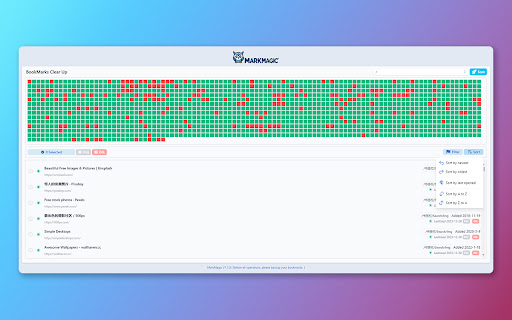
Introducing MarkMagic, the enchanting browser extension that transforms bookmark management into a seamless experience. Discover the magic of effortless link status checks, robust content compliance assurance, and intuitive sorting options based on addition or usage time. Beyond the basics of bookmark deletion and archiving, MarkMagic is continuously evolving. Stay tuned for upcoming features that will revolutionize your browsing experience, including the ability to detect duplicate links, identify empty folders, and significantly enhance scanning speed. MarkMagic is not just limited to conventional methods; future updates will harness the power of AI for advanced semantic content analysis, surpassing simple string matching. Unlock a new level of bookmark management with MarkMagic's upcoming upgrades, offering unparalleled data analysis, seamless categorization, dynamic tagging, intuitive association, and automated responses tailored to user actions. MarkMagic – where innovation meets enchantment for an elevated bookmark management journey.

Extension Manager
A simple way to manage your browser extensions A simple way to manage your browser extensions Actions: Enable when match, Close when match, Enable only when match, Disbale only when match, Custom; Support automatically refreshing the page after enabling or disabling extensions. * Bulk Export/Import and Share Extensions Bulk export extension information, support sharing text, json, custom markdown format; share or record your extension installation information. Bulk import extensions from shared text or json, simplifying the process of migrating or installing multiple extensions. * One-click enable or disable extensions. * Batch enable or disable extensions through grouping. * Quick search extensions by extension name, description, alias, or note. * Extension management: Quickly navigate to settings page, homepage, uninstall extensions. * List view and grid view. * One-click launch for app-type extensions. * Set custom aliases and notes. * History: Extension installation, update, uninstall, enable, and disable. - Rich configurable options for customizing style and functionality. - Open-source code with no collection of any user privacy data. github: https://github.com/JasonGrass/auto-extension-manager

Just Mark - AI收藏夹
AI零压收藏夹,一键收藏网页。AI智能分类与搜索,即使模糊的记忆也能找到需要的网页 一键收藏你需要的网页,不用焦虑于如何分类整理管理,无需手动整理收藏,AI会自动整理您收藏的网页。 快速检索你过去收藏的页面,不用再因为想不起网页的名字而导致搜索不到,我们的AI会帮你找到你需要的内容。 仓鼠症的福音。 # 快速收藏 点击扩展图标即可一键收藏,无需进行分类管理,ai服务会自动为你分类。 # 英文网站自动翻译 当收藏英文网站时,会自动把网站的标题和描述信息进行翻译。 搜索网站时可以使用中文或英文去搜索,因此当检索某个收藏的网站时不用担心因为想不到当时网站的关键词而找不到网页 # 自动截图 收藏一个网页时,会将当前页面自动截图。查看收藏夹时,可以通过截图快速预览。 # 地址栏快速搜索功能 在地址栏输入jm后按tab键,即可快速搜索收藏夹 # AI自动分类 当您收藏网页时,服务将会使用AI对网页自动进行分类标注,以方便快速查找网页。您可以选择使用自己的ChatGpt的API KEY,也可以选择使用我们提供的AI分类服务,完全取决于您的个人喜好。 # AI智能标签 您可以创建自己的标签,AI将会根据您创建的标签自动将网页分类到对应的标签中。 # 对话您的收藏夹 通过与AI对话,使用自然语言更轻松的查找您的收藏夹 # justmark AI服务 您可以选择使用自己的ChatGpt的API KEY,也可以选择方便的购买使用我们提供的AI分类服务,完全取决于您的个人喜好。

Better Bookmarks | Streamline Your Favorites
Effortlessly organize bookmarks with advanced sorting, powerful search, bulk actions, and seamless import/export. Better Bookmarks is the perfect solution for users looking to efficiently organize, manage, and retrieve their bookmarks. With its sleek design and advanced features, Better Bookmarks replaces your browser's default bookmark manager, providing enhanced controls, faster search capabilities, and seamless functionality. Say goodbye to cluttered bookmarks and hello to streamlined organization. (1) Advanced Sorting Options (2) Powerful Custom Bookmark Search (3) Bulk Operations for Editing, Moving, and Deleting (4) Enhanced Bookmark Folder Organization (5) Optimized Bookmark Index View (6) Comprehensive Import and Export Options (7) Dark and Light Themes (8) Secure Bookmark Deletion with Undo Function (1). Advanced Sorting Options Organize your bookmarks your way: • By Date: Keep your most recent bookmarks on top. • By Name: Arrange them alphabetically for easy navigation. • Chrome Default Order: Maintain the default sorting for a familiar browsing experience. (2). Powerful Custom Bookmark Search Locate bookmarks instantly with our advanced search functionality. • Real-Time Results: Get results as you type for faster retrieval. • Efficient Search Filters: Narrow down your search to pinpoint the exact bookmark. (3). Bulk Operations for Efficient Management Manage multiple bookmarks effortlessly with powerful bulk actions: • Select Multiple Bookmarks: Easily select and perform actions on several bookmarks at once. • Open in New Tabs/Windows: Open multiple bookmarks simultaneously in new tabs, new windows, or private mode. • Edit Bookmarks: Update bookmark titles and URLs to keep them accurate. • Move Bookmarks: Reorganize bookmarks into appropriate folders quickly. • Delete Bookmarks: Remove unwanted bookmarks individually or in bulk. • Export Bookmarks: Save your bookmarks in HTML or CSV formats for backup or sharing. • Copy URLs to Clipboard: Select multiple bookmarks and copy their URLs to the clipboard for easy sharing with anyone. (4). Enhanced Bookmark Folder Organization • Folder View: See all folders along with the number of bookmarks in each. • Parent Folder Display: Every bookmark shows its parent folder name for better context. (5). Optimized Bookmark Index View • Comprehensive Overview: View all bookmarks in a neatly arranged list with folder names, URLs, favicons, and titles. • Better Navigation: Quickly identify and access bookmarks related to specific projects or categories. (6). Comprehensive Import and Export Options • HTML and CSV Formats: Import/export bookmarks for backups or sharing. • Seamless Sync: Sync bookmarks via your Chrome profile—no additional login required. • Data Safety: Always have a backup to ensure your bookmarks are secure in case of accidental deletion. (7). Dark and Light Themes Choose between dark and light themes to suit your preferences and reduce eye strain during extended use. (8). Secure Bookmark Deletion with Undo Function Accidentally delete a bookmark? No problem! Easily restore deleted bookmarks with the undo function. ⭐ Active Support Center At Better Bookmarks, we care deeply about our users. We continually improve the extension based on your feedback. Feature Suggestions: Share your ideas and requests for new features. Support Assistance: Need help? Our team is ready to assist you. ↪ Submit a Request: https://betterbookmarks.io/contact/?reason=feature ⭐ Privacy Policy Your privacy is our priority: • No Data Tracking: We don’t track your browsing data, website usage, or any personal information. • Local Storage Only: All data is securely stored in your browser. We don’t access or share your data. • Anonymous Analytics: We use Google Analytics solely for anonymous error reporting to improve extension quality. Have questions or concerns about your privacy? Contact us anytime: ↪ Contact Us: https://betterbookmarks.io/contact/?reason=general

Bookmanize - Advanced bookmark manager
Advanced bookmark manager provides tagging, instant sorting, and filtering among all bookmarks on a full list view. Bookmark manager with a clean user interface where all bookmarks can be easily accessed in one full list view with tagging, instant sorting, and filtering. Organize your bookmarks with custom tags and faster navigates between them. We are an independent team of developers who love what they do:) If you want to improve or expand anything - email us bookmanize@gmail.com Support us with a cup of coffee - https://www.buymeacoffee.com/bookmanize ★ All bookmarks on one screen ★ Fast access to all main functions ★ Instant searching, filtering, sorting, adding, deleting bookmarks ★ Drag n drop bookmarks and folders All the features that the default bookmarks have (add, delete, sort, drag and drop bookmarks) in a more user-friendly interface with high performance for a large number of bookmarks Note: Your data (history and bookmarks) is not saved or stored anywhere else but on your computer. Hotkeys: - ctrl+shift+f or command+shift+f — focus the search field
