
efhbbjhagclaahgimilkpilhdleclfac
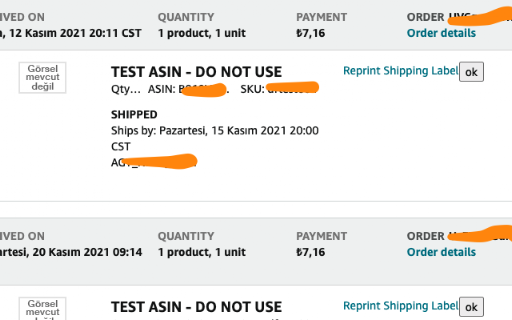
This extension help Dropship vendors print ZPL label without ZPL printer, by implementing a ZPL interpreter This tool implemented a ZPL interpreter and it is able to print ZPL label with regular printer, so that Dropship vendors can print label directly. Otherwise vendor must buy a Zebra Printer, which will cost them about $500 at least.

Ninja Remote Printer
This extension allows direct printing, useful for warehouse applications This extension allows automatic printing of documents, including PDF and ZPL, this is useful for business and warehouse applications, which requires printing without prompting confirmation, the printer must be pre-configured in your business application. This is done by sending a message through "nativeMessaging" which bridges the connection between the browser and your printer. To use it, you need to install on your computer the application that listens to the "nativeMessaging" event, this is not included in this extension, it must be downloaded and installed separately: In addition, your business application must send through javascript to which printer and in which format it will be printed, the document must be encoded in base64, either ZPL or PDF, I include a link to an example:

dynaBar D365FO
Change the current navigation bar Add new actions to navigation bar for Microsoft Dynamics 365 for Finance and Operations. -Easy "table browser" -Show controls name for developers -New workspace window -Duplicate workspace window -Run "SysClassRunner"

Table Browser Caller for D365FO
Arineo Table browser caller for Microsoft Dynamics 365 for Finance and Operations. The extension provides a convenient method to list and access tables in Microsoft Dynamics 365 for Finance and Operations (D365FO) via the Table Browser. It simplifies the process of searching for and opening tables in 'table browser mode,' making it an invaluable tool for developers and power users. Additionally, it aggregates and displays a complete list of data entities with fields from an instance. A new feature includes a detailed view for OData entities, presenting a comprehensive list of fields including enum values. Prerequisites: - Access to a D365FO instance. - Adequate permissions to access the 'SysTableBrowser' menu item. The extension comes with a built-in table list. Currently based on D365FO - V 10.0.40/PU64. The table list does not include tables with property 'Visible=No' and deprecated (DEL_*) tables. Note: This is the new version of the former Table Browser Caller (https://chrome.google.com/webstore/detail/table-browser-caller-for/nahbldacmaibopfiiaoboloegpobpccn) now powered by Arineo.com.

Ninja Printer
Ninja Printer is a browser based solution for printing from authorised website(s) using Google Chrome. Technically the solution is based on the NativeMessaging feature of the browser and runs a simple Java application in the background to execute printing on the local machine. Currently it only supports Windows and OSX, but it should be easy to adjust other unix-like systems. One of the main design goals was to be able to pick the printer to be used from the web application, meaning obviously that the application needs to be aware of the available printers on the users machine. NinjaPrinter ships with support for 2 different type of documents: ZPL (label) and the PDF, but extending it should be fairly straight forward.
