
efeommomnoeofflmmkemeikhagdjebca

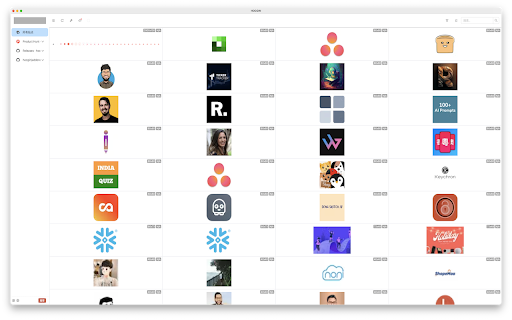
Image downloader, one click to get all the pictures on the page and download them in batches IMGDownload. Its functions include one-click retrieval of all images on the page for download, support for format conversion, support for compressed downloads, and support for search, etc. Browser plugin image downloader is a tool that can download images in the browser. It can one-click retrieve all the images on the page for download, making it easy to save the images on the Internet to the local. In addition, the browser plugin image downloader also supports format conversion, which can convert the downloaded images to the specified format, making it easy to use these images. In addition, the browser plugin image downloader also supports compressed downloads, which means that the downloaded images can be compressed to save disk space. Finally, the browser plugin image downloader also supports the search function, which can search for images on the page by keyword, making it easy to find the desired image and download it. Overall, the browser plugin image downloader is a convenient tool that can help users quickly download images from the Internet and support functions such as format conversion, compressed downloads, and search. If you encounter any problems during use, please don't panic. Negative reviews cannot solve the problem. You can provide feedback via the link below and I will follow up promptly. 👉 https://logspot.hocgin.top/addone-img-download?active=feedback 👈 If this has been helpful to you, can you please give me a good review? 🌹

Image Downloader Pro —— Image DP
Improve your image download efficiency by using the Imagr DP tool for batch image downloads Improve your image download efficiency by using the Imagr DP tool for batch image downloads 👉How to use: You can search, browse, and download all images on the webpage, and batch download the artifact - Image DP has the following advantages: 1. One click download: Convenient, fast, and easy to batch download images from various web pages 2. Personalized filtering: Quickly filter target images based on their pixels, length, width, and URL 3. Strong compatibility: Supports mainstream web browsers, suitable for various e-commerce web pages (Amazon, Esty, Shopee...) image download needs 4. User friendly interface: simple and easy to use, allowing you to easily get started and enjoy a convenient image download experience at any time 5. Security and reliability: The plugin has undergone strict testing to ensure the safe and reliable download process and protect user privacy 6. Customization options: Provide personalized settings to meet the download needs of different users. 7. Free use: No need to pay, enjoy the powerful features of the plugin, and easily download various images from PNG and JPG. 8. Attribute viewing: You can visually see the pixel, format, size, and other information of the image, which is very convenient. 👉Advantages: Image DP is an efficient image download tool that helps you quickly select and download any image on a webpage. If you want to reuse the images on the webpage, please confirm their license and specific reuse terms. Do not use any images, illustrations, or photos without studying their copyright status.

PicHound - Professional Image Assistant
PicHound allows you to easily find and manage images on websites 📸 Powerful Management Plugin: Effortlessly Manage and Edit Abundant Images! 🌟 If you find yourself frequently dealing with a large number of images, this plugin is undoubtedly your best choice. Let's dive into its amazing features together! ✨ 🌿 Batch Download and Filtering: Effortlessly Manage a Vast Amount of Images! Handling a large quantity of images can be a daunting task, but PicHound is here to solve that challenge for you. It offers a one-click batch download and filtering feature, allowing you to quickly find the desired content within a vast collection of images. Whether you're gathering resources, organizing albums, or managing projects, PicHound provides immense convenience and boosts efficiency! 💪 🔍 Quick Open and Edit Images: Efficiency Improvement Is No Longer a Problem! Have you ever encountered a situation where you wanted to make secondary edits to one of the images you were browsing through? The traditional approach would involve the cumbersome process of downloading and using external editing tools. However, PicHound simplifies this process significantly. Just click on the image within the platform, and you can swiftly open and make secondary edits, saving you both time and effort! Say goodbye to efficiency concerns! 💡 ✨ Image Search by Image: Finding Similar Images Made Easy If you frequently find yourself puzzled by an unknown image, this feature is undoubtedly your savior! 🌟 Whether you're shopping and want to find a similar product or you're captivated by a beautiful scenery during your travels, simply capture or upload the image, and PicHound will swiftly help you discover similar images. ✨ 🔥 Built-in Window Layout: Bid Farewell to Tedious Operations for Easier Management! In the past, managing images often involved switching between tabs, which was quite laborious. However, PicHound stands out by incorporating a built-in window layout, eliminating the need to open additional tabs for management. With its user-friendly and intuitive interface, you can effortlessly access and edit your images, saving time and enhancing work efficiency. Whether you're a photographer, designer, or any professional handling images, this feature will leave you enamored! 🖼️ PicHound is continuously developing and introducing more practical features. If you have any questions or suggestions, please feel free to reach out to us. We eagerly anticipate your feedback as we work together to create a more refined plugin! 📢 Please note that PicHound currently supports Chrome versions 114 and above, and it may not be compatible with other browsers.

DragImages
Just one step! Drag images to download them instantly to your default folder. Just one step! Drag images to download them instantly to your default folder.

ImgGet - Image Downloader
Effortlessly Download, Filter, and Archive Web Images with ImgGet - Your Comprehensive Image Downloader Companion Simplify your image workflow with ImgGet. Effortlessly download, filter, and organize web images with ImgGet. Streamline your tasks and save time while managing your visual content like a pro. 📥 Bulk Image Downloads: Easily grab multiple images from any web page in one go! ✅ Selective Downloads: Choose the specific images you want to save hassle-free. 🔍 Smart Filtering: Filter images by size, shape, or by their names for a tailored downloading experience. 📂 Flexible Download Options: Save images as a folder, individual files, or a ZIP archive.
