
eckpjmeijpoipmldfbckahppeonkoeko
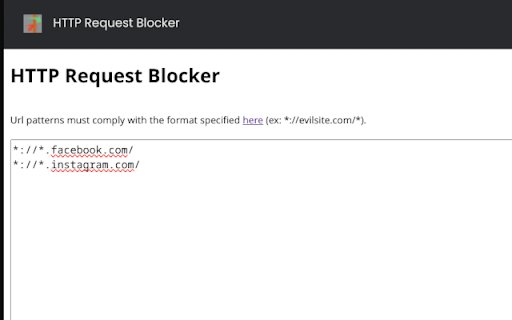
This extension blocks HTTP Request based on configurable URL patterns. The patterns must conform to this specification: https://developer.chrome.com/extensions/match_patterns.

Content Farm Terminator
Marks content farm links, prevents accidental visiting, and blocks content farms' ads and mallicious scripts. Content Farm Terminator has the following features: 1. Detects and marks hyperlinks targeting a content farm in any webpage, so that you can evade them easily. 2. Blocks any attempt to visit a content farm, so that you can evade them definitely. 3. A blocked page can be “View”ed within a sandbox with ads and scripts removed, so that you can investigate on them securely. 4. Customizable blacklists, whitelists, and graylists. Subscription of web blacklists is also supported. 5. A web page domain can be quickly blacklisted through the context menu on a page, a hyperlink, or a selected text.

Open Multiple URLs
Takes a list of web pages in plain-text format and opens them all in new tabs. How to: Paste the list into the text area (one website address per line), select your options and click "Open URLs". Permissions: - "Storage" permission in order to save settings and user input. - "TabGroup" permission in order to open URLs in new and existing tab groups. - "Search" permission in order to open standard search for input that is not a URL.

SingleFile
Save a complete page into a single HTML file SingleFile is an extension that helps you to save a complete page (with CSS, images, fonts, frames, etc.) as a single HTML file. Getting started - Wait until the page is fully loaded. - Click on the SingleFile button in the extension toolbar to process and save the page. - You can click again on the button to cancel the action when processing a page. Additional notes - Open the context menu by right-clicking the SingleFile button in the extension toolbar or on the webpage. It allows you to save: - the current tab, - the selected content, - the selected frame, - the selected link(s). - Select "Annotate and save the page..." in the context menu to: - Highlight text, - add notes, - remove content. - You can also process multiple tabs in one click and save: - the selected tabs, - the unpinned tabs, - all the tabs. - The context menu also allows you to activate the auto-save (after pages are being loaded) of: - the current tab, - the unpinned tabs, - all the tabs. - Right-click on the SingleFile button and select "Manage extension" to open the options page. - Upload pages to Google Drive/Dropbox/GitHub/WebDAV via the Destination section in the options page. - Enable the option "Misc. > add proof of existence" to prove the existence of saved pages by linking the SHA256 of the pages into the blockchain. - You can use the customizable shortcut Ctrl+Shift+Y to save the current tab or selected tabs. - And more! See the extension help in the options page for more detailed information about the options. Project on GitHub: https://github.com/gildas-lormeau/SingleFile

BLOCKoli - Web request blocker
For example, it can be used for the following situations: * In user support operations for web services, block modification requests (POST, PATCH, PUT, DELETE) to the target web site to prevent inadvertent modification of user data. * In web development, block specific requests and make them fail to check the system behavior. * When using a pay-as-you-go network, suppress communication charges by blocking request for image and media resources. Features: * Rule definition with flexibility - Rules can be defined to block or allow (exceptions to block) network requests based on domain, URL, request method, and resource type * Safe as only minimal permissions are required - Unlike many other network blocking extensions, this extension does not require permissions to read and change all your data on all websites or to read your browsing history * Work results can be checked - Users can view a list of rules that blocked or allowed requests within a specific tab The conditions for blocking or allowing, definable as rules, are as follows: * Request Domains * Initiator Domains * Request Methods * URL Filter * Resource Types In addition to the above, the following features are available * Export and import of rulesets
