
ebofompcnagohanhfjdojlbkaijfpndk

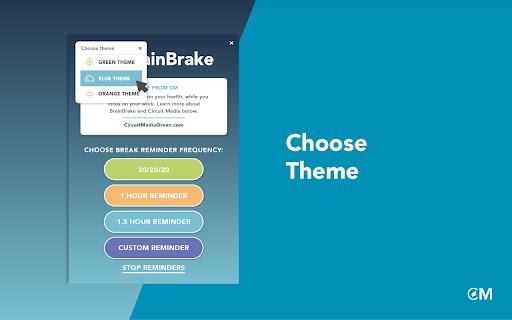

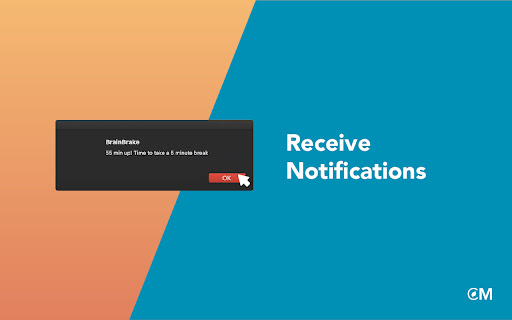
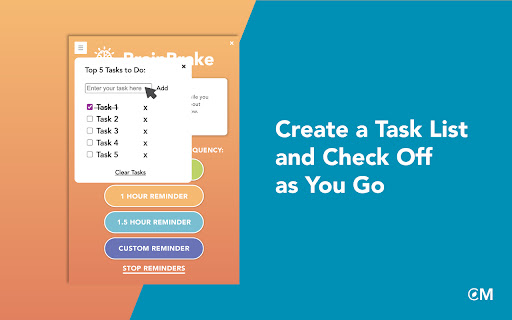
Circuit Media Green’s new browser extension, BrainBrake, is a customizable digital alert system that meets users where they already are - looking at their screens. BrainBrake was developed in support of Circuit Media’s overarching goal to support the health and wellbeing of the individual. This extension helps users maintain their personal and digital health goals by reminding them to stand, walk, move, or to otherwise address any health concerns at regular intervals. Our team followed CDC recommendations to create the most up-to-date health prompts designed to target eyestrain, back pain, circulation issues, general fatigue and brain fog, and other wellness issues that often plague computer users. What can you do on BrainBrake? • Set any of these preloaded reminders to regularly address your health needs: 20/20/20, 1 hour, 1.5 hour • Stop or start your reminders easily with only two clicks from the top of your screen • Access CM Green’s sustainability resources to better your digital and physical health daily BrainBrake is available to download and install on popular browsers including Edge and Chrome. The extension is easily adaptable to each user’s alert preference and can be stopped or restarted with ease. Take charge of your digital health today, and download CM Green’s new free BrainBrake browser extension!

Recipe Box
Recipe websites are notorious for many reasons. Chefs, like you, are overwhelmed with ads and units of measurement that aren't familiar to your kitchen. We scroll and pull out converters to make these delicious dishes. Shouldn't it be easier? This is where Recipe Box comes in. We're committed to changing your world with our lovely cooking extension to keep online recipes enjoyable and easy to navigate. Features: • Auto-scroll to the recipe card • Bookmark recipes and sort alphabetically Roadmap: • Organize bookmarks by dish type • Auto-convert to your preferred units • Divide recipe by an amount • Annotate recipes with your own notes We love recipes and their amazing creators. Hit me up with your ideas and features you'd love to see.

Take a Break
Take a Break is a Chrome extension that monitors and reminds you to take breaks periodically. Take a Break is your personal wellness companion for a healthier digital life. In today's fast-paced world, we often forget to prioritize our well-being while working on our computers. Take a break helps you make small yet significant changes in your routine. 👁️ Rest Your Eyes: Give your eyes the care they deserve. Regularly looking away from the screen helps reduce eye strain and keeps your vision sharp. 🚰 Stay Hydrated: Get timely reminders to drink water throughout the day. Proper hydration is crucial for maintaining focus and energy levels. 💆♀️ Stretch and Relax: Avoid the stiffness and discomfort of prolonged sitting. Reminders are broadcasted to take short breaks for gentle stretches and brief walks to keep your body and mind in harmony. With customizable intervals and friendly notifications, Take a Break ensures you maintain a healthy balance between screen time and self-care. Start taking mindful breaks, stay hydrated, and nurture your well-being effortlessly. Install now and experience the difference in your daily routine! What's new (v1.3.1) ✨ Do Not Disturb (DND) Mode Introducing Do Not Disturb mode — a new way to pause break reminders whenever you need uninterrupted focus. Whether you're in a meeting, presenting, or working on something important, you can now turn on DND to stop reminders temporarily. Once you’re ready, simply disable DND to resume your regular break reminders. ⏱️ “Next Break In” Timer Stay on top of your schedule with the new "Next Break In" display, showing exactly how much time is left until your next break. This new feature shows a live countdown to your upcoming break, so you always know how much time is left before your next reminder. It’s a simple way to stay aware of your routine without losing track of time. Update history v1.2.1 Introducing Advanced settings to that enables customizing break times and audio alerts. 1. You can now customize break times as per your comfort. Click on "Advanced settings" in the popup to expand the timings pane and adjust the duration for each type of break by dragging the slider towards left or right. 2. Enable audio alert to notify when the break ends. Lost track of time when you were relaxing during a break? No worries. You can now simply enable the "Break end notification sound" option in the "Advanced settings" and an alarm rings just before the break ends. Disabled by default. Toggle the switch to opt-in to the break end audio alert option. Make sure to click on the "Submit" button to save your changes.

clearspace
Clearspace: Your Chrome Extension for Mindful Browsing Navigating the digital world requires a balance between being connected and staying focused. With an abundance of distractions like social media and enticing websites, managing screen time effectively is crucial for mental well-being, productivity, and fostering healthy relationships. Clearspace for Chrome is designed to combat digital addiction and transform your browsing experience into one that's purposeful and less distracting. Why Clearspace for Chrome? Clearspace revolutionizes your browsing by eliminating distractions while keeping essential content accessible. Say goodbye to impulsive clicks and endless social media scrolling. - Block and Limit Websites: Easily block websites that you find distracting and set limits on your browsing time. - Social Media Doomscrolling Management: Implement session management to prevent excessive scrolling. - Habit Change: Use the pause-before-opening feature to reduce the influence of dopamine, leading to more mindful online habits. - Minimalist Design: Clearspace’s interface is straightforward, ensuring that your attention remains where it should. - Social Feed Blocking: Automatically block distracting feeds on social media sites, removing the temptation to endlessly scroll. - Reader Mode: Activate Reader Mode to strip away all distracting elements from a webpage, leaving only the text. This feature is perfect for those who want to concentrate on the content without the clutter of ads, pop-ups, or other distracting elements. - Combat Digital Addiction: Notice a significant reduction in impulsive website visits and an enhanced ability to engage in deep work and flow state activities. 1. Choose a website you wish to use less. 2. When attempting to visit, make a mindful decision – proceed or opt out? 3. Gradually, take control over your browsing habits. Digital Minimalism and Wellbeing: Clearspace for Chrome advocates for digital minimalism, allowing users to align their online actions with their intentions. Mindfulness practices are integrated to promote a balanced internet usage. Controlling screen time is essential for digital wellbeing. Clearspace for Chrome offers website limits, browsing control, and distraction blockers to combat digital distractions. Its minimalist design and effective features help reshape browsing patterns, reducing the impact of dopamine-driven website cravings. Consider Clearspace your partner in achieving a balanced digital lifestyle. It serves as a dietary guide for your digital consumption, a reminder to pause before making decisions, a browser fasting tracker, and a digital detox supporter.

َMind Body Tab
Get bite-sized mental and physical well-being tips whenever you open a new tab. Looking for a simple way to boost your wellness every day? Mind Body Tab, a Chrome extension, offers bite-sized prompts in your browser. Each new tab provides a fresh prompt to help you feel energised and ready to tackle the day. Whether you're stuck at a desk or powering through a busy workday, Mind Body Tab offers quick and effective boosts to help you succeed. Plus, you can easily share your wellness tips with friends on Twitter without pesky ads. Think of it as having a personal wellness coach cheering you on. Ready to upgrade your wellness game? Give Mind Body Tab a try and see how it can improve your life. This plugin contains: • Health & well-being prompts • Tips for a healthier you • A link to share any tip on Twitter • An option to toggle between light & dark mode
