
ebhkhdfjobinchlmkiokjkolihfppghk
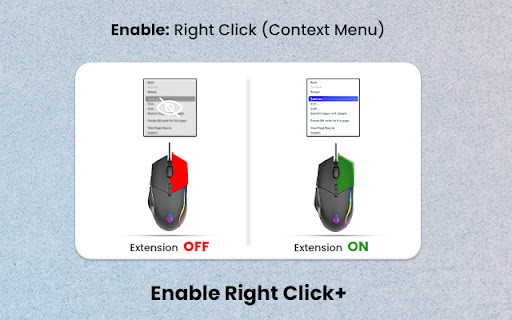
Enable copying on websites with copy protection: enable right-click and restore context menu functionality. Tired of websites restricting your ability to right-click and use the context menu? Look no further! Introducing Enable Right Click+, the ultimate solution to regain control of your browsing experience. 🔓 Unlock Restricted Features: This powerful Chrome extension allows you to enable right-click functionality on any website, giving you the freedom to copy text, images, and other content without limitations. Say goodbye to frustrating restrictions and hello to effortless browsing. 🖱️ Effortless and Intuitive: Enable Right Click is designed with simplicity in mind. With just a click, you can unblock the right-click option, making it easy to interact with web pages, save images, and access other context menu features without any hassle. 🛡️ Security and Privacy: Rest assured, your security is our priority. Enable Right Click is secure to use and doesn’t compromise your privacy. It’s a reliable solution that ensures you have the tools you need without compromising your online safety. ⚙️ Customize Your Experience: Tailor the extension to your preferences. Enable Right Click offers customization options, allowing you to choose which websites you want to enable right-click on. Enjoy a personalized browsing experience that suits your needs. 🌟 Why Choose Enable Right Click? - **Seamless Functionality:** Effortlessly enable right-click functionality on any website. - User-Friendly: Intuitive interface, making it accessible for users of all levels. - Secure: Trustworthy and safe, ensuring your online security. - Customizable: Adapt the extension to work the way you want it to. Say goodbye to restrictions and hello to browsing freedom! Enable Right Click+ now and take back control of your online experience. It’s time to browse without boundaries! 🚀

NoContext - Enable Right Click & Select Text
Bring back the right-click! Let me select text! Clicking on this extension will bring back your right-click context menu and ability to select text on websites that may have mangled its true purpose. When active for the current tab's domain, you'll see a red "!" badge on the corner of the icon. It will remember the domains you've activated previously and automatically activate when returning to those domains. (Some websites use multiple domains, so you may need to activate it for each of the subdomains, or use wildcards in the Options menu!) You can always click on the icon again to deactivate when visiting the current domain. Updates: 1.0.13 -- Better iframe handling. Settings now carry over into incognito/private tabs. 1.0.12 -- Convert past version domain lists to newer version. 1.0.11 -- Rollback due to missing back-compatible features. 1.0.10 -- Added advanced options to limit event overriding per domain. 1.0.9 -- Fixed issue with continued browsing on same tab. 1.0.8 -- Handles pages that lazy-load elements. 1.0.7 -- Domains list sorted. DOM body included in user-select restoration. 1.0.6 -- Some elements use CSS to disable user-select. This update re-enables them. 1.0.5 -- Updates to the Options page. 1.0.4 -- More functionality restored for websites using iframes. 1.0.3 -- Now works with web files from local files (URLs starting with "file://") and re-enables selection of text.

Right click allow - copy & save
Unblock right click menu, save as menu, highlighting and copying for all websites This extension re-enables right-click, copy, paste, and text selection on websites that block these features. Some sites disable these functions to prevent users from copying or pasting content, which is a misuse of browser capabilities. These features are meant to allow website owners to offer their custom context menus, not to limit user access to the browser's default functionality. ✨ How to Use the Extension Simply click the toolbar button if a site blocks right-click. That’s all it takes! This extension uses a non-persistent background script, meaning it only uses resources when the toolbar button is pressed. This makes it a more efficient option compared to other alternatives. 🖱️ Restores the default context menu based on the content (e.g., image or video context menus). ✂️ Re-enables copy and paste on sites that block these functions (unblocks clipboard access). 🔄 One-click toggle to enable or disable the extension. ⚙️ Automatically activates on user-specified websites. 🔕 Minimizes distractions by muting "window.alert" and other interrupting notifications. 📝 Unblocks text selection (overrides "user-select", "-moz-user-select", and "-webkit-user-select" properties). 🎯 Unblocks pointer events that have been disabled ("pointer-events"). 🖼️ Restores access to images within HTML5 custom elements. 🆓 Open-source and available on GitHub. 📱 Unblocks touch events on Android (including "touchstart" and "touchend").

Right Click Enable - Allow Copy
Right Click Enable - Allow Copy. Copy is enabled. Select and Copy "Right Click Enable - Allow Copy" is an extension developed for the Chrome browser. This extension is designed to remove restrictions that prevent users from right-clicking and copying content on websites. Some websites may disable functions such as right-clicking, text selection, and copying to protect their content or control the user experience. Such restrictions can be problematic for users who want to copy text or save images. The "Right Click Enable - Allow Copy" extension overcomes these barriers, allowing users to freely right-click, select text, and copy content on websites. The extension typically works with a simple enable/disable button, giving users the ability to turn this feature on or off whenever they want. These types of extensions are particularly useful for users who conduct research, create content, or gather information from websites. However, it is important to pay attention to copyright and ethical guidelines when using such extensions. Copying or using others' content without permission can lead to legal issues. Therefore, it is crucial to act responsibly when using the extension and only perform copying actions in permitted situations.

Allow Copy& Right Click
Many times we web developers like to see the resource or source code of any page. But many times it is seen that those pages turn off the source code option to not reveal its source code to anyone. You then have no way to access that source code or copy and paste any specific text on that page.With the help of our extension you can easily access the source code of any private page i.e. right click and inspect it. And you can copy and paste the URL of any picture, that page will not show you any obstacle. Our extension is very easy to use you can use this expander only with Active. [+] Features 1. It is very easy to use as it has no complications. 2. helps you to copy the text or paragraph of the page. 3. Does this extension allow you to right click. 4. This extension allows you to view the source code of that page. 5. Very lite and easy to use Extension. 6. Available for all browsers and platforms. 7. Very lite and easy to use Extension.
