
dpajfcckdohlcidmbjledcaenfkjaddo
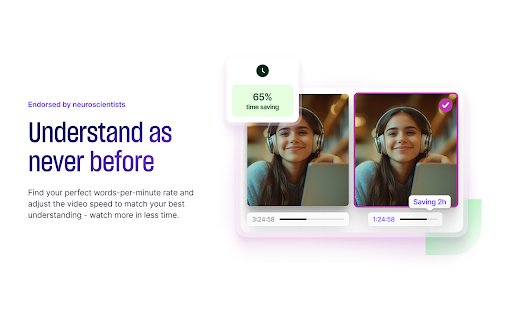


The AI-powered video speed controller with smart note-taking for YouTube, Coursera, Udemy, and more Saima is the ultimate AI video speed controller, designed to optimize comprehension and efficiency while watching videos. Whether you're learning, working, or just watching for fun, Saima helps you adjust video speed in real time, skip silences, and take interactive notes—all in one tool. - Struggling with fast speakers? Saima slows down or speeds up videos intelligently for your perfect words-per-minute rate. - Want to skip silences? Our AI removes awkward pauses to save time. - Need better focus? Volume equalization ensures clear, consistent audio. - Taking notes? Saima’s interactive note-taking lets you save, organize, and collaborate effortlessly. ✅ AI-Powered Video Speed Controller – Adjust playback speed intelligently to match your comprehension. Works on YouTube, Coursera, Udemy, and more. ✅ Skip Silences & Filler Words – No more wasted time on long pauses. Watch faster, retain more. ✅ Clear & Consistent Audio – Volume booster ensures voices are always loud and clear. ✅ Smart Note-Taking – Capture video notes, add timestamps, download PDFs, and collaborate in real time. ✅ Organized Workspace – Save videos with notes, create folders, and share insights with teammates. Perfect for: ☑️ Students & Lifelong Learners – Learn at your own pace and take better video notes. ☑️ Professionals & Teams – Speed up training videos and collaborate seamlessly. ☑️ Non-Native English Speakers – Slow down fast speakers for better understanding. ☑️ Anyone Watching Videos Online – Optimize your viewing experience across platforms. 💻 Works on: YouTube, Coursera, Udemy, EdX, and nearly all online video platforms. 🔒 Secure & Private: Your data is always safe with industry-standard encryption. https://saima.ai/privacy-policy https://saima.ai/terms-and-conditions Saima is a pioneering force in Voice AI, dedicated to enhancing understanding and interaction globally. From education to enterprise, our mission is to ensure everyone can understand and be understood, breaking down barriers and fostering a more connected world. 📌 Try Saima Premium Free for 1 Month! Get full access to all premium features.

Super Video Speed Controller
Adjust playback speed for any video. Video speed controller for your videos Super Video Speed Controller allows to increase or decrease playback sped on any web site. Features: 🎥 Work almost anywhere 🎥 You can adjust with presets or set a custom speed in percents 🎥 Use shortcuts Quick start: find "Super Video Speed Controller" icon by opened a menu under the "puzzle" icon in the toolbar.

Video Speed Controller Plus
Introducing Video Speed Controller Plus for Chrome, Firefox, and other browsers. Speed up or slow down videos on OTT platforms. Video Speed Controller Plus is a simple yet effective extension for slowing down or speeding up videos on websites such as YouTube, Netflix, Hotstar and many others. It can also be used on social media platforms. The extension is compatible with Chrome, Firefox, and other popular browsers. This extension tool is absolutely free. In addition, you can use the shortcut keys as well without having to open the extension (Make sure to pin it first). You can use the shortcut keys below: • Download the Video Speed Controller Plus extension. • Pin it to the extension bar. • Open any desired OTT platforms. • Use the shortcut keys or the extension’s pop-up window to adjust the playback speed of the video.

Video Speed Controller
Control the playback speed of HTML5 videos. Video Speed Controller is a lightweight and powerful Chrome extension that allows you to quickly and easily control the playback speed of any HTML5 video player. Whether you're watching videos on YouTube, Netflix, or any other platform, you can now speed up or slow down playback to suit your preferences. 1. Customizable keyboard shortcuts: Set your desired keys to increase or decrease playback speed, reset speed, rewind or advance the video, and show or hide the speed controller. 2. Save settings per tab, domain, or across all tabs: Choose how you want to save your playback settings. Keep them for a single tab, apply them to a single domain (e.g., YouTube), or make them the default for all tabs. 3. Speed indicator: See the current playback speed in the top left corner of the video player. Hover over the indicator to reveal the controls or use your custom shortcuts. 4. Works on any website with an HTML5 video player: YouTube, Netflix, Vimeo, Facebook, and many more! 5. Easy to use: Install the extension and start using it right away – no need to refresh the page or restart your browser. Instructions for use: 1. Install the Smart Video Speed Controller extension. 2. Navigate to any page with an HTML5 video player. 3. Use the custom keyboard shortcuts or hover over the speed indicator in the top left corner to control playback speed. 4. Click the extension icon in your browser toolbar to access settings and customize your shortcuts or choose how to save your playback settings. Get the most out of your video-watching experience with Smart Video Speed Controller. Enjoy faster or slower playback, depending on your preferences, and easily switch between different speeds with just a few keystrokes. Say goodbye to slow-loading videos and tedious buffering – download Smart Video Speed Controller today!

Web Video Speed Controller
**Web Video Speed Controller Extension** Easily control the speed of any online video. (Accurate to 0.01x speed, up to 16x speed!) Easily operable via: a) clicking on floating UI/interface to control speed b) or using keyboard shortcuts only, c) or by mouse only (hover mouse over video and scroll for speed control) (double right click to reset speed). 1) Download extension. 2) PIN THE ICON for easy access. [YOU CAN TURN OFF THE MOUSE CONTROL FUNCTION FROM HERE] 3) Click on the Icon for initial personalization. 4) Visit video streaming websites and enjoy. - **Universal Compatibility:** Whether it's YouTube, Vimeo, Bilibili, Youku or any other platform that uses a standard video player, this extension has you covered. **Precise Adjustment:** Modify playback speed with unparalleled accuracy - accurate to 0.01x, supporting up to 16x speed! - **Completely Free:** Experience ultimate playback control without paying, and if you benefit from the fine-tuning speed plugin, feel free to donate to support the developers! 1. Adjust video playback speed: increase, decrease, or reset to standard rate. 2. Customizable keyboard shortcuts supported. 3. Convenient mouse control: hover the mouse over the video to fine-tune the speed. 4. Support customizing your own speed increment. 5. Double-click the right button to quickly return to the original speed. 6. Supports remembering your selected playback speed and applying it to all videos. 7. The on-screen control panel displays real-time playback speed. 8. Four theme colors are available. 9. The on-screen control panel has five different display styles, including hiding the entire control panel.
