
dooinopjfnhlmmdkdepajfipfhlcmjgp

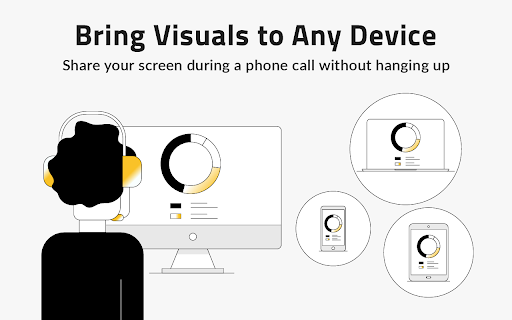


Easier screen sharing. No app needed for viewers, even on their mobile. Record your screen or webcam. Instant and Easy Screen Sharing straight from your browser. Share screen without download for the viewer. Share screen with your customer as easily as you make a phone call. Viewers never need to install any software, even on mobile. Let your customer remote control your screen to "kick the tires" if needed, or fill in forms. Record your meetings or create a screencast or webcam capture, with cloud video storage. Easily download videos, or share screen recordings as an animated preview in your sales emails. You can also use CrankWheel to record work such as Figma prototypes and export them to MP4. Key Features: Share screen with anyone in seconds. No Downloads Needed: Recipients can see your screen without any downloads or sign-ups. Real-time preview of user engagement: See how the viewer engages with the screenshare and get alerted if the viewer is not paying attention. Cross-Platform Compatibility: Screen share from PC, Mac, ChromeOS or Linux, to any device or operating system. Sharing Options: Desktop screen sharing, share an application window or a browser tab. Remote control: Give the viewer control over the screen share. Projector: Stream HQ video clips without stutter. Screen Recorder: Record your screen and share the video. CrankWheel’s web-based screen sharing is designed to deliver an easy screen share experience for both you and your viewers. No technical skills are required to join a session, your viewer clicks one link and can see your screen in seconds. Use Cases: Whenever you need to share your screen, wherever your client is. Your clients can see your screen on their computers or their tablets. You can even share your desktop to mobile when the client is not in front of the computer. Ideal for sales presentations, customer support, remote training, and team collaboration. CrankWheel makes your calls easier, allowing you to share information effectively, regardless of your viewer's technical expertise or the device they are using. CrankWheel is used to sell insurance and solar panels remotely and to add visuals to the digital marketing sales pitch. Add the extension to Chrome now and power up your cold calls with visuals. CrankWheel is free for limited commercial use for any number of users hosting up to 15 meetings per month, with enterprise-class features such as single sign-on (SSO), custom domains, white labeling, audit logging and CRM integration available on paid plans. Phone conferencing from our partner service ConferenceCall.co.uk is integrated in CrankWheel. There is no subscription fee for this service, but for some dial-in numbers, there is a per-minute fee. Please see a full list of numbers and rates at http://bit.ly/ccuk-numbers. We use the data we collect only to improve our screensharing services to benefit our users. Only for those enterprise customers that opt into the optional audit log or content filter features, we collect browsing history while screen sharing to enable these features. Also, only for accounts that specifically opt into sending us crash reports for diagnostic purposes, we collect crash reports using a 3rd party provider named Sentry, and such crash reports could potentially include personal data. Read our full privacy policy at http://crankwheel.com/privacy-policy/

Screen Recorder, Webcam Recorder - Dubb Video
Break communication barriers with personalized, trackable video messages sent via Gmail, Outlook, LinkedIn, SMS, and more. The Dubb Chrome Extension lets you create trackable screen recordings to communicate your ideas through video effectively. Professionals in sales, marketing, business development, customer service, and more use Dubb to add video personalization to their communication, increasing client happiness and sales growth. With the Dubb Chrome Extension, you can effortlessly create and share: Here are the key benefits of using Dubb: - Personalize communication using video - Provide trackable video messages to determine what's effective - Increase overall email reply and engagement rates - Increase sales rates - Boost referral rates The Dubb Chrome Extension lets you record, share, and track authentic video messages! With features like an AI writing assistant, teleprompter, annotation tool, customized landing page, and interactions via Gmail, Outlook, and LinkedIn, you can increases your connections, conversations, and conversions by 30-300% today! Install the Dubb Chrome extension to get started. Your clients are waiting.

Click-to-Call for Web and CRM
Click to Call dialing from web pages, integration with any softphone, screen pops in Salesforce and other CRMs Click-to-Call for Web and CRM, also known as Click2Call or Click-to-Dial, allows you to click phone numbers on any webpage and quickly make a call. The Click-to-Call for Web and CRM extension by Thirdlane transforms phone numbers on web pages into clickable links for easy dialing and integrates seamlessly with various CRMs and Service Desk applications. With the Click-to-Call for Web and CRM extension, you can: - Use Click-to-Call with or without Thirdlane Products. The extension works best with Thirdlane PBX or Thirdlane Multi-Tenant PBX when paired with the desktop version of Thirdlane Connect. When used with Thirdlane PBXs, it supports desk phones, mobile phones, and desktop softphones connected to your telephony server. You can also use the extension with any other compatible telephony system. - Streamline Click-to-Call functionality while working inside your CRM. Log in to your web-based CRM, and the extension will automatically identify callers or contacts during active calls. It displays contact or lead information (screen pop-ups) for enhanced productivity. - Use it with popular CRMs like Salesforce, Zoho, Zendesk, Freshdesk, and more. Don’t see your CRM? Let us know, and we’ll be happy to add support for it. - Easily add call notes to your CRM. Add notes for all incoming and outgoing calls directly from the extension, keeping your CRM updated effortlessly. - Combine Click-to-Call for Web and CRM with Thirdlane Connect. Use the extension for Click-to-Call functionality and Thirdlane Connect for voice and video calls, instant messaging, video conferencing, and CRM integration. Click-to-Call for Web and CRM offers seamless integration, flexibility, and efficiency, helping you save time and boost productivity. Whether you're using it for CRM workflows or general web dialing, this extension is your perfect companion.

Calendly: Meeting Scheduling Software
Schedule meetings without the hassle. Never get double booked. Calendly works with your calendar to automate appointment scheduling. With any Calendly account (free or paid plans), you can use Calendly’s extension for Chrome to: - Access Calendly in one click from anywhere on the web - Find and share your scheduling links - View and manage your meetings - Keep track of your contacts and meeting history - Book meetings in real time, including follow-ups and handoffs - Add available time slots directly into your emails - Create one-off meetings, single-use links, and group meeting polls - Integrate with Gmail, LinkedIn, Google Calendar, and more ABOUT CALENDLY Calendly simplifies personal and professional scheduling for more than 20 million users worldwide. Calendly delivers a robust and intuitive scheduling platform that helps our customers close deals, land candidates, build relationships, and grow their business—faster.

Streak Mail Merge for Gmail
Send personalized, tracked mass emails and follow-up sequences in Gmail. ✉️ SEND PERSONALIZED EMAILS AT SCALE - Create and send mass emails that feel 1:1 - Insert dynamic fields like first name, company, or custom notes - Reach dozens or hundreds of contacts in just a few clicks 💫 AUTOMATE FOLLOW-UPS - Schedule automatic follow-ups for unopened or unreplied emails - Write your entire sequence up front and let Streak handle the rest - Customize timing and content to match your workflow 👋 TRACK ENGAGEMENT - See who opened, clicked, or replied to each email in the sequence - Monitor campaign performance in real time - Compare results across campaigns to see what’s working 🤝 WORKS DIRECTLY IN GMAIL - No switching tools or platforms—send from the inbox you already use - Use with Google Sheets to import recipients and data - Works seamlessly with Gmail labels and drafts 💁WHO IT’S FOR - Sales and business development teams doing cold outreach - Founders and marketers running small-scale email campaigns - Recruiters, fundraisers, and customer success teams 🤝 WORKS ALONE OR WITH STREAK CRM Start conversations with mail merge, then track replies and outcomes in pipelines using Streak CRM - https://chromewebstore.google.com/detail/streak-crm-for-gmail/pnnfemgpilpdaojpnkjdgfgbnnjojfik 📌 Install & Get Started 1. Click “Add to Chrome.” 2. Authorize Streak in your Gmail account. 3. Compose an email and turn email tracking on
