
dnlffelklagnbdjpcbhfdbangccjmhhh
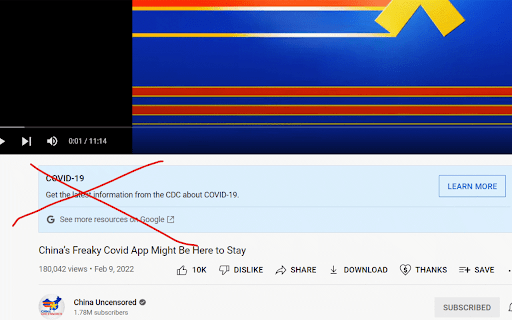
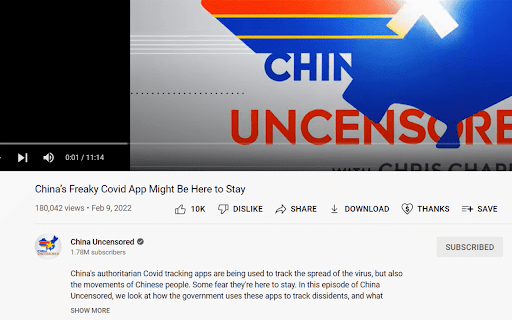
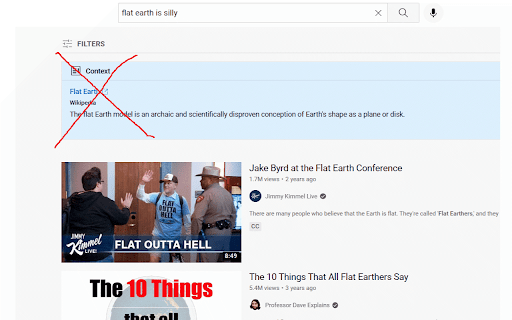
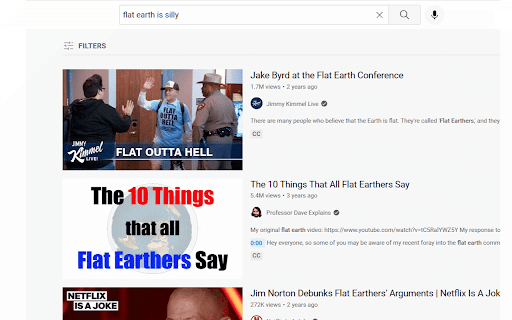
Just a plugin to de-clutter YouTube's watch page by removing the context (aka clarify) box. I just want to get rid of all the clutter going on :)

Hide Google AI Overviews
This browser extension is designed to enhance your browsing experience by removing AI-generated overviews from Google search results. Recognizing that not all users appreciate the AI-powered summaries and insights which can clutter search results, this extension offers a clean, streamlined interface that focuses solely on traditional results, allowing you to easily turn off AI Overviews. Note: This project is open source. If you have privacy concerns or want to contribute, view the source code here: https://github.com/zbarnz/Google_AI_Overviews_Blocker

ShortsBlocker - Remove Shorts from YouTube
SHORTSBLOCKER CHROME EXTENSION ===================================== This extension removes all Shorts videos from the YouTube homepage, tabs, search, explore, and subscriptions. Good news! The free version of ShortsBlocker continues to work exactly as before. All core Shorts blocking functionality remains completely free for personal use. Free Features: * Blocks Shorts across YouTube * Lightweight, fast, and easy to use * No account required Premium Features: * Advanced customization settings * Daily Shorts limit (control how many Shorts you can watch per day) * Scheduled blocking (block Shorts on selected days and times) * Channel whitelist (allow Shorts only from selected channels) * Blocked Shorts statistics (today, weekly, total) with time-saved tracking * More premium features coming soon Please Note: The free version works great for most users and will continue to be maintained and updated. Only purchase premium if you need advanced customization. * Unauthorized commercial or institutional use violates our Terms of Service. * Personal, non-commercial users are welcome to continue using ShortsBlocker for free. ===================================== UPDATE 3.6.1 ===================================== * YouTube is changing the way Shorts are displayed, which broke the extension. * Fixed various bugs and stability issues. 👉 Please report any bugs you encounter so I can address them quickly. Love the extension? Give us a rating! ===================================== FAQ ===================================== 1. What information do you collect? * We do not collect any personal data from free users. Premium users require basic account information for authentication purposes only. 2. Do I need the premium version? * Most users are completely satisfied with the free version. Only upgrade if you need the advanced customization options. * Businesses, schools, or universities: License required. ===================================== CHROME PERMISSION JUSTIFICATION ===================================== 1. Single purpose: The extension runs on YouTube.com and adds additional features. 2. Host Permission: Used to access information and run content scripts on the YouTube website. 3. Storage Justification: Used to access and store extension settings that users can toggle manually using the popup interface.

Remove youtube video radius / rounded border
Removes the rounded border added to Youtube video as of August 2023 Remove the recently added border radius on YouTube videos with this simple and effective Chrome extension. Released in August 2023, YouTube's updated video player design includes rounded borders, which some users might find distracting. This plugin reverts the video player back to its classic sharp edges. Focused Functionality: Specifically designed to remove the border radius on YouTube videos. Privacy First: No tracking or data collection. The extension only applies to youtube.com. Lightweight and Efficient: No unnecessary features, ensuring your browsing experience remains fast and smooth. Support My Work: If you find this extension useful, please consider supporting me by buying me a coffee at buymeacoffee.com/brmwch. Your support helps me create more useful tools like this one. Version 1.0.14 - Featured video on profile page radius updated to 0. Version 1.0.15 - September 25 - Thumbnails in sidebar now respect 0 border radius. October 2025 update ----------------------------------- Currently working on an update to this plugin, they've redesigned youtube AGAIN. So will probably take a few days (as of the 15th October) to get the unrounded borders back. Thanks for your patience.

DeArrow - Better Titles and Thumbnails
Crowdsourcing titles and thumbnails to be descriptive and not sensational DeArrow is a browser extension for crowdsourcing better titles and thumbnails on YouTube. The goal of DeArrow is to make titles accurate and reduce sensationalism. DeArrow is a paid (if you want) browser extension. You can purchase an unlimited-use license key for 1$. However, if you cannot, or do not want to pay, you can use the extension by clicking the "I can't/don't want to pay" button. Titles can be any arbitrary text. Thumbnails are screenshots from specific timestamps in the video. These are user submitted and voted on. By default, if there are no submissions, it will format the original title to the user-specified format, and set a screenshot from a random timestamp as the thumbnail. This can be configured in the options to disable formatting, or show the original thumbnail by default. If the original thumbnail is actually good, you can still vote for it in the submission menu, and then it will act like a submission. No more dealing with clickbait, arrows, or annoying faces. Users can submit better titles and thumbnails for each video and vote on them. How does DeArrow differ from Clickbait Remover for YouTube - Unlike Clickbait Remover, DeArrow's main purpose is for crowdsourcing better titles and thumbnails - When a crowdsourced title is not available, DeArrow will auto-format it according to your setting, but does it in a more sophisticated way than Clickbait Remover. Instead of only setting all words to lower case, or capitalizing every word, DeArrow supports casing systems such as "Title Case" and "Sentence case". These will still allow acronyms and proper names to remain capitalized. - When a crowdsourced thumbnail is not available, DeArrow by default shows a screenshot at a random timestamp in the video. Clickbait Remover's thumbnails use YouTube auto-generated thumbnails, and while they are seemingly random, they are chosen by a machine learning algorithm to favor faces with expressions, and other overstimulating features. DeArrow uses truly random timestamps generated by its own server. DeArrow will also check the SponsorBlock database to ensure the randomized thumbnail is not inside of a sponsor segment. Access your data for youtube.com, www.youtube-nocookie.com: - Used to modify the YouTube webpage
