
dneionnnnjnofppmhcccbiaklandilch
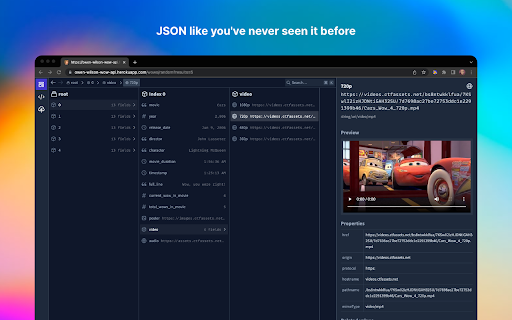

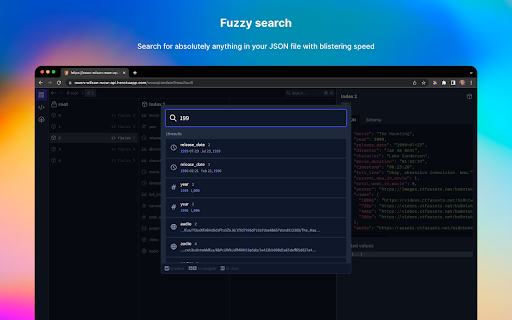


A beautiful JSON explorer packed with features JSON Hero is an open-source, beautiful JSON explorer for the web that lets you browse, search and navigate your JSON files at speed. The JSON Hero Chrome extension allows you to quickly send JSON to view in JSON Hero. Or turn on *auto-mode and any pure JSON responses in Chrome will be transformed into a JSON Hero view. This extension will also allow you to send JSON from a Github file or a Firestore document right to JSON Hero. Just activate the extension in the toolbar whenever you are viewing a JSON GitHub file or a Firestore document in the Firestore console and they'll open in JSON Hero. * By turning on auto-mode any pure JSON responses will be automatically sent to jsonhero.io. If you are running a custom instance of JSON Hero, you can change the server URL in the extension settings.

JSON Crack Formatter
Visualize your JSON data into graphs. A fork of the original JSON Formatter Chrome extension with a JSON Crack visualizer.

Virtual Json Viewer
JSON browser extension with virtual DOM, search and JQ filtering Features - **Extremely fast** JSON rendering using virtual DOM - Full text search - JQ filtering - JSON Lines support - Shareable URLs - Customisable theme and settings - Prettify/minify - Raw JSON viewer - Download JSON Bugs and suggestions https://github.com/paolosimone/virtual-json-viewer/issues Note: JQ filtering availability relies on WebAssembly and is subject to website Content Security Policy

JSON Beautifier and Editor
Display JSON objects by transforming them into Syntax editable highlighted HTML to validate, format, and save This extension monitors JSON pages and converts them into a human-readable object. You can view, edit, search through values and keys. You can even change the format of a key or drag it into a new place. There is no need to do anything after installation. Just open a JSON page and the extension automatically converts the page into the editor mode. As of version 0.2.0, the extension uses a dark theme if your browser's default theme is dark. FEATURES ► Supports both JSON & JSONP formats ► Has light and dark syntax highlighting themes ► Supports collapsible trees ► Converts text links into clickable URLs ► Supports raw, code, and parsed JSON views ► Keeps expanded structure when refreshing the JSON page ► Copy Object Path ► Copy Outer JSON ► Copy Inner JSON ► Open a new editor to write a new JSON object ► Open a new editor from selection text (right-click context menu) ► Supports large numbers (BigInt, BigFloat, ...) Change Logs: 0.1.3: 1. It is now possible to beautify local (file://) JSON files. 2. Extension now uses "persistent = false" background page (event page) to have no performance effect when it is not used. 0.1.6: 1. It is now possible to change the view mode to "Tree", "Code", and "Text" modes. The coding mode is useful to edit the raw JSON, and the text mode is useful to copy the raw data. The default view is the tree view which displays the JSON in a formatted and highlighted format.

Tailwind Cheat Sheet Extension
The Chrome Extension for Tailwind Cheat Sheet Chrome extension to easily access Tailwind's classes. The extension provides following features: 1. Easily accessible tailwind classes 2. Click on the class to copy the same to clipboard 3. Search for classes 4. Open Source 5. Supports dark and light theme
