
dmgkiikdlhmpikkhpiplldicbnicmboc
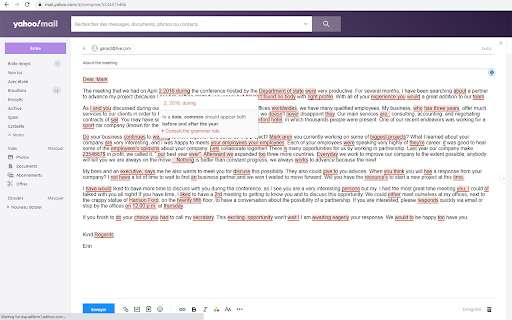

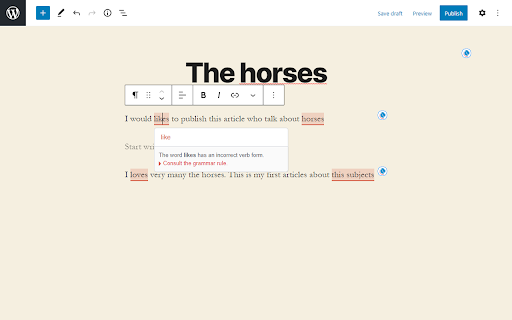
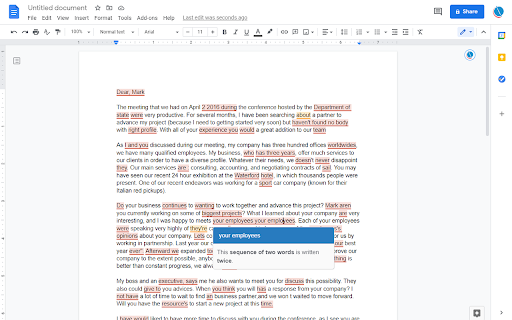

Scribens is a grammar checker and a writing assistant. The mistakes are directly highlighted in your text! Correct your spelling mistakes on more than 500 sites and apps. On a text area of a site, left-click on the Scribens icon in the upper right corner to start the correction. To rephrase a text, place your mouse over the Scribens icon, and then click on the magic wand icon. The Premium version provides unlimited corrections.

AI Text Proofreader
Effortlessly Proofread and Polish Any Text with AI This tool offers a free trial quota to help users instantly correct grammar, spelling, and punctuation errors. It is an effective AI text proofreader online designed to support teachers, students, and professionals in refining their written content with just a few clicks . Whether you are drafting a quick email or a long report, the system ensures your message is mistake-free and professional . Beyond basic corrections, this online writing clarity tool provides actionable suggestions to improve the flow and style of your sentences . Users can easily transform their writing into a more formal tone or optimize it for better readability and impact. By using this comprehensive grammar and spelling checker, you can ensure that your lesson plans, essays, or newsletters are polished and clear for any audience .

Wordeep Proofreading
Wordeep will automatically correct your grammar and spelling mistakes. Use our grammar checker to improve your writing, find all the grammatical and spelling errors, and more. Wordeep is an artificial intelligence extension that helps you improve your writing, as you type on the computer. Simply install the extension and surf any website to see the magic happen. This is more than a spelling or punctuation correction: * You are welcome to compare it to tools like Grammarly, ProWritingAid, Ginger, Whitesmoke, and others. * It catches three times more errors than other tools. * All data is secured without human intervention. For any feedback or support, please write to us on our website. We love to get feedback. See our Google Docs extension as well: https://chrome.google.com/webstore/detail/nhedncoeppgaelddhokmikcaecmppgmh For all browsers support see here: https://wordeep.com/browsers By installing this extension, you agree to our Terms and Conditions and Privacy Policy: https://wordeep.com/privacy-and-terms.

Webpage Spell-Check
Instant spell-check on any web page Are you a web developer, and have ever sent a page to a client with spelling error or typo? Or you are just a cautious one who is afraid to let this happen one day? If yes, then this small extension is just for you. It lets you check the spelling directly on the web-page in Chrome. This way you can easily identify and fix the errors which gets missed in your favourite HTML editor even when it has also spell-check support. As this uses the Google Chrome spell checker, so it also shows the you corrections for the typo and spelling mistakes and let you edit the typos directly in the web-page. Not working? More help and tips here: https://blog.syedgakbar.com/webpage-spell-check-extension/

Grammar.com
Check your text and writing for style, spelling and grammar problems everywhere on the web All the grammar you need to succeed in life! Enhance your writing everywhere on the web! Grammar.com will make sure your messages, documents, and blog media posts are clear, error-free, and professional. Adding the Grammar.com extension to your browser means that your spelling and grammar will be corrected and verified on your web-based email, Facebook & Twitter, and anywhere else you communicate on the internet. To use this extension simply select the text you'd like to verify and click on the extension icon. A pop-up window will open with all possible grammar corrections and suggestions for the selected text. Note: The extension will not work in tabs that were open prior to installation. After installing this extension, either reload your open tabs or restart Chrome.
