
dmepcloocblpigpjieldeemoaeifkcmg
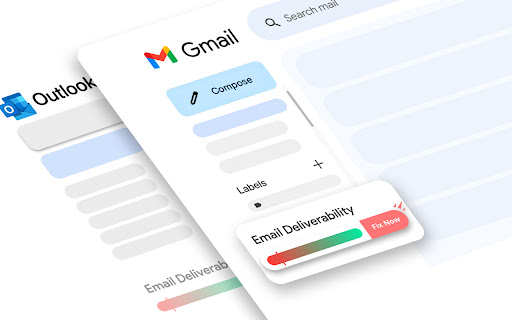
Checks if Your Sent Emails are going to Spam? So if they’re, it takes them to Inbox for You Email Spam Checker to Use for Free. Checks if Your Emails Are Going to Spam, So if they're, it takes them to Inbox for you.

MailGenius: Email Deliverability Tracker & Email Spam Tester
Boost your email campaigns’ deliverability with MailGenius, the ultimate Chrome extension for increasing email deliverability. Boost your email campaigns' deliverability with MailGenius, the ultimate chrome extension for ensuring email deliverability. Improve your email outreach and avoid the spam folder with our comprehensive suite of tools. MailGenius helps you identify and resolve issues that may affect your email deliverability, including: ✅ SPF Validation: Ensure your SPF record is correctly set up. ✅ DKIM Verification: Verify that your emails are properly signed with DKIM. ✅ DMARC Implementation: Confirm that your DMARC is aligned with SPF and DKIM settings. ✅ Reverse DNS Check: Ensure the sending IP matches the HELO FQDN. ✅ Domain Suffix Check: Validate your domain suffix to avoid issues with uncommon suffixes. ✅ Blacklist Monitoring: Ensure your IP, domain, or links are not listed on major blacklists. ✅ Domain Age Assessment: Evaluate the age of your domain to address deliverability challenges. ✅ Broken Links Detection: Identify and fix any non-working links in your email. ✅ Short URLs Review: Check for short links that could be marked as spam. ✅ Subject Line Optimization: Get advice on optimizing your subject line's length and structure. ✅ List Unsubscribe Header: Verify that your email includes a one-click unsubscribe option. ✅ HTML Best Practices: Analyze your email’s HTML for elements that may resemble spam. 🔑 Spam Analysis: Identify and resolve elements that trigger spam filters to improve email deliverability. 🔑 Real-Time Diagnostics: Access up-to-date data and personalized recommendations for your email campaigns. 🔑 User-Friendly Interface: Easily navigate powerful tools designed for both beginners and experts. 🔑 Privacy Assurance: Your data security is our priority; MailGenius ensures your email content remains confidential and secure. MailGenius is perfect for marketers, businesses, and individuals aiming to optimize their email outreach. Why MailGenius Chrome Extension? ⏳ Save Time: Quickly identify and fix deliverability issues with our easy-to-use tools. 📈 Improve Results: Enhance your email campaigns' effectiveness with actionable insights. 🔒 Stay Secure & Compliant: Ensure your emails follow best security practices and compliance guidelines.

Gmail AI Email Assistant - Mailmeteor
Meet an inbox that organizes itself, drafts replies for you, and writes alongside you. All without leaving Gmail. Mailmeteor for Gmail helps you save hours every day in your inbox. It brings powerful features to your Gmail workflow, such as: 🏷️ Auto-labels emails to help you focus 📝 Auto-drafts replies in your tone 💌 Mail merge directly from Gmail ✔ Email tracker to know when your emails are opened ⏰ Inbox time to monitor your time spent on emails 🗂️ Search and export emails in one click Most features are free to use. Upgrade to send more emails, get additional AI credits, and access advanced features, like email tracking, attachments, Autopilot, and more. - Best-rated add-on for Gmail - 7 million users on Google Sheets, rated 4.9/5 - Trusted by teams at Spotify, Uber, Pinterest, Shopify, and Change.org - Recommended by Google This extension works exclusively in Gmail, where your work happens. No need to add extra tools or switch to a different dashboard or SaaS. ➤ AI Email Assistant, including email categorization, drafts replies, email writer, and more. ➤ Email Tracker to know when your emails are opened or clicked ➤ Mail merge inside Gmail ™. We maximize your email deliverability and send emails directly from Gmail ™. ➤ Follow up with ease in Gmail ™. Send automated follow-ups in one click, without your recipients knowing. ➤ Designed to respect your privacy. ✓ AI Email Assistant built into Gmail ✓ Mail merge, with analytics ✓ Email Tracker (opens and clicks) ✓ Auto follow-up: send a reminder when not opened, not replied… ✓ Bounces detection: make sure you don’t follow up to dead email addresses ✓ Hubspot / CRM integration ✓ CSV emails export ✓ Available in English Once you've installed this extension, you'll be invited to enable AI Email Assistant features immediately. Alternatively, you can enable it by following these steps: 1. Access the Settings > Add-ons > Mailmeteor settings 2. Turn on the AI Email Assistant feature 3. Fine-tune the email categorization, pre-drafts, and other settings. Once enabled, your AI Email Assistant will: - organize your inbox, with smart labels - draft replies to important emails (to respond) - help you write emails faster Once you've installed this extension, here's how to send mass emails in your Gmail inbox: 1. Select the "Campaigns" tab, underneath Inbox / Starred / Sent 2. Click on "New campaign" 3. Write your email and select recipients 4. Once you're ready, send yourself a test email or preview 5. Click "Send emails" Your recipients will receive the emails just as you would have sent them, and your emails remain accessible in the "Sent" tab of your Gmail account. Once you’ve installed this extension for Gmail, here’s how to follow up in Gmail: 1. Compose a new message as usual 2. Instead of clicking on “Send”, click on the caret and select “Send with a follow-up” 3. Select a follow-up template or write a new message 4. Define when the follow-up should be sent (e.g. 3 days later, if no reply) 5. Click send SUPPORT AND DOCUMENTATION You will learn: ⚑ The best time to follow up with a prospect ⚑ A wide selection of email templates ⚑ Gmail best practices to improve your deliverability And also, everything you need to know before doing a mass mailing in Gmail ™, such as: ⚑ How to send mass emails in Gmail ™ ⚑ How to send mass customized emails with Gmail ™ ⚑ How to send a mass email without showing addresses in Gmail ™ ⚑ How to use your Gmail ™ contact list to send emails ⚑ Why Mailmeteor is better than Gmass, Lemlist, Yamm, Streak and Mailsuite FREE FOR EDUCATION Have a .EDU email address? Mailmeteor provides free licenses for students and staff, as part of its Education Program. Learn more: https://mailmeteor.com/education-program Mailmeteor turns your Gmail inbox into a complete email marketing solution: ✪ Follow up with ease to make sure your recipients reply ✪ Templates to reuse your best follow-up messages ✪ Skip following up when the recipient replies ✪ Bounce detection: remove invalid email addresses ✪ Mailmeteor Dashboard to do even more with your emails You can use Mailmeteor in many different ways. Here are some examples: ➤ Sales & Marketing: to boost your conversion and re-engage your leads at scale ➤ Customer care: to make sure a ticket is closed ➤ Finance: to put an end to unpaid invoices ➤ Marketing: personalized thank-you emails to HR recruiters, crowdfunding supporters, Product Hunt, business angels, friends & family. ➤ Job hunt: follow-up after an interview and make sure the recruiter doesn’t forget about you ➤ PR: Bump your email to the top of journalists' or influencers' inboxes. ➤ Email No Code: follow up with prospects without a line of code ➤ Events: Inviting people to an event (webinar, wedding, job-dating, fair, conference, meetup...) and reducing no-shows by sending a reminder shortly before the event. Here are the features we have built thanks to your feedback: ✓ Send newsletters in Gmail ✓ Multi follow-ups & email sequence ✓ Follow-up with images & attachments ✓ Templates management to write emails faster ✓ Open & Click Tracking ✓ More follow-up triggers, such as open/no-open ✓ Cold emailing & Mail merge in Gmail Mailmeteor complies with privacy laws (especially GDPR) to protect your data. Learn more about how we respect your privacy in our Privacy Policy in our Security center: https://mailmeteor.com/security Mailmeteor is audited by Google every year for optimal security. We're CASA Tier 3 compliant, with SOC 2 certification in progress. Gmail and Google are trademarks of Google Inc. Use of these trademarks is subject to Google permissions.

Email Verifier by Snov.io
Check email addresses found on any page online with Snov.io's free Email Verifier tool. Check email addresses found on any page online with Snov.io's free Email Verifier tool. ✔️ Verify emails of website owners, bloggers, and sales prospects in just a click of a button. Snov.io Email Verifier tool helps find out if the email is real, whether you want to verify a single email address or validate email addresses in bulk. And it's all done right in the extension! 📬 This Email Verifier removes invalid email addresses and reduces bounce rate, so you don't waste time and money on sending to non-existent email addresses. With this extension you'll always be sure your email gets to the recipient. 👍 Verify a list of email addresses right in the extension - simply select emails found on the page, type in an email, or copy and paste multiple emails and click Verify. You can even save found and entered emails in separate lists for easy contact management. Combine with Snov.io's Email Finder tool for an even easier lead search and more sales and marketing opportunities. 💜 Email Verifier permissions 1.""tabs"" - for using chrome.tabs API (getting bookmark links, creating new tabs with our link) 2.""http://*/"", ""https://*/"" - access to all sites to receive page content, for email search on pages (alternative to all_urls) 3.""cookies"" - session recovery via cookies from app.snov.io 4.""storage"" - storage of found emails lists 5.""unlimitedStorage"" - removes the limit on the number of emails stored in the Сhrome storage 6.""notifications"" - push notifications after the email verification is completed.

Email Checker
Use Email Checker to verify email addresses instantly. A powerful email validator for accurate and reliable verification. 📧 Email Checker: The fast Google Chrome extension for Email Verification in a few clicks In today's fast-paced digital world, managing emails efficiently is essential. Whether you're a business owner, marketer, or just a modern person, verifying email addresses can save you time and money. 🌟 Why Use Email Checker? Email Checker is a cutting-edge tool designed to help you check emails and ensure their validity. With this email-checker, you can quickly review Gmail accounts, validate addresses, and even perform bulk checks for your entire contact list. ✨ What makes Email Checker stand out? • Easy to use with a simple interface • Accurate and reliable email address checker • Helps avoid bounce rates and ensures communication efficiency 1️⃣ Email Verifier • Verify addresses instantly. • Check the validity of your mailing list with our powerful algorithm. 2️⃣ Bulk Email Verifier • Save time by checking a list at once. • Perfect for businesses and work. 3️⃣ HTML Email Verifier • Ensure that an HTML email is properly formatted and adheres to professional standards. 4️⃣ Multiple Email Services Supported • Check Comcast email, check Xfinity email, and many others. • Easily verify across all major service providers. 5️⃣ Detailed Reports • Receive detailed insights into your lists. • Discover effective methods to confidently authenticate your mail. 🟢 Save Time and Resources Using this tool, you can verify the accuracy of email addresses without the need to send messages. Avoid invalid addresses, saving both time and money. 🟢 Boost Your Marketing Campaigns Use our valid email checker to ensure your newsletters reach their audience. A verified list means higher engagement. 🟢 Prevent Spam and Fraud Check addresses to identify and prevent interactions with spam or fraudulent accounts. Stay safe online. 🛠️ How It Works ➤ Install this extension in your Chrome browser. ➤ Upload your list or input the address you wish to validate. ➤ The tool will assess the accuracy of an within seconds. ➤ Receive results indicating whether the address is active or not. 📌 Common Use Cases • For Businesses: Ensure contact lists are accurate before launching email marketing campaigns. • For Individuals: Make checks for personal purposes. • For Developers: Use the HTML email verifier to validate coding standards. • For Teams: Share verified email lists across departments to improve efficiency. 1. How to check if an email is valid? Just use this tool. Enter the address, and the verification process will handle the rest. 2. Can I validate multiple emails at once? Yes. The bulk validation feature is ideal for processing large email lists efficiently. 3. How to check my email quickly? Use our extension to check email gmail accounts, Xfinity, or Comcast in seconds. 💼 Why Businesses Love Email Checker 1️⃣ Saves time and reduces manual errors 2️⃣ Up-to-date mailing list boosts campaign ROI 3️⃣ Protects your reputation by avoiding bounces and spam traps 🚀 Steps to Get Started 1. Download the tool from the Chrome Web Store. 2. Launch the extension and start making checks instantly. 3. Experience hassle-free validation for both personal and professional needs. 🔑 Top Reasons to Use Email Checker • Check with ease • Verify email addresses instantly • Enjoy peace of mind with accurate results 🌍 Supported Platforms Our extension works seamlessly with major platforms. Whether you need to check Comcast, check Xfinity, or verify email Gmail accounts, we've got you covered. 🏆 Unlock the Full Potential of Email Checker Take advantage of advanced features like bulk validation to ensure every address in your list is accurate and active. Say goodbye to bounce rates and hello to efficiency. 🔒 Your Privacy Comes First This tool prioritizes your security and privacy. All processes are executed directly within your browser, ensuring no data is stored on external servers. This approach keeps your mailing list and sensitive information completely private and secure. By handling everything locally, it guarantees a safe and efficient experience without risking your data. You can verify addresses with confidence, knowing your information is neither shared nor stored anywhere else. 🚀 Amplify your life today Download this extension today and streamline the process of validation. Start checking with confidence!
