
iehpbipbilemfbpgdbnkgadjejnlhlhl
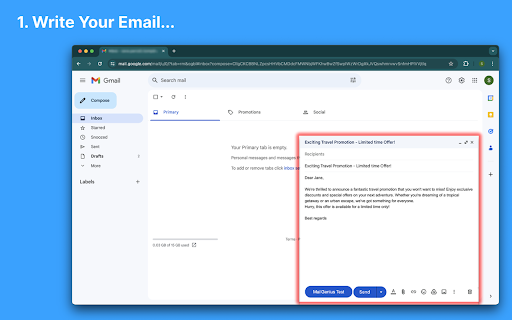


Boost your email campaigns’ deliverability with MailGenius, the ultimate Chrome extension for increasing email deliverability. Boost your email campaigns' deliverability with MailGenius, the ultimate chrome extension for ensuring email deliverability. Improve your email outreach and avoid the spam folder with our comprehensive suite of tools. MailGenius helps you identify and resolve issues that may affect your email deliverability, including: ✅ SPF Validation: Ensure your SPF record is correctly set up. ✅ DKIM Verification: Verify that your emails are properly signed with DKIM. ✅ DMARC Implementation: Confirm that your DMARC is aligned with SPF and DKIM settings. ✅ Reverse DNS Check: Ensure the sending IP matches the HELO FQDN. ✅ Domain Suffix Check: Validate your domain suffix to avoid issues with uncommon suffixes. ✅ Blacklist Monitoring: Ensure your IP, domain, or links are not listed on major blacklists. ✅ Domain Age Assessment: Evaluate the age of your domain to address deliverability challenges. ✅ Broken Links Detection: Identify and fix any non-working links in your email. ✅ Short URLs Review: Check for short links that could be marked as spam. ✅ Subject Line Optimization: Get advice on optimizing your subject line's length and structure. ✅ List Unsubscribe Header: Verify that your email includes a one-click unsubscribe option. ✅ HTML Best Practices: Analyze your email’s HTML for elements that may resemble spam. 🔑 Spam Analysis: Identify and resolve elements that trigger spam filters to improve email deliverability. 🔑 Real-Time Diagnostics: Access up-to-date data and personalized recommendations for your email campaigns. 🔑 User-Friendly Interface: Easily navigate powerful tools designed for both beginners and experts. 🔑 Privacy Assurance: Your data security is our priority; MailGenius ensures your email content remains confidential and secure. MailGenius is perfect for marketers, businesses, and individuals aiming to optimize their email outreach. Why MailGenius Chrome Extension? ⏳ Save Time: Quickly identify and fix deliverability issues with our easy-to-use tools. 📈 Improve Results: Enhance your email campaigns' effectiveness with actionable insights. 🔒 Stay Secure & Compliant: Ensure your emails follow best security practices and compliance guidelines.

Email Tracker by Mailtrack®
Free, unlimited email tracker for Gmail, trusted by millions. Accurate, reliable, GDPR-compliant, and Google-audited. ➤The Most Accurate and Reliable Email Tracker Mailtrack eliminates false self-opens and accurately tracks individual opens in group emails, so you know exactly who is engaging with your messages. ➤Avoid Your Emails Landing in the Spam Folder Mailtrack sends emails directly from your personal Gmail account, using Gmail's trusted infrastructure. No external servers, no red flags—minimizing the risk of your emails being marked as spam. ➤Individually Track Recipients in Group Emails In group emails, traditional email trackers only tell you if an email was opened, but not by whom. Mailtrack tracks each recipient individually helping you follow up more effectively based on their engagement. ➤Receive Real-Time Follow-Up Alerts Automatically Get Open Spike Alerts for multiple opens and Revival Alerts for old emails reopened, so you can identify strong interest and re-engage at the right moment. You'll also receive No-Reply Alerts if an email goes unanswered for 24–48 hours. ➤Privacy First. We Never Access or Sell Personal Data Mailtrack never stores your emails. We do not sell, rent, or share your emails, browsing information, or personal data. Your information is fully protected, and we comply with GDPR. ➤Secure and Legal with Encrypted Protection We undergo annual Google audits, are ISO (Information Security Management) certified, and recognized as a Google Cloud Partner. Our system employs 256-bit Advanced Encryption Standard (AES-256) for top-tier security. Key Features that make Mailtrack the Best Email Tracker for Gmail ✔️Individual tracking in group emails: Know who opened your emails when sent to multiple recipients. ✔️Full email tracking history: See exactly when and how many times your emails have been opened. ✔️Real-time email open tracking and notifications ✔️Follow-up alerts: Get notified if your email isn’t opened or replied to within 24–72 hours. ✔️Link click tracking ✔️False open avoidance: Emails sent to yourself aren’t tracked. ✔️Fully integrated Gmail email tracker: Mailtrack works directly within your Gmail, allowing you to keep your email habits unchanged Follow up at the perfect moment with Mailtrack’s real-time email tracker—know instantly when a prospect opens your email! How to track your email with Mailtrack 1. Install the Mailtrack email tracker extension. 2. Send an email as usual. 3. Go to your Sent folder and check if your email has been opened: one check mark means unread, two check marks mean read. Simple! Is Mailtrack safe and legal? Yes. Mailtrack is completely safe. Mailtrack’s email tracker is fully compliant with GDPR, the European Union’s rigorous regulations for safeguarding privacy. In addition, Mailtrack securely encrypts all of your data. ✅GDPR Compliant ✅Audited by Google ✅ISO (Information Security Management) Certified ✅256-bit Advanced Encryption Standard (AES-256) Unlock powerful advanced email tracking features to strengthen client relationships and close more deals! 🏅Integrate with Salesforce™, your CRM, or 4,000+ other apps through Zapier 🏅Excellent reviews: 4.4 stars from over 11,000 reviews 🏅Featured in Forbes, Mashable, Inc, Lifehacker, and more Plans and Pricing: https://mailsuite.com/en/pricing Privacy Policy: https://mailsuite.com/en/privacy-and-security-center ---------------------------------------------------- PRIVACY, SAFETY AND AUDIT Mailsuite® processes personal data in accordance with European Regulation (EU) 2016/679 of the European Parliament and of the Council of 27 April 2016. Mailsuite®’s Privacy Policy and Terms of Use comply fully with GDPR, which is the strictest privacy and security law in the world.

MailTracker: Email tracker for Gmail
Track if your emails are opened & how many times. Be notified when your emails are read with our advanced Email Tracking extension. MailTracker – The Best Gmail Email Tracking Extension Receive real-time alerts and detailed insights whenever your emails are opened, so you can follow up at the perfect moment. With simple, one-click installation, MailTracker seamlessly integrates into your Gmail account to help you stay on top of every outbound email—scheduled or otherwise. • Real-Time Email Tracking Know exactly when and how many times your emails are opened. MailTracker’s invisible tracking pixel notifies you immediately whenever a recipient views your message. • Scheduled Email Tracking MailTracker is one of the only solutions that lets you track emails you’ve scheduled to send later. Stay informed even when your messages go out at a future date. • Multiple Inbox Support Connect all your Gmail accounts for multi-account tracking in one place. Easily switch between inboxes without losing visibility. • Individual Recipient Tracking in Group Emails Track exactly who opens your email when you send to multiple recipients. MailTracker identifies each recipient’s open activity so you can follow up accordingly. • IP Location with Link Tracking See where your recipients click links. Identify IP-based locations to gain extra insights into your email engagement. • CSV Export Export your open and click data for advanced analytics and reporting. Perfect for teams that want in-depth metrics or need to integrate with other tools. • Privacy-Friendly & GDPR-Compliant We never read your emails, store IP addresses, or share data with third parties. MailTracker is fully GDPR-compliant and undergoes Google-audited security checks for a trustworthy experience. • No Branding or Signatures Keep a professional, ad-free look: we don’t add logos or footers to your outgoing emails. • High Deliverability By sending directly through your native Gmail account (not a separate API), MailTracker ensures high deliverability so your emails are less likely to end up in spam. Get real-time alerts via email or Chrome notifications the moment your message is opened. You can also receive reminders if an email remains unopened for 48 hours, ensuring you never miss an opportunity to re-engage. Access a centralized, up-to-date feed of all recently opened emails. Easily spot which messages remain unopened and follow up with a single click. Fully Integrated with Gmail 1. Compose Window: Toggle tracking on/off for each new email (including scheduled ones). 2. Inbox View: Instantly see which messages are read or unread via MailTracker icons. 3. Conversation View: Review the complete open history and details right inside Gmail. • Free Plan: Track up to 20 emails per month with unlimited history, alerts, and notifications. • Premium Plans: Unlock unlimited tracking across multiple Gmail accounts. All premium plans include every feature—choose the plan that fits your team size and workflow. • Timely Follow-Ups: Send a friendly nudge when you see your prospect or client has opened (or not opened) your email. • Job Interviews: Know if a recruiter or hiring manager has viewed your resume or follow-up messages. • Quotes & Invoices: Verify when your clients receive crucial payment information and respond promptly if needed. • Real Estate Agents: Track property listings or contract details you’ve shared, so you can engage clients at the right moment. • Prospecting: Monitor opens and clicks during email outreach campaigns to optimize your sales or lead generation efforts. MailTracker adds an invisible tracking pixel to your email. As soon as your recipient opens it, we detect that event and send you an alert (via email or Chrome notification). When an email is opened, the tracking pixel loads on the recipient’s device. We record the open event, the time, and the device used—without ever accessing the content of your email. • Built by Hunter.io: A leading email-finding platform with over three million users and trusted by companies like Google, IBM, Adobe, and Microsoft. • Simple Setup: Quick Chrome extension—no technical expertise required. • Data Privacy & Security: We never store or read the content of your emails. • Proven Reliability: Over 150,000 active users rely on MailTracker for precise email open tracking and link click insights. MailTracker adds a tiny, invisible image to your outbound emails. When your recipient opens the email, that image loads, allowing us to instantly inform you. We also detect the device type—desktop, mobile, or tablet—for better engagement insights. Ready to Elevate Your Email Outreach? Install MailTracker today and experience a new level of efficiency and clarity in your Gmail. Stay on top of every conversation, know exactly when to follow up, and take full control of your email communication—even for scheduled messages! Make every email count with MailTracker—the easiest, most secure way to see who’s opening your Gmail messages.

Unlimited Email Tracker by Snov.io
Email tracker for Gmail. Email opens tracking and link clicks statistics for your email messages. Snov.io Email Tracker is an unlimited and beautifully designed email tracking extension for Gmail that will show you which emails have been opened by your recipients, including the number of opens and link clicks, right in your Gmail. This mail tracker also lets you set follow-up reminders, schedule emails for later, and get regular performance reports. 🔥 NO SIGNATURES OR LOGOS IN YOUR SENT EMAILS. This email tracker extension doesn't add any visible links, signatures, or logos to your emails and doesn't ask to upgrade to a paid version to use it! This is a good Gmail tracker alternative to Mailtrack, Yesware, Bananatag and Mixmax. Make sure to only have one email tracker extension enabled to avoid conflicts and errors. Snov.io Email Tracker displays labels in your Gmail to let you know about the status of your sent emails. You will see: - a white label Unopened if an email has not yet been opened - a purple label Opened with the number of times the recipient opened the email - a green label Clicks with the number of times the recipient followed a link in the email 💜 SNOVIO EMAIL TRACKER FEATURES: 👉 Tracking of email opens 👉 Link tracking 👉 Send Later feature: schedule emails for a desired time 👉 Follow-up reminders based on recipient behavior 👉 Daily and weekly email tracking reports 👉 Multiple Gmail accounts tracking 👉 No signature forever 👉 No limits on tracked emails or accounts 👉 Live Push notifications when an email is opened or a link is clicked 👉 Seamless integration into your Gmail interface This tracker extension is perfect for salespeople, SDRs, marketers, content creators, outreachers, link builders, and everyone who works with emails. Try it for email engagement tracking, partnership and sales follow-ups, and as email delivery confirmation tool. Email Tracker permissions: 1. ""*://*.snov.io/*"" - access to our pages and API 2. ""https://mail.google.com/*"" - access to Gmail pages 3. ""tabs"" - for using the chrome.tabs API (getting bookmark links, creating new tabs with our link, reloading open Gmail pages) 4. ""cookies"" - session recovery via cookies from app.snov.io 5. ""storage"" - we store the activation settings of the tracker in the synchronized storage (if it's activated on one computer, then the settings are synchronized on others via Google account) 6. ""notifications"" - push notifications 7. ""gcm"" - to transfer data from the server to the client, needed to show push notifications 8. ""scripting"" - is used to execute the script in the tab 9. ""alarms"" - this allows the user to set a timer for sending the email or to send it later automatically at a time specified by the user Drop us a line if you have any questions about our email tracking software or other Snov.io tools: help@snov.io 👉 https://snov.io/email-tracker

Gmail App - Mail Application for Gmail™
Use Gmail app for Windows and Mac to boost productivity. Get notifications and read emails in Gmail desktop app for macOS and PC. 🔥 Optimize your email with Gmail apps, a Chrome extension for Windows & Mac. Get it now to boost your email management. 🔐 Your data is strictly protected by Google Security mechanisms: Encryption, Multi-factor Authentication, and Regular Audits. 1️⃣ Effortless Access: ● With just a click, access your Gmail inbox messages directly from your desktop. ● Eliminate the need to open a browser window. 2️⃣ Download and Installation: ● Download Gmail Apps for Mac or Windows - it is quick and easy! ● Visit the Chrome Web Store, search for "Gmail App" and click on the "Add to Chrome" button. ● When Gmail com app download is finished within seconds, you'll have access to all the features you need to manage your emails effectively. 3️⃣ Seamless Integration: ● Once installed, the gmailapp seamlessly integrates with your desktop environment. ● Whether you're on Windows 10, 11 or Mac, enjoy a consistent experience across all your devices. 4️⃣ Powerful Features: ● From accessing your inbox messages to composing new emails, this Google email app offers a wide range of features to enhance your productivity. ● Mark all emails as read with a click. ● Organize your inbox with labels and filters, and more. ● Do Not Disturb Gmail app mode. ● Listen emails, translate mail and customize account. ● Gmail Dark Mode is now available! ● Save Email in PDF! 5️⃣ Gmail AI: ● AI Summary: Instantly generate gmail summaries for long or complex emails. ● AI write E-Mail: Create polished emails using gmail app AI compose email tools. ● AI reply Gmail: Get context-aware responses tailored to your message tone. ● AI Inbox Assistant: Automatically highlight priority emails using intelligent AI sorting. 📨 Efficient Email Management. 1. Archive Emails: Declutter your inbox by archiving addressed or non-essential emails. 2. Delete Unnecessary Emails: Keep your inbox tidy by removing unwanted messages. 3. Star Important Emails: Prioritize crucial emails for quick retrieval and attention. 4. Summarize Emails: Get brief AI summary of your Gmail AI mails. 5. Save Emails to PDF easily! 🔔 Real-Time Notifications. - Stay Informed: Receive instant notifications on your desktop for important emails. - Prompt Response: Respond promptly to incoming messages, enhancing communication efficiency. - Work Flexibility: Stay updated even when taking breaks, ensuring timely responses. 🚀 Instant Access. 📌 Single-Click Launch: Access the Gmail com ap instantly from your desktop or taskbar with just one click. 📌 Efficiency Boost: Enjoy immediate access to your inbox without opening a browser window, saving valuable time. 📌 Streamlined Workflow: Enhance productivity by eliminating unnecessary steps and simplifying sendemail management. 🔕 Do Not Disturb Mode - Schedule Your Peaceful Time 1. Take control of your Gmail web app's notifications by scheduling Do Not Disturb mode on any day and at any time. 2. Choose between muting just sound or silencing all notifications, ensuring complete focus or tranquility from any pc. 3. Customize your schedule to fit your lifestyle and enjoy uninterrupted time on your device, whether for work, relaxation, or sleep thanks to the Google Mail application's reliable functionality. 🔝 Enhanced user experience. ➤ Quick and efficient access to all features: Enjoy immediate access to the Google Mail app's functionalities without delay. ➤ User-friendly interface for effortless navigation: Navigate seamlessly through the Gmail desktop version app's intuitive interface with Gmail Dark Mode. ➤ Unique email features: listen mail and translate emails, change account colors and labels, save email to PDF in just one simple click. ❓How secure is the Gmail App? 💡The Gmail Apps adheres to strict security standards to ensure the safety of your email data. It utilizes encrypted connections to Gmail servers and follows Google's security best practices to protect your information. ❓Is the Gmail App user-friendly for beginners? 💡Absolutely! This application of Gmail for macbook offers a user-friendly interface that's intuitive and easy to use. Whether you're a seasoned Gmail for desktop user or new to email management, you'll find the app straightforward and accessible. 👆🏻 Download Gmail App for Windows or Mac to enhance your email management. ❗ Extension provides additional features like entire functionality will work only if you have a paid subscription.
