
dldmhlbkdamcgjkaoeomhkkojpkhafcf
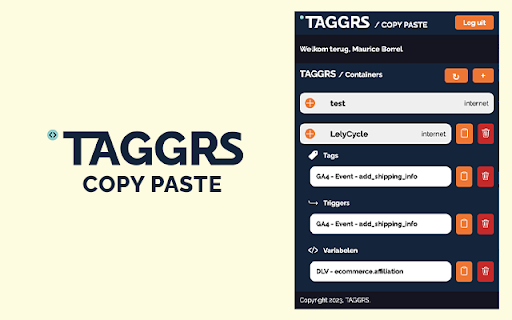

Easily copy GTM elements, save configurations, and enjoy server-side support with the Taggrs Copy Paste Extension Introducing GTM Copy Paste - TAGGRS: The Ultimate Chrome Extension for Effortless Tag, Trigger, and Variable Copying! Are you tired of wasting precious time manually transferring tags, triggers, and variables between different containers in Google Tag Manager (GTM)? Look no further! GTM Copy Paste - TAGGRS is here to revolutionize your workflow and boost your productivity. With GTM Copy Paste - TAGGRS, copying and pasting tags, triggers, and variables becomes a breeze. Say goodbye to the tedious and error-prone task of recreating your configurations from scratch. Our powerful chrome extension streamlines the entire process, allowing you to effortlessly duplicate your GTM setups with just a few clicks. Seamless Copy-Paste Functionality: Save valuable time and eliminate the risk of manual errors. TAGGRS empowers you to duplicate tags, triggers, and variables with unparalleled ease. Simply select the desired elements, copy them, and paste them into your target container. It's that simple! Server Side Support: Stay ahead of the curve and optimize your website's performance with server-side support. TAGGRS seamlessly integrates with server-side setups, enabling you to efficiently manage your GTM configurations across multiple environments. Configuration Storage: Worried about losing your meticulously crafted configurations? Fret no more! TAGGRS offers a secure and convenient configuration storage solution. Save your setups for future use, access them whenever you need, and effortlessly apply them to different containers. Streamlined Workflow: TAGGRS is designed with your convenience in mind. Its intuitive interface and user-friendly controls make navigating through GTM a breeze. Accelerate your workflow and experience a significant boost in productivity. Error-Free Copying: Our chrome extension ensures that your copied tags, triggers, and variables are faithfully reproduced without any mistakes. Enjoy peace of mind knowing that your configurations are accurately replicated, leaving no room for errors or discrepancies. Upgrade your GTM experience today and witness the power of GTM Copy Paste - TAGGRS. Take control of your workflow, enhance efficiency, and unlock a new level of productivity. Join satisfied users who have already transformed their GTM workflow with TAGGRS.

GTMFixer - Google Tag Manager Enhancements
Google Tag Manager enhancements for easier tag, trigger and variable organization. GTMFixer is a Chrome extension designed to streamline and enhance your Google Tag Manager (GTM) workflow. This extension provides a suite of tools that make it easier to organize and manage your tags, triggers, and variables, ensuring a more efficient and error-free tagging process. Variable Quick Edit: Jump straight to the variable editor from any tag parameter field. When a field references a GTM variable, a quick-edit button appears — click it to open that variable instantly without hunting through the variable list. Search Boxes in Preview: Easily find and filter tags, triggers, and variables with added search boxes. This feature saves time and reduces the hassle of manually scrolling through long lists. Filter Tags, Trigger & Variable Types: Quickly filter to any tag, trigger or variable type for easier organization. QA Reminders: After publishing a new GTM version, set a QA reminder so you don't forget to check data after publishing. Tag ID Appending on GA4 Tags: Append unique IDs to your GA4 tags for better identification and management. Tag Error Highlighter in Preview: Quickly identify and address issues with your tags. The tag error highlighter visually marks tags with errors, helping you to promptly fix them and maintain a clean and functional GTM setup. Hide Built-In Variables: Simplify your workspace by hiding built-in variables that you don't use. This feature helps you focus on the variables that matter most to your specific implementation. Event Name Checker: Ensure that your event names follow a consistent naming convention. The event name checker helps you avoid discrepancies and maintain a standardized approach to event tracking. Hide Container Quality: Optionally hide the container quality score to reduce distractions and focus on the essential aspects of your GTM setup.

Save That Group - Save & Sync your GroupTabs
A simple extension to save and sync your group tabs 🔥A simple way to save and sync your group tabs!🔥 ⭐️Just hit Save group and it will save new groups and update any existing one! ⭐️It will sync automatically across any Chrome browser that you are logged into! ***Important notes*** ✔️All groups are stored by the group name! ✔️Same name groups are currently not supported ✔️If a group with the same name is already open it won't open again! ✔️Currently limited to 50 groups and 30 tabs per group. ✔️Chrome sync needs to be one for the groups to be synced across different browsers.

GPT Enhancer: Export, Themes, Prompts & RTL for ChatGPT
Enhance ChatGPT with themes, fonts, KaTeX copy, prompt library, and chat export — lightweight and private. GPT Enhancer upgrades the ChatGPT experience with polished themes, curated fonts, smarter mixed RTL/LTR rendering, one-tap KaTeX copy, a personal prompt library, and quick export to PDF / DOCX / JSON / Image. 🌐 Real bilingual support (Persian 🇮🇷 & English 🏴) Handles mixed-direction text cleanly across messages, KaTeX, code blocks, and tables. 📚 Floating table of contents Generate a collapsible outline for long conversations, jump between sections instantly, and drag the TOC to wherever it’s most convenient on the screen. 🎨 Custom themes (Light & Dark aware) Switch between handcrafted themes like Midnight, Aurora, Paper, Nebula, and Skyblue — each designed to blend seamlessly with ChatGPT’s light or dark mode. ✍️ Smart, readable fonts Automatic Persian/English font detection with adjustable typography for long, comfortable reading. 🧮 Instant KaTeX → LaTeX copy Click any KaTeX formula and copy the underlying LaTeX instantly — perfect for students, developers, and researchers. ⚡ Personal prompt library Save, edit, reorder, and paste your reusable prompts with one tap. Build your own productivity toolkit inside ChatGPT. 📤 One-click chat export Export your current conversation as PDF, DOCX, JSON, Image, Markdown, and CSV directly from the pop-up — fast and reliable. 🧭 Lightweight popup interface All controls are neatly organized in a clean, responsive pop-up that stays out of your way until you need it. ❓ Built-in Help (EN & FA) A slide-in bilingual guide explains every toggle and feature for quick onboarding. 🔒 Privacy-first architecture Runs 100% locally in your browser. No accounts, no cloud, no data collection, no ads. ⚪ Open-source, transparent, and crafted with care Contributions, feedback, and ideas are always welcome. The GitHub Repo Link: https://github.com/moalimirinfinity/ChatGPT_Enhancer

GPTNest
Save, load, import and export prompts in ChatGPT. Backup and share your prompt collections easily. GPTNest is a seamless Chrome extension that lives inside the ChatGPT chatbox, letting you save, reload, and export your favorite prompts , all without ever leaving the conversation. Whether you're a developer, student, researcher, or AI enthusiast, GPTNest helps you build a personal prompt library and supercharge your workflow. 1) Bookmark Prompts Instantly -> Save any prompt in a click 2) Reload & Reuse -> Quickly load saved prompts directly into the chatbox 3) Smart Export -> Select all or just a few prompts to export as .txt 4) Import Prompts -> Import the prompts directly into your database. 5) Integrated UI -> No popups! All functionality sits natively inside ChatGPT 6) Zero Disruption -> Lightweight and focused on what matters: your prompts 7) 100% Client-Side Storage -> All your data stays in your browser. No servers, no accounts, no tracking. Privacy First: We respect your data. GPTNest never sends or stores your prompts to any external server. All saved prompts are securely stored locally in your browser's storage , visible only to you. 🫶🏻Why You'll Love It: No more scrolling through chat history to reuse prompts Perfect for power users who build workflows with ChatGPT A true time-saver for creators, devs, and researchers Export your prompt library anytime –> keep full control over your data. ✨ Your prompts, your flow , organized and one click away. Install GPTNest and never lose your best ideas again. Buy me a coffee If GPTNest has helped you in any way, feel free to support the project.
