
hfddgpigmjhagbjpinbfnemkfdfgjbcg
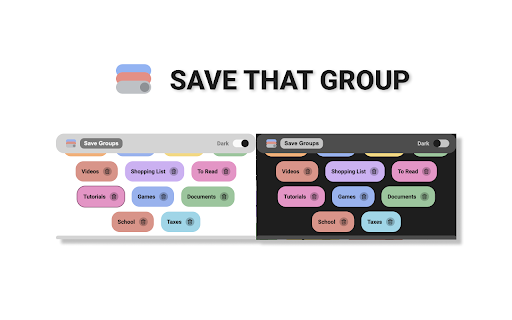

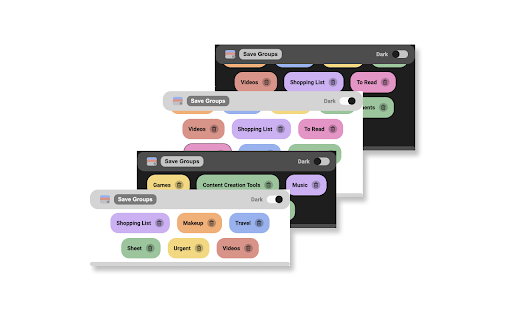

A simple extension to save and sync your group tabs 🔥A simple way to save and sync your group tabs!🔥 ⭐️Just hit Save group and it will save new groups and update any existing one! ⭐️It will sync automatically across any Chrome browser that you are logged into! ***Important notes*** ✔️All groups are stored by the group name! ✔️Same name groups are currently not supported ✔️If a group with the same name is already open it won't open again! ✔️Currently limited to 50 groups and 30 tabs per group. ✔️Chrome sync needs to be one for the groups to be synced across different browsers.

TabStacks: tab and history search
View and search through open tabs and browser history. TabStacks is a vertical tab menu that helps you find the content you were looking for. Filter the tabs you have open and TabStacks will list the open tabs that match. If TabStacks can't find an open tab, it searches through your history to see if you had a tab open previously! TabStacks is designed to be keyboard and screen reader accessible. Press [CTRL]+[SHIFT]+[K] to open the menu, start typing to filter your tabs, and use the [DOWN] arrow key to navigate to the tab you want, and [ENTER] to open that tab. You can always use your mouse as well. You can search through your history during a tab search by pressing [CTRL+SHIFT+S]. You can close a tab by highlighting it in the list using the arrow keys or right-click and pressing [DELETE] or by clicking the close button on the tab. TabStacks is a high performance and secure extension for Chrome. TabStacks doesn't download external files, doesn't store any information about your activity. *** UPDATES *** Version 2.0.2 * Fixed bug where the popup doesn't close on tab change * Added a settings item to allow the option to hold the popup open Version 2.0.1 * The default keyboard shortcut for toggling the search is now CTRL+SHIFT+S due to the browser using nearly all possible combinations of CTRL+ a single key. * The keyboard shortcut key is now configurable, you can modify it in the settings page. Click the gear icon at upper right of the popup to access settings. * Minor cosmetic updates to the settings page. Version 2.0 * Tabs shown in the popup are synchronized with the state of the tabs in the browser: * Title updates are reflected in real-time. * New or deleted tabs are reflected in the tab list. * Close tabs using a button on the tab. Close buttons show on hover or focus. * Tabs display an audio icon if playing audio. * For audible tabs, clicking the icon will mute and unmute the tab. * Settings page has been added, click the gear icon top-right to access settings. Version 1.0.8 * Added lazy loading for site icons to speed up rendering * Reduced requested browser permissions Version 1.0.7 * Linux support for launching TabStacks from keyboard with [CTRL+SHIFT+K]. * PopupMenu now has a max-height instead of fixed height. * Fixed bug on Windows where the scroll bar was rendered even if the tabs would not scroll. Version 1.0.6 * Improved search algorithm for both tabs and history. * Searches much longer history time period. * Tabs in the current window always appear at top when popup is opened (User suggestion). * URLs for tabs appear on focus or mouseover (User suggestion). * Engineering improvements under the hood to use Web Components for rendering.

Simple Tab Manager
Simple tab manager that allows you to easily manage and sort tabs. Windows: - Open, close, and minimize windows - Change window title - Color code windows Tabs: - Open, close, mute, pin, refresh, duplicate tabs - Move tabs within and between windows - Select multiple tabs at once - Sort tabs by title or url - Easily find tabs by searching Other: - Supports dark mode - An alternative, more compact view (grid view) - Use shortcuts to quickly perform actions - Export and import windows and tabs

TabTabTab - All In One Tab Manager
Supports your browsing by improving tab management. Lost in a sea of tabs? Feel overwhelmed by their sheer number? TabTabTab is here to revolutionize the way you manage tabs. Experience a seamless, organized, and efficient browsing like never before. * Comprehensive Tab Overview: View all your windows and tabs, including those grouped, in one unified list. * Flexible Drag & Drop: Organize your tabs freely - be it pinned, grouped, or standalone. * Window and Group Save & Restore: Quickly save and restore your tab groups and window sessions, ensuring a seamless continuation of your work. * Automatic Tab Grouping: Tabs are automatically organized based on domain or subdomain, making it easier to manage and navigate your tabs. * Duplicate Tab Alert: Avoid clutter with automated alerts for duplicate tabs. Effortlessly close duplicates to streamline your browsing. * Window Merge: Combine multiple browser windows into one with a single click, organizing scattered tabs into a cohesive session. * Time Tracking: Keep track of how long it's been since you last accessed a tab. * Essential Tab Operations: URL copying, pinning, grouping, and more. * Screenshot Tool: Quickly capture the active tab's visible area. * Efficient Navigation & Search: Jump to or find your desired tabs in seconds. * Automatic Cleanup: Auto-remove tabs you haven't accessed based on your preferences. * Side Panel Tab Overview: Easily access a list of your tabs through a convenient side panel. * Dark Mode: Switch to a darker, more focused look whenever you wish. The source code for TabTabTab is public on GitHub at the following link.

Group Tabs
This is a Chrome extension that sorts and groups tabs. * Feature: Not group for domain or sub-domain that has only 1 tab. # Access to data This extension access all tabs, but uses only the URL of the site open in the tab. Use this information when sorting or grouping tabs.
